Zimbabwe Passport Photo (35×45 mm) Requirements and Size Guide
Everything you need to know about Zimbabwean passport photo requirements, including exact dimensions, background color, strict dress code and jewelry rules, hair regulations, and how to take a compliant passport photo at home.
Zimbabwe Passport Photo Specifications
Requirement
Specification
Country
Zimbabwe
Document Type
Passport
Photo Size
35 × 45 mm (3.5 × 4.5 cm / 1.38 × 1.77 inches)
Resolution (DPI)
600
Head Size
34.5 mm from chin to top of hair (60–80% of photo)
Top Margin
3 mm from top edge to top of hair
Background Color
Strictly white
Printable
Yes — on matte or glossy photo-quality paper
Digital Photo Size
400×600 to 600×800 pixels, under 120 KB
Color
Color only (black and white not accepted)
Number of Photos
2 identical photos
Recency
Taken within the last 6 months
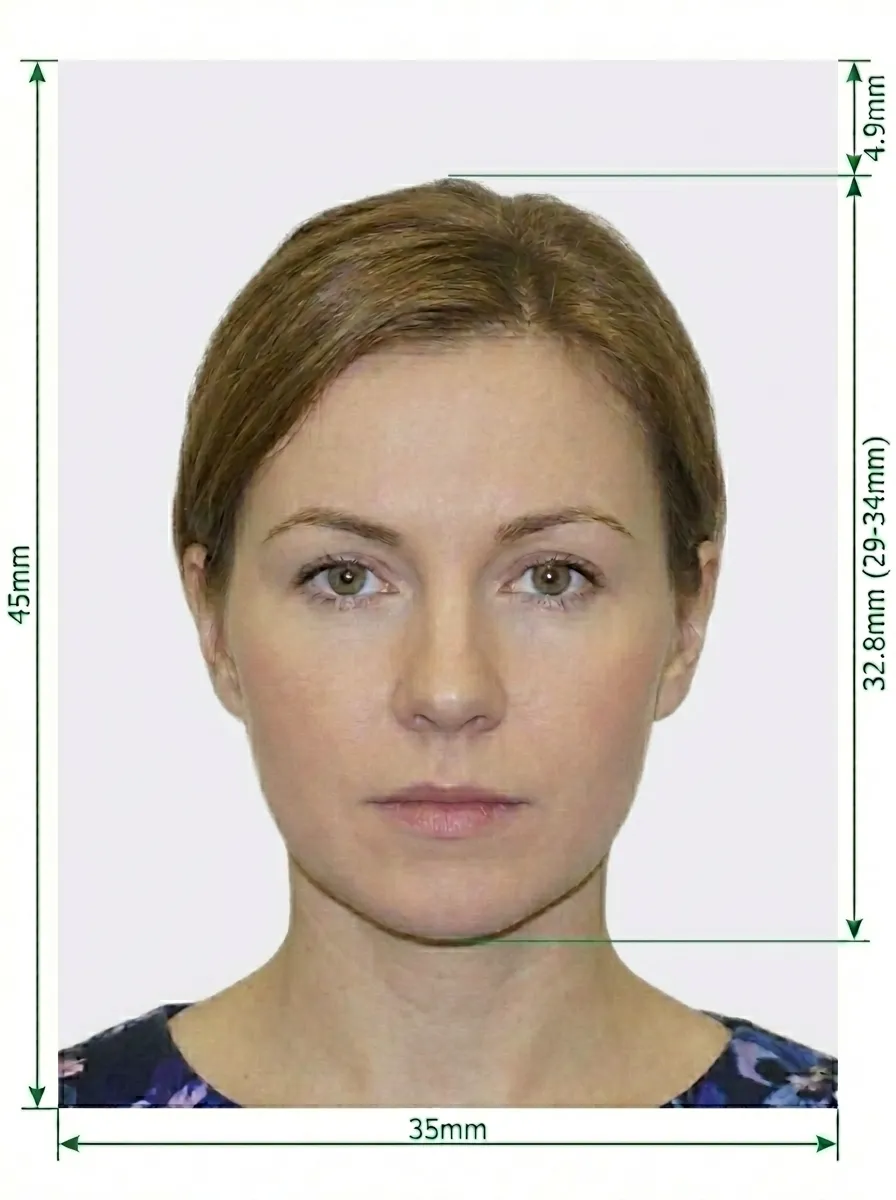
Zimbabwe Passport Photo Size Diagram
Key measurements: The photo must be exactly 35×45 mm (ICAO standard). Your head should measure approximately 34.5 mm from chin to top of hair, with about 3 mm from the top edge to the top of your head.
Zimbabwe-specific rules: No jewelry of any kind (earrings, necklaces, etc.). No glasses — no exceptions. No braids or wigs. Hair must be tied back. Both ears must be visible. Dark or bright-colored top required — cream and white tops are NOT allowed. No photo booth photos.
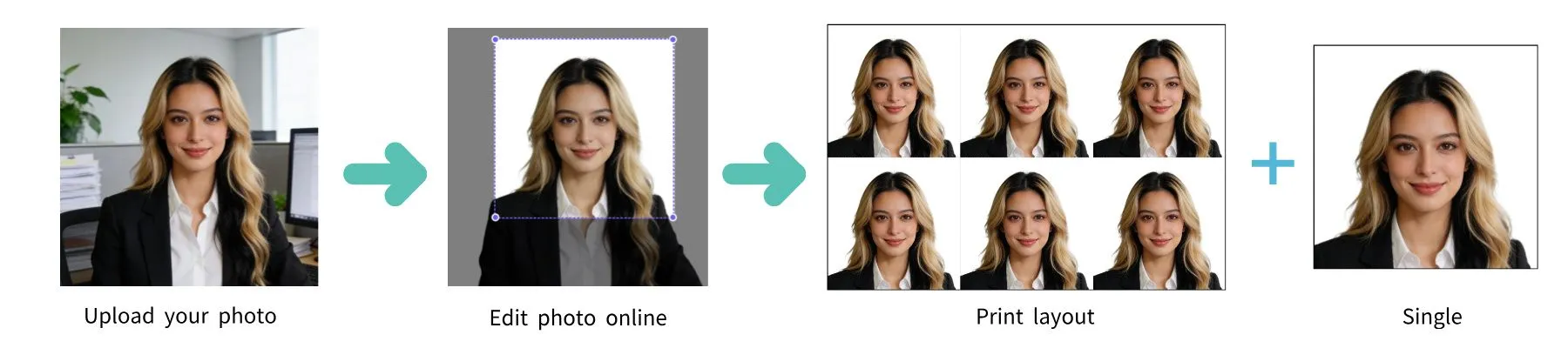
Don't worry about getting the perfect photo. Upload any photo taken at home, and our AI-powered tool will automatically crop to the correct 35×45 mm size, remove and replace the background with white, adjust the head size, and ensure your photo meets all Zimbabwe passport requirements.
Detailed Zimbabwe Passport Photo Requirements
Zimbabwean passports are issued by the Registrar General's Office (RGV) under the Ministry of Home Affairs. The requirements are notably strict compared to many other countries. Below is a comprehensive guide.
Photo Basics
Your photo must be in color — black and white not accepted
Must be a recent photo, taken within the last 6 months
The photo must be clear, sharp, and in focus
No filters or editing — do not digitally alter your appearance
No photo booth photos — these are explicitly not accepted
Size and Dimensions
Photo size: exactly 35 × 45 mm (3.5 × 4.5 cm) — ICAO standard
Head height: approximately 34.5 mm from chin to top of hair
Top margin: approximately 3 mm from top edge to top of hair
Printed on matte or glossy photo-quality paper
Digital format: JPG, 400×600 to 600×800 pixels, under 120 KB
Pose and Expression
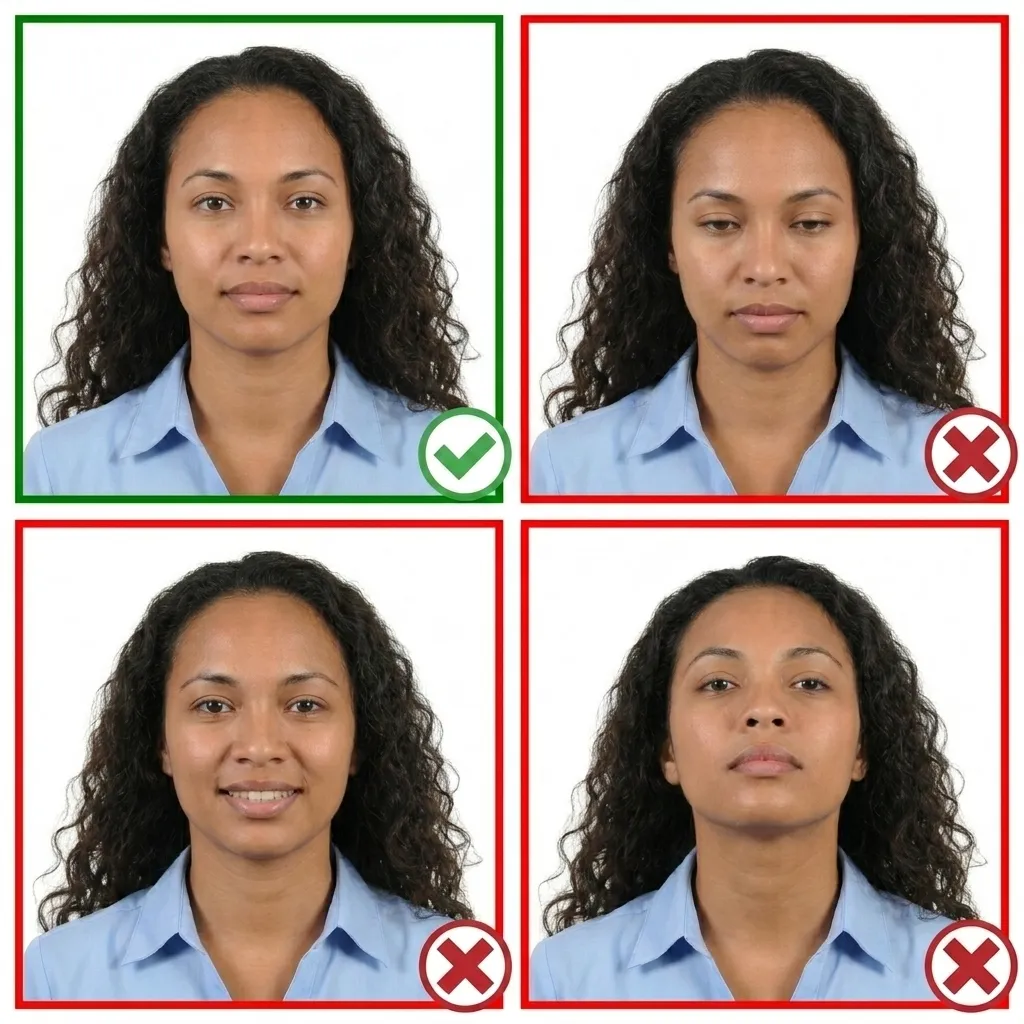
Face the camera directly — head not tilted or turned
Maintain a neutral facial expression with your mouth closed
Both eyes must be open and clearly visible
Both ears must be visible — this is mandatory
Ensure your entire face and top of shoulders are visible
Background
Use a strictly white background — no off-white or gray
No patterns, textures, or objects visible behind you
No shadows on your face or behind your head
Glasses
Glasses are strictly NOT allowed in Zimbabwe passport photos. This applies to all types of eyewear — prescription glasses, sunglasses, tinted lenses. There are no exceptions.
Jewelry
No jewelry of any kind is permitted. This is stricter than most countries. You must remove all earrings, necklaces, facial piercings, and any other visible jewelry before taking the photo.
Hair Rules (Zimbabwe-Specific)
Hair must be tied back — both ears must be clearly visible
No braids or wigs are permitted
No loose hair covering the face or ears
Head Coverings
No hats or head coverings are allowed, unless worn for religious purposes
If worn for religious reasons, your full face and both ears must still be clearly visible
Clothing
Wear a dark or bright-colored top — black, navy, red, green, etc.
Cream and white tops are NOT allowed — this is explicitly stated
You don't need a professional studio. Follow these steps to take a compliant Zimbabwean passport photo at home using your smartphone.
1
Use a Smartphone or Digital Camera
Any modern smartphone camera works well. Clean the lens and set to highest resolution. Ask someone to take the photo — selfies and photo booth photos are not accepted.
2
Find Good Lighting
Stand facing a window with natural daylight. Avoid direct sunlight and harsh shadows. Use multiple indoor light sources if needed.
Tip: Our AI tool will automatically replace your background with white.
3
Pose and Expression
Face the camera directly with a neutral expression. Both eyes open, mouth closed. Keep your head level. Remove all jewelry and glasses. Tie hair back to show both ears. Wear a dark-colored top.
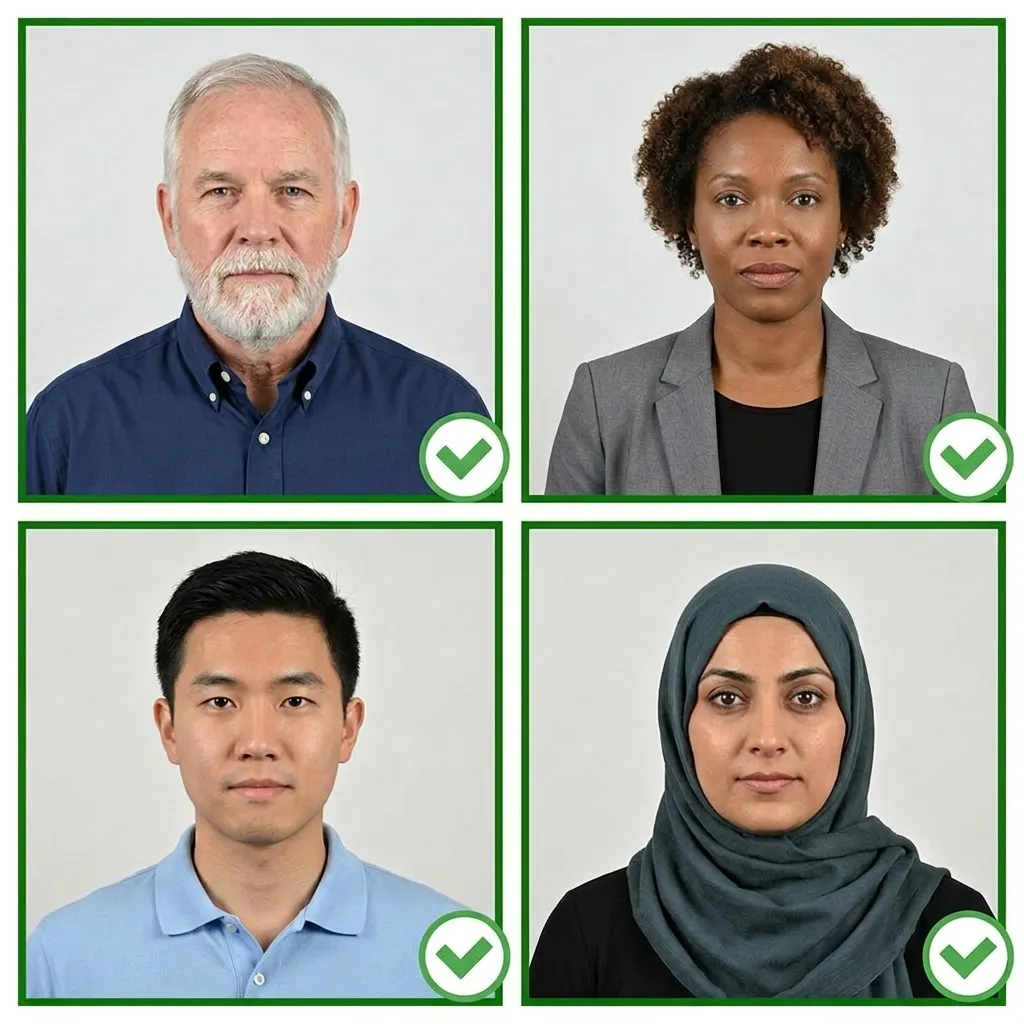
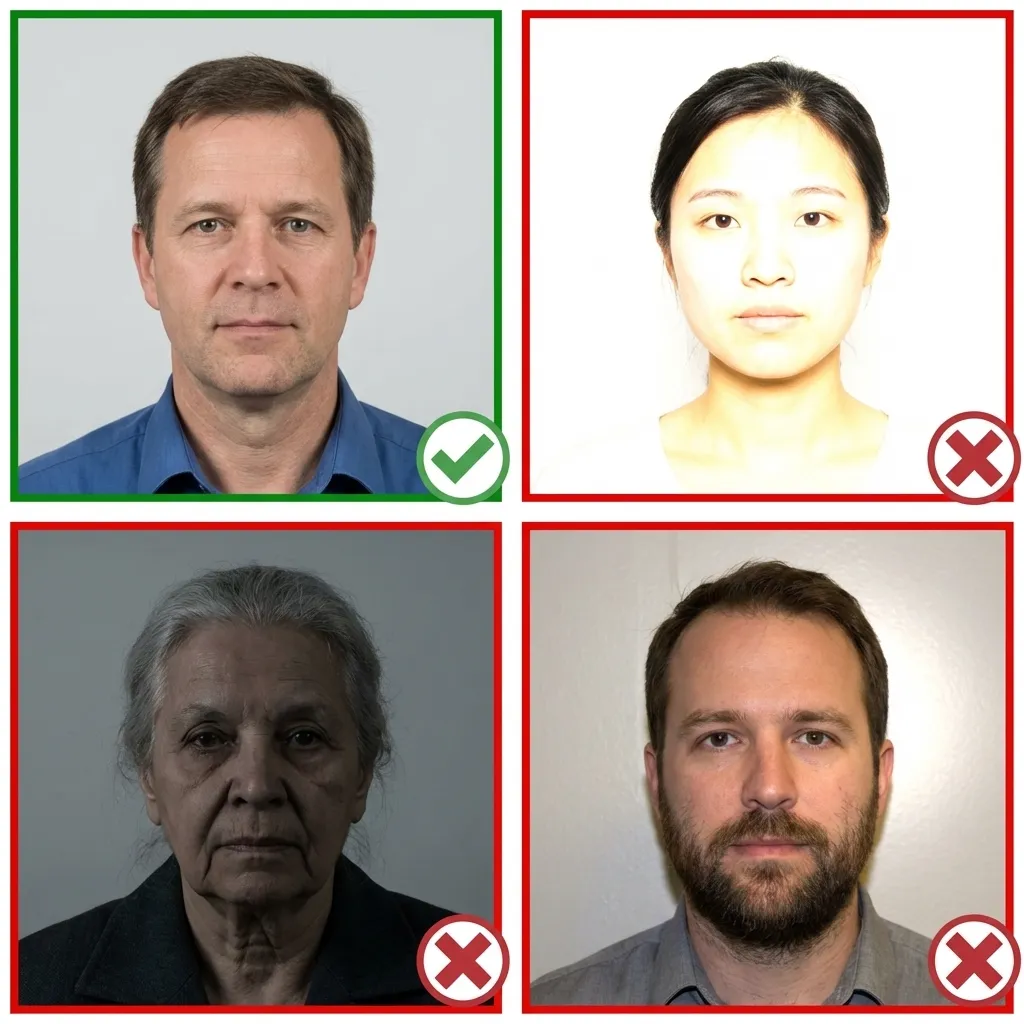
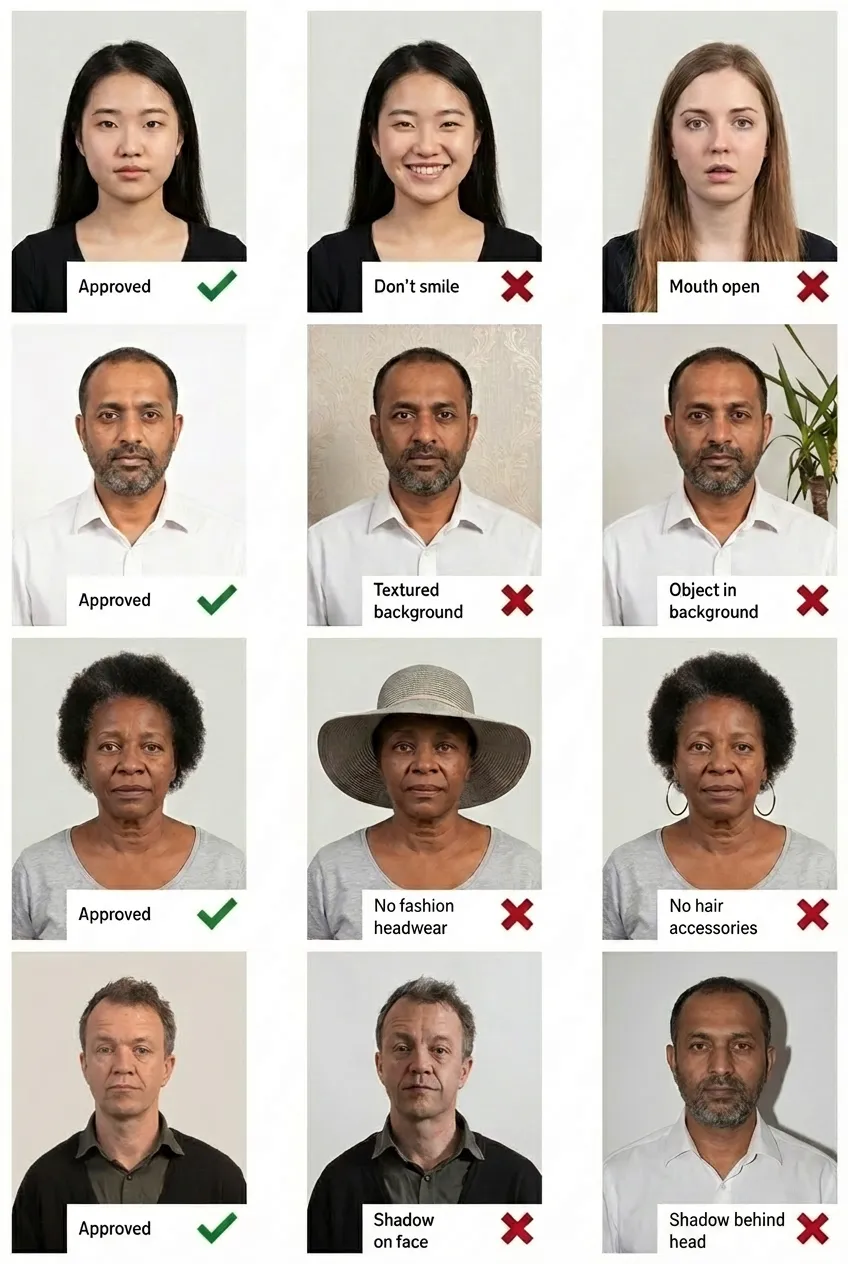
Good and Bad Examples of Zimbabwe Passport Photos
Comparison of acceptable and unacceptable passport photos
Frequently Asked Questions
What size is a Zimbabwe passport photo?
A Zimbabwe passport photo must be exactly 35×45 mm (3.5×4.5 cm) — the ICAO standard format. Your head should measure approximately 34.5 mm from chin to top of hair, occupying 60–80% of the photograph.
Can I wear jewelry in my Zimbabwe passport photo?
No. All jewelry is strictly prohibited — earrings, necklaces, facial piercings, and any other visible jewelry must be removed before taking the photo.
Can I wear glasses?
No. Glasses are strictly NOT allowed in Zimbabwe passport photos — no exceptions. This includes prescription glasses, sunglasses, and tinted lenses.
What color top should I wear?
You must wear a dark or bright-colored top (black, navy, red, green, etc.). Cream and white tops are explicitly NOT allowed as they blend with the white background.
Do both ears need to be visible?
Yes. Both ears must be clearly visible. Tie your hair back and do not wear braids or wigs.
Can I use a photo booth photo?
No. Photo booth photos are explicitly not accepted for Zimbabwe passport applications. Have someone take your photo with a proper camera or smartphone.
Can I take my Zimbabwe passport photo with my phone?
Yes! Upload your photo to PassportPhoto.help and our AI will automatically crop, resize, remove the background, and ensure it meets all Zimbabwe passport requirements.