Everything you need to know about US visa photo requirements for DS-160 and DS-260 applications, including exact dimensions, digital photo specifications, background color, pose rules, and how to take a compliant photo at home.
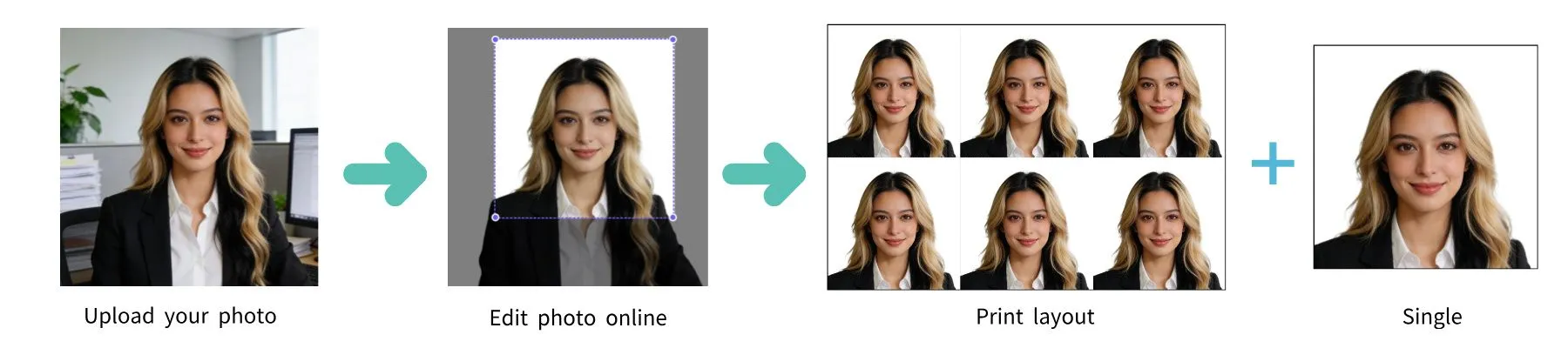
| Requirement | Specification |
|---|---|
| Country | United States |
| Document Type | Visa (Nonimmigrant/Immigrant) |
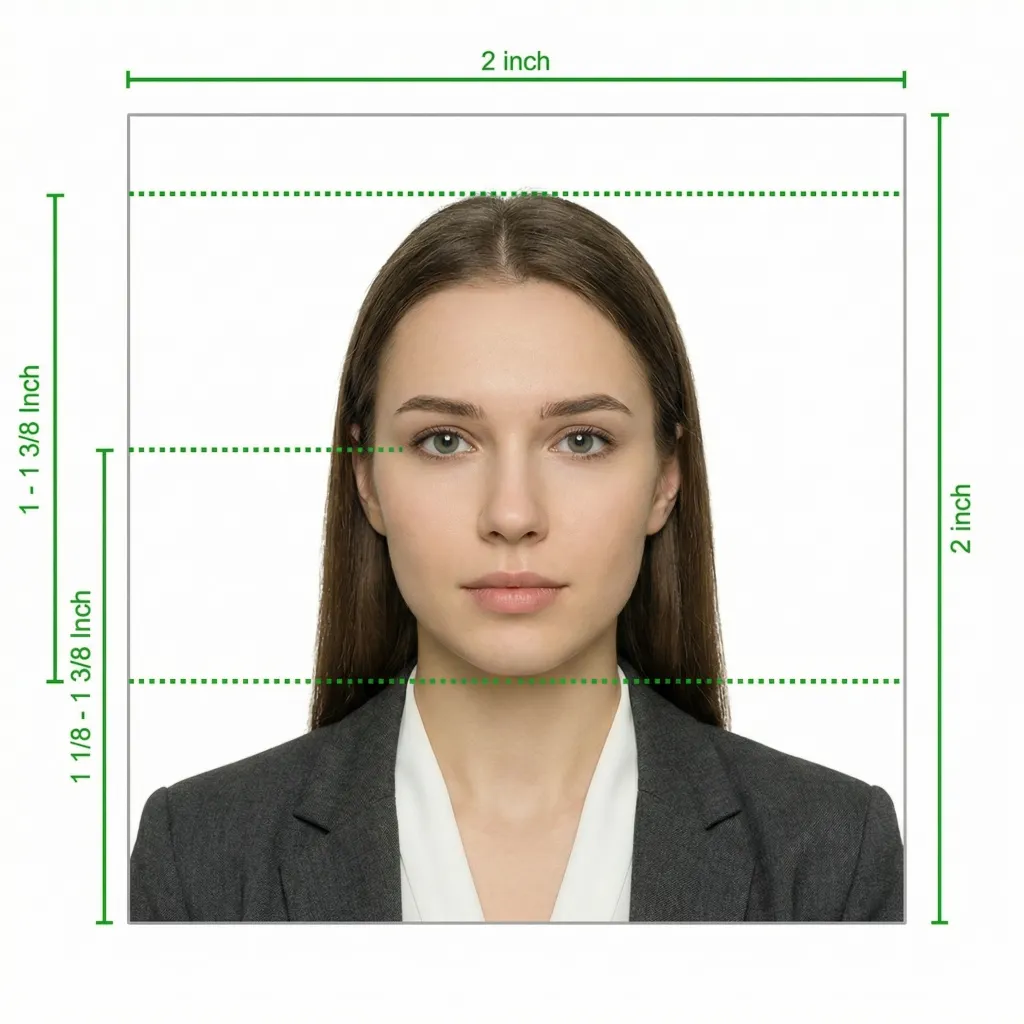
| Photo Size | 2 x 2 inches (51 x 51 mm) |
| Resolution (DPI) | 600 |
| Head Size | 1 to 1-3/8 inches (25-35 mm) from chin to top of head |
| Background Color | White or off-white |
| Printable | Yes |
| Digital for Online Submission | Yes (DS-160 form) |
| Digital Photo Size | 600 x 600 pixels minimum |
| Photo Paper Type | Matte or glossy |
| Color | Color only |
| Recency | Taken within the last 6 months |
The US Department of State has strict requirements for visa photos. Whether you are applying for a nonimmigrant visa (DS-160) or an immigrant visa (DS-260), your photo must meet the same specifications. Below is a comprehensive guide to ensure your photo is accepted.
Glasses are NOT allowed in US visa photos (effective November 1, 2016). This applies even if you wear glasses daily. The only exception is a signed statement from your doctor explaining a medical reason why you cannot remove them. If you are applying online via the DS-160 form, the system will reject any photo that shows you wearing glasses.
When submitting the DS-160 online nonimmigrant visa application, you will need to upload a digital photo that meets these technical requirements:
For nonimmigrant visa applications (such as B1/B2 visitor visas, F1 student visas, H1B work visas, and others), the photo process is as follows:
For immigrant visa applications (including diversity visa lottery winners, family-based immigration, and employment-based immigration), the photo requirements differ slightly:
Taking a compliant photo of a baby or young child can be challenging. Here are the guidelines:
Your visa photo must reflect your current appearance. You need a new photo if you have experienced any of the following significant changes:
You do NOT need a new photo for the following minor changes:
You don't need a professional studio. Follow these simple steps to take a compliant US visa photo at home using your smartphone.
Any modern smartphone camera (iPhone, Samsung Galaxy, Google Pixel, etc.) is more than capable of taking a visa-quality photo. Make sure the lens is clean and the camera is set to the highest resolution.
Place your phone on a tripod or ask someone to take the photo for you. Selfies tend to have the wrong angle and distortion.
Stand facing a window with natural daylight for the best even lighting. Avoid direct sunlight, which creates harsh shadows. If using indoor lighting, use multiple light sources from different angles to eliminate shadows.
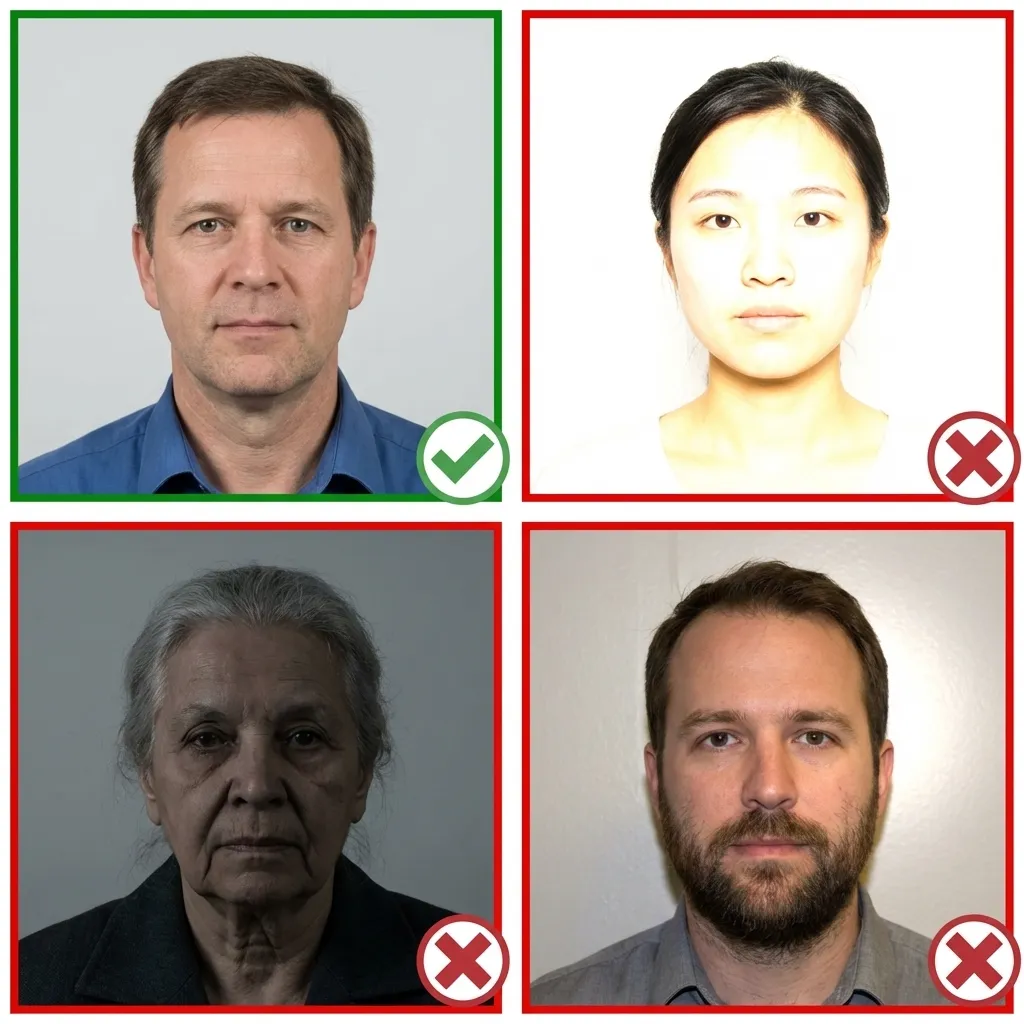
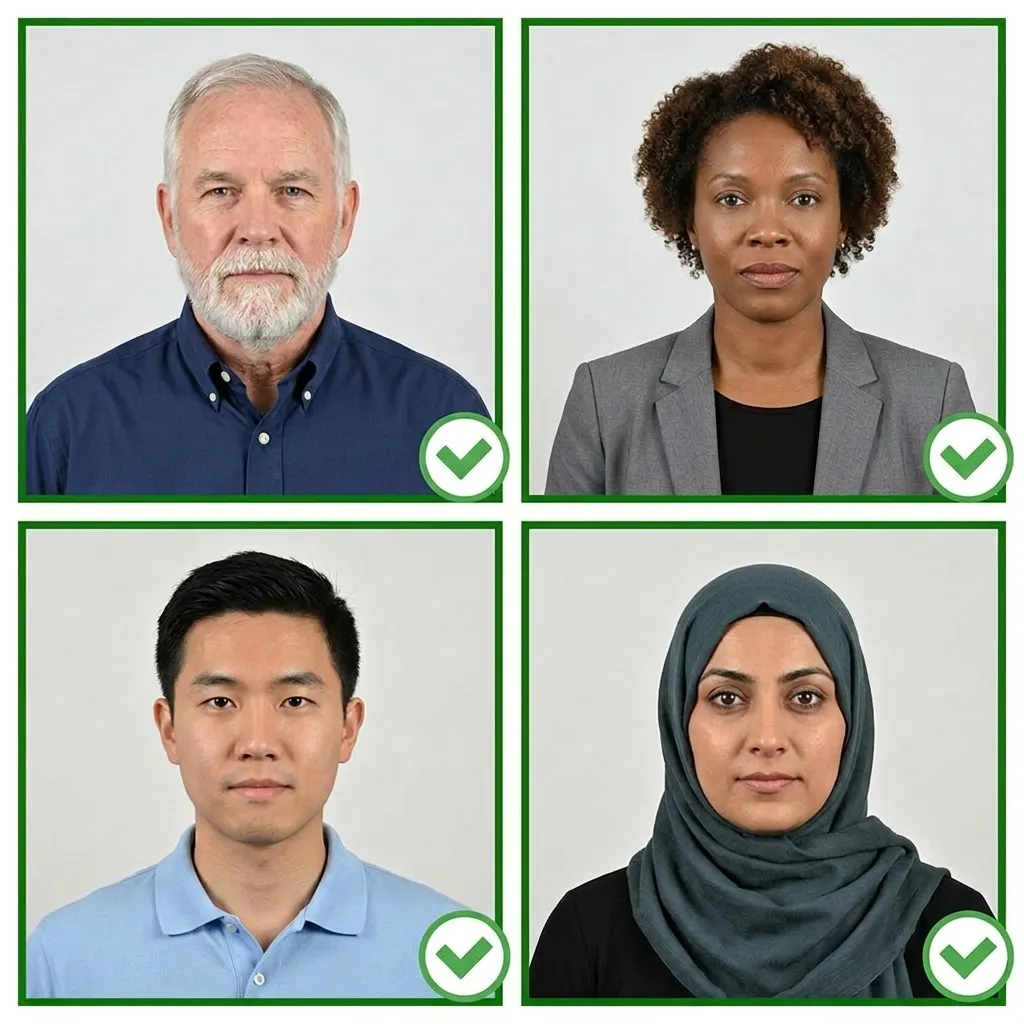
Wear your normal everyday clothing. Avoid uniforms and white tops that blend with the background. If you wear religious head coverings daily, you may keep them on as long as your full face is visible.
Make sure your hair does not cover your eyes or cast shadows on your face.
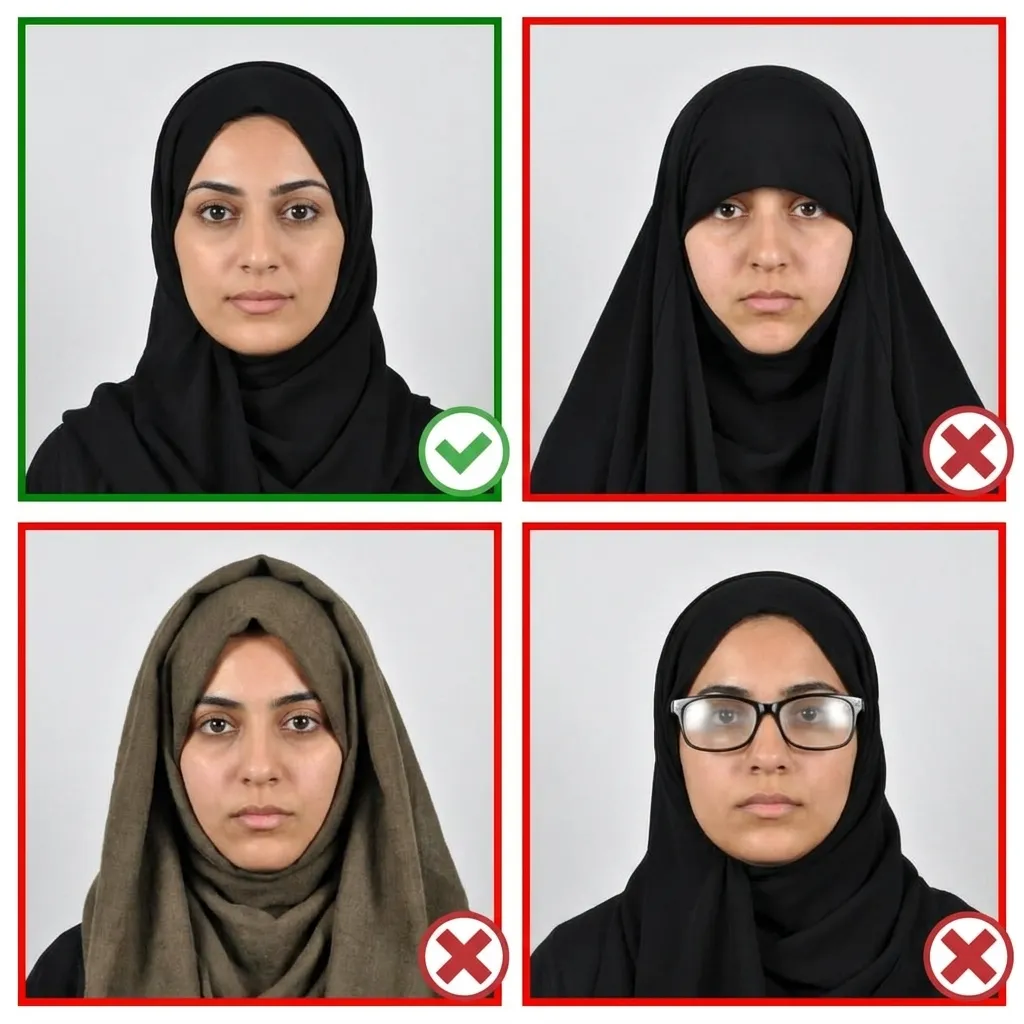
Stand about 4 feet (1.2 meters) in front of the camera with your head facing directly forward. Keep your shoulders relaxed and your head level — not tilted. Ensure your entire face from chin to forehead is visible.
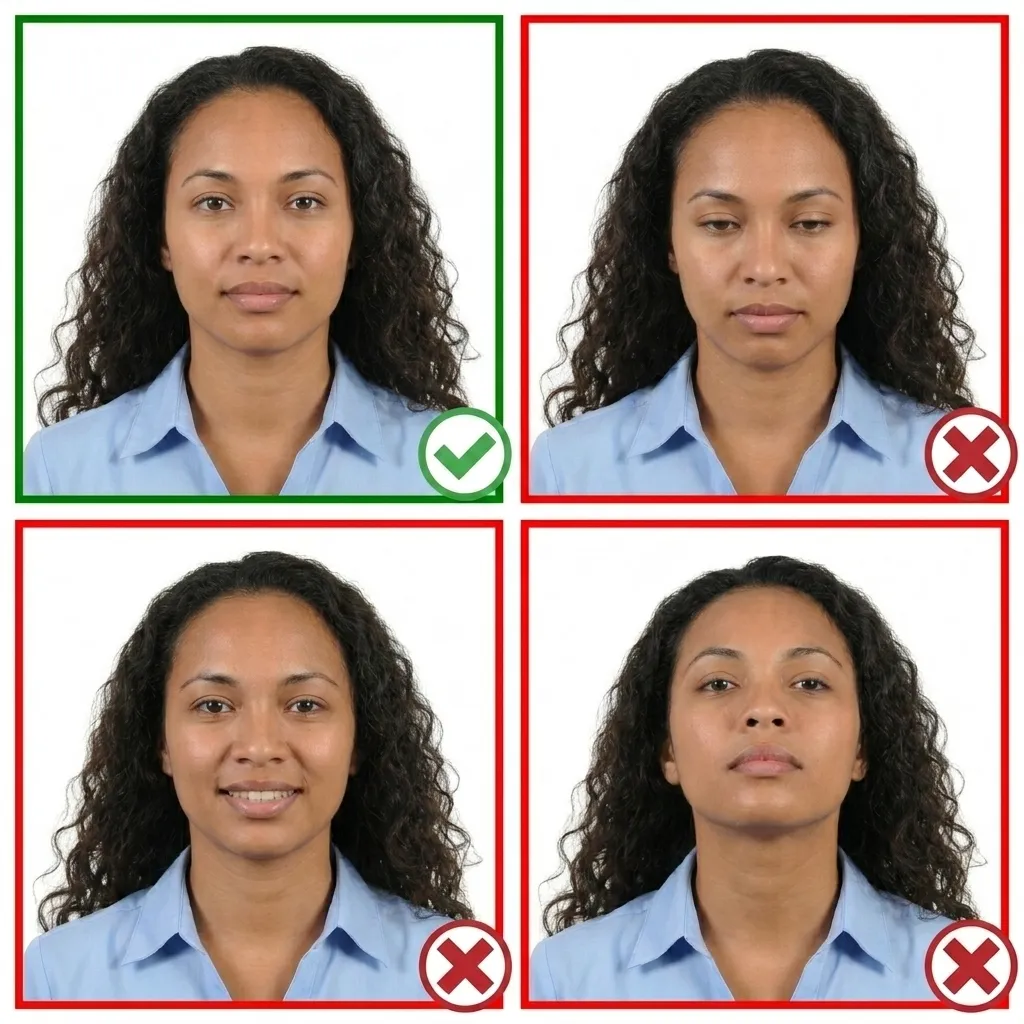
Keep your face relaxed with a neutral expression. Both eyes must be open and your mouth closed. You may have a very slight, natural smile — but no teeth showing and no squinting. Remove your glasses before taking the photo.
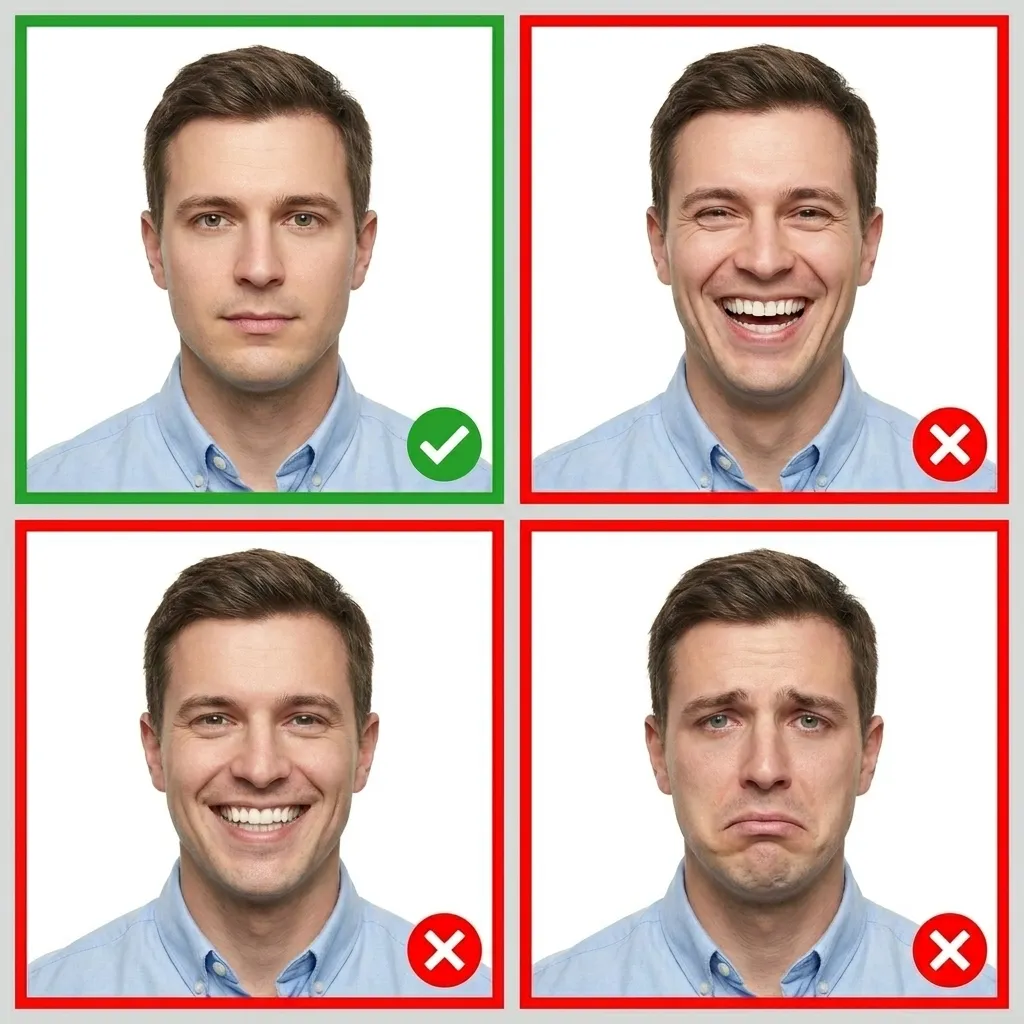
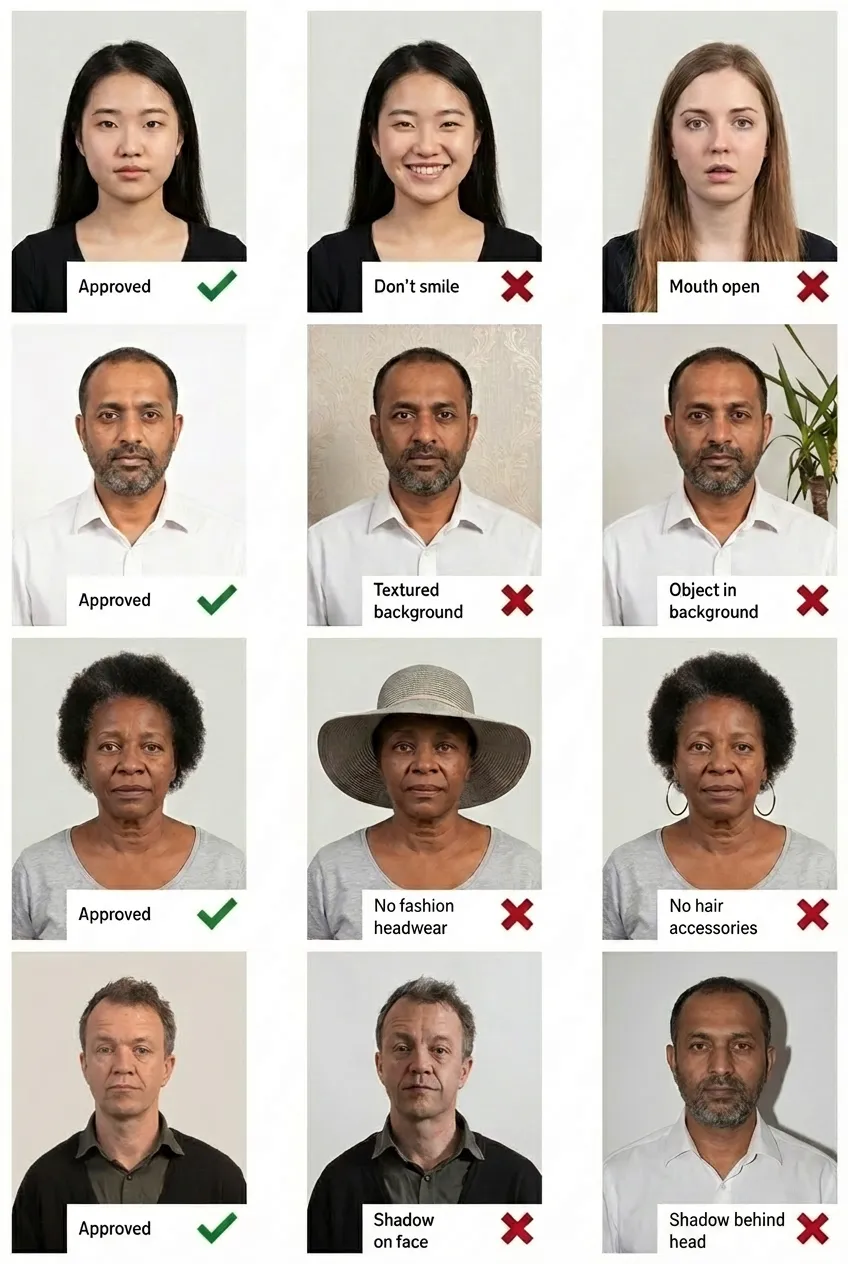
Comparison of acceptable and unacceptable visa photos
A US visa photo must be exactly 2x2 inches (51x51 mm). Your head must measure between 1 inch and 1-3/8 inches (25-35 mm) from the bottom of your chin to the top of your head. This is the same size requirement as a US passport photo.
Yes, US visa photo requirements are identical to US passport photo requirements. Both require a 2x2 inch photo with a white or off-white background, taken within the last 6 months, with no glasses, and a neutral expression.
The DS-160 form accepts a digital JPEG photo. The image must be square (1:1 aspect ratio), at least 600x600 pixels, and no larger than 240KB in file size. You upload the photo directly within the online DS-160 application. The system will validate your photo and notify you if it does not meet the requirements.
No. Since November 1, 2016, glasses are not allowed in US visa photos, even if you normally wear them for vision correction. The only exception is a signed medical statement from a doctor explaining why you cannot remove them. The DS-160 system will automatically reject photos with glasses.
It depends on your visa type. For nonimmigrant visas (DS-160), you typically upload the digital photo with the online application and most embassies do not require printed photos at the interview — though some may still request one, so check your embassy's instructions. For immigrant visas (DS-260), you must bring TWO identical printed 2x2 inch photos to your interview.
The background must be plain white or off-white. No patterns, objects, shadows, or other people should be visible. The background should be uniform in color and evenly lit. If you don't have a white wall, don't worry — our tool will automatically replace your background with white.
Yes, since US passport and visa photo requirements are identical (both require 2x2 inches, white background, no glasses), you can use the same photo for both applications as long as it was taken within the last 6 months and still accurately reflects your current appearance.
You need a new photo if you have had facial surgery, significant weight change that alters your face shape, large tattoos or facial piercings, or gender transition. A new photo is NOT needed for growing or shaving a beard, changing hair color or style, or normal aging in children under 16. The key test is whether you can still be easily identified from your existing photo.