Everything you need to know about US passport card photo requirements. The passport card uses the same 2x2 inch photo as the passport book. Learn the exact dimensions, background rules, and how to take a compliant photo at home.

| Requirement | Specification |
|---|---|
| Country | United States |
| Document Type | Passport Card |
| Photo Size | 2 x 2 inches (51 x 51 mm) |
| Resolution (DPI) | 600 |
| Head Size | 1 to 1-3/8 inches (25-35 mm) from chin to top of head |
| Background Color | White or off-white |
| Printable | Yes |
| Digital for Online Submission | Yes |
| Digital Photo Size | 600 x 600 pixels minimum |
| Photo Paper Type | Matte or glossy |
| Color | Color only |
| Recency | Taken within the last 6 months |
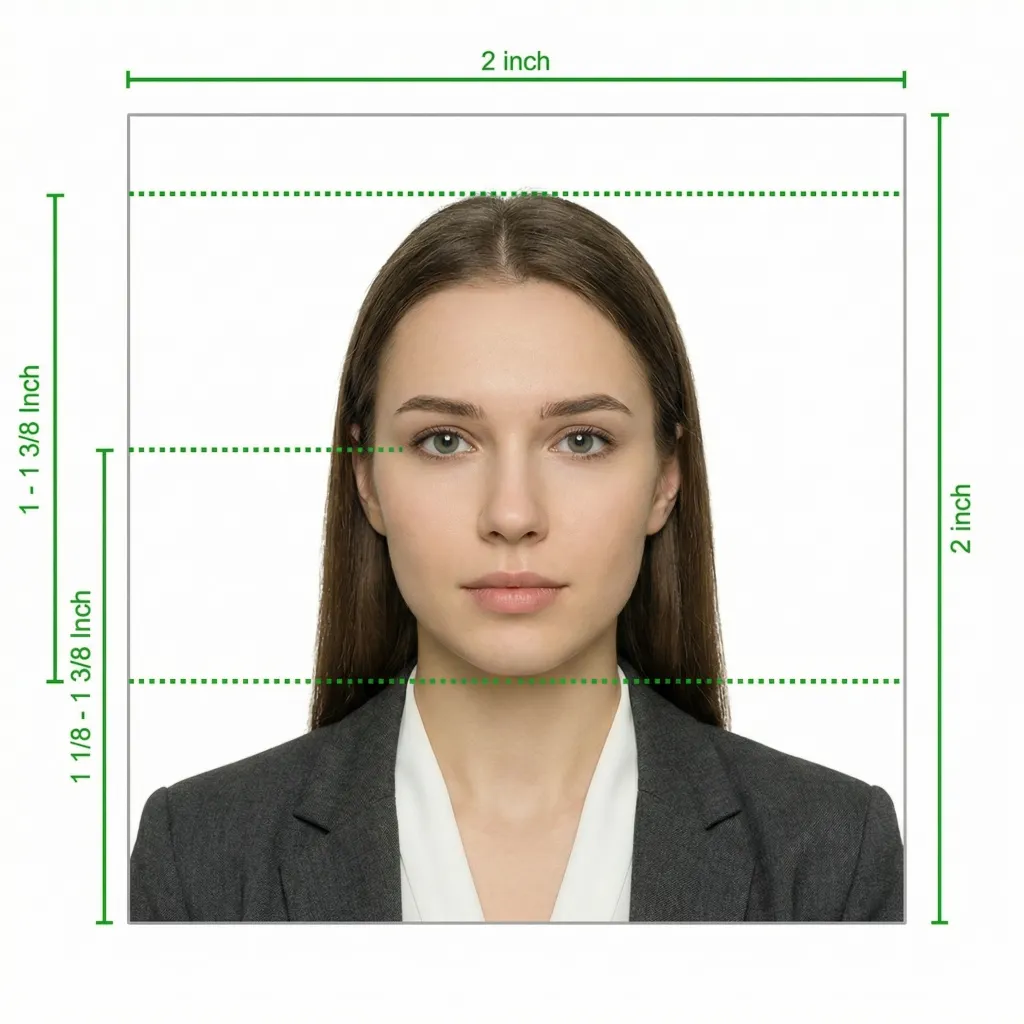
The US Department of State requires the same photo specifications for the passport card as for the traditional passport book. Below is a comprehensive guide to ensure your photo is accepted.
The US passport card is a wallet-sized, plastic travel document that serves as proof of US citizenship and identity. It has the same validity period as a passport book but is designed for a specific type of travel. The passport card is valid for land and sea entry from Canada, Mexico, Bermuda, and Caribbean countries. It is not valid for international air travel. The card contains Radio Frequency Identification (RFID) technology and can be used at Ready Lanes at border crossings for faster processing.
The passport card is a convenient and lower-cost alternative to the passport book for US citizens who frequently cross land or sea borders into neighboring countries. It fits easily in your wallet, making it ideal for everyday carry near border communities.
Glasses are NOT allowed in US passport card photos (effective November 1, 2016). This policy applies to both passport book and passport card applications. Even if you wear prescription glasses daily, you must remove them for the photo. The only exception is a signed statement from your doctor explaining a medical reason why you cannot remove them.
The photo requirements for the passport card and passport book are identical. However, the documents themselves differ in important ways:
| Feature | Passport Card | Passport Book |
|---|---|---|
| Format | Wallet-sized plastic card | Traditional booklet with visa pages |
| Valid for air travel | No | Yes |
| Valid for land/sea (Canada, Mexico, Bermuda, Caribbean) | Yes | Yes |
| RFID technology | Yes (Ready Lane compatible) | No |
| Cost | Less expensive | More expensive |
| Validity period | Same as passport book | 10 years (adults), 5 years (children under 16) |
| Photo requirements | 2x2 inches, identical to passport book | 2x2 inches, identical to passport card |
The same forms are used for both passport books and passport cards. The first step on the application form asks you to select whether you want a passport book, a passport card, or both documents.
You can apply for both a passport book and passport card at the same time using the same application and the same photo.
You don't need a professional studio. Follow these simple steps to take a compliant US passport card photo at home using your smartphone. Since the photo requirements are the same as for a passport book, any photo that meets passport book standards will also work for the passport card.
Any modern smartphone camera (iPhone, Samsung Galaxy, Google Pixel, etc.) is more than capable of taking a passport-quality photo. Make sure the lens is clean and the camera is set to the highest resolution.
Place your phone on a tripod or ask someone to take the photo for you. Selfies tend to have the wrong angle and distortion.
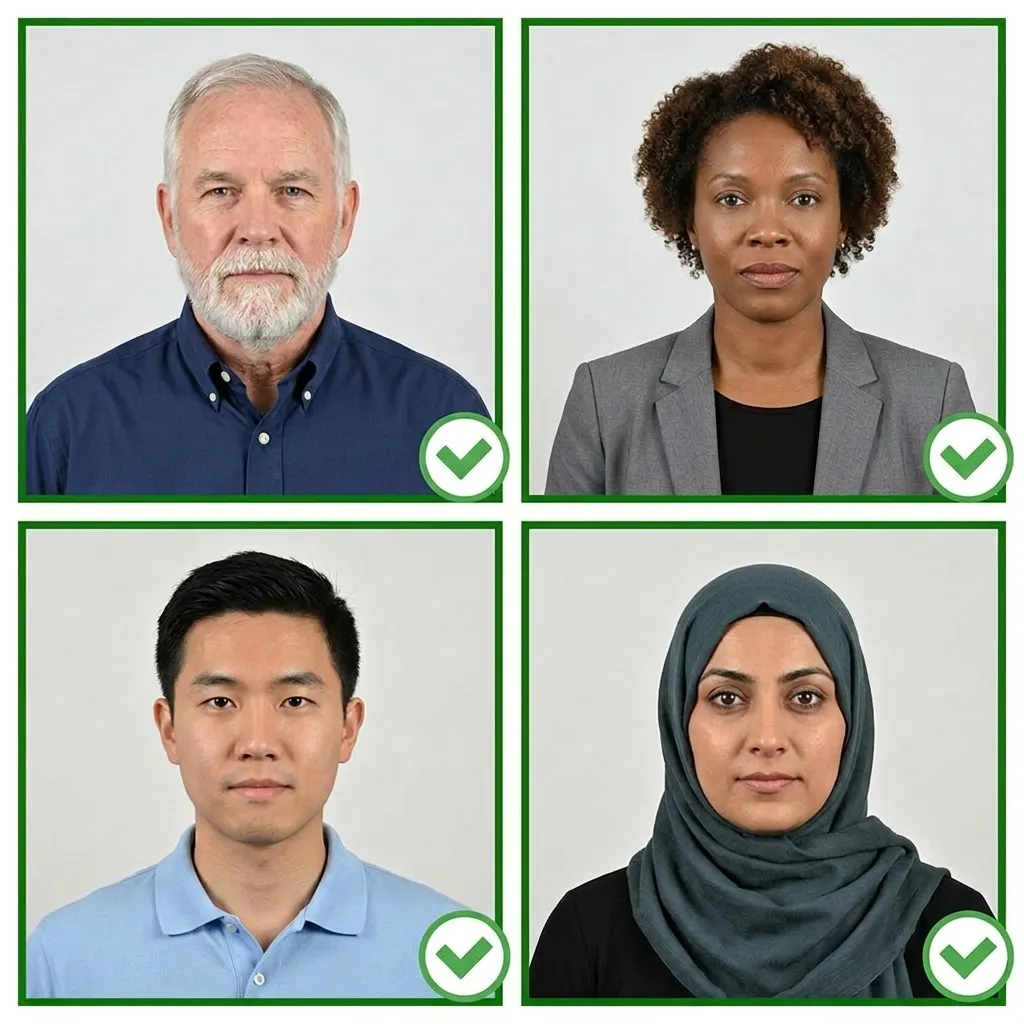
Stand facing a window with natural daylight for the best even lighting. Avoid direct sunlight, which creates harsh shadows. If using indoor lighting, use multiple light sources from different angles to eliminate shadows.
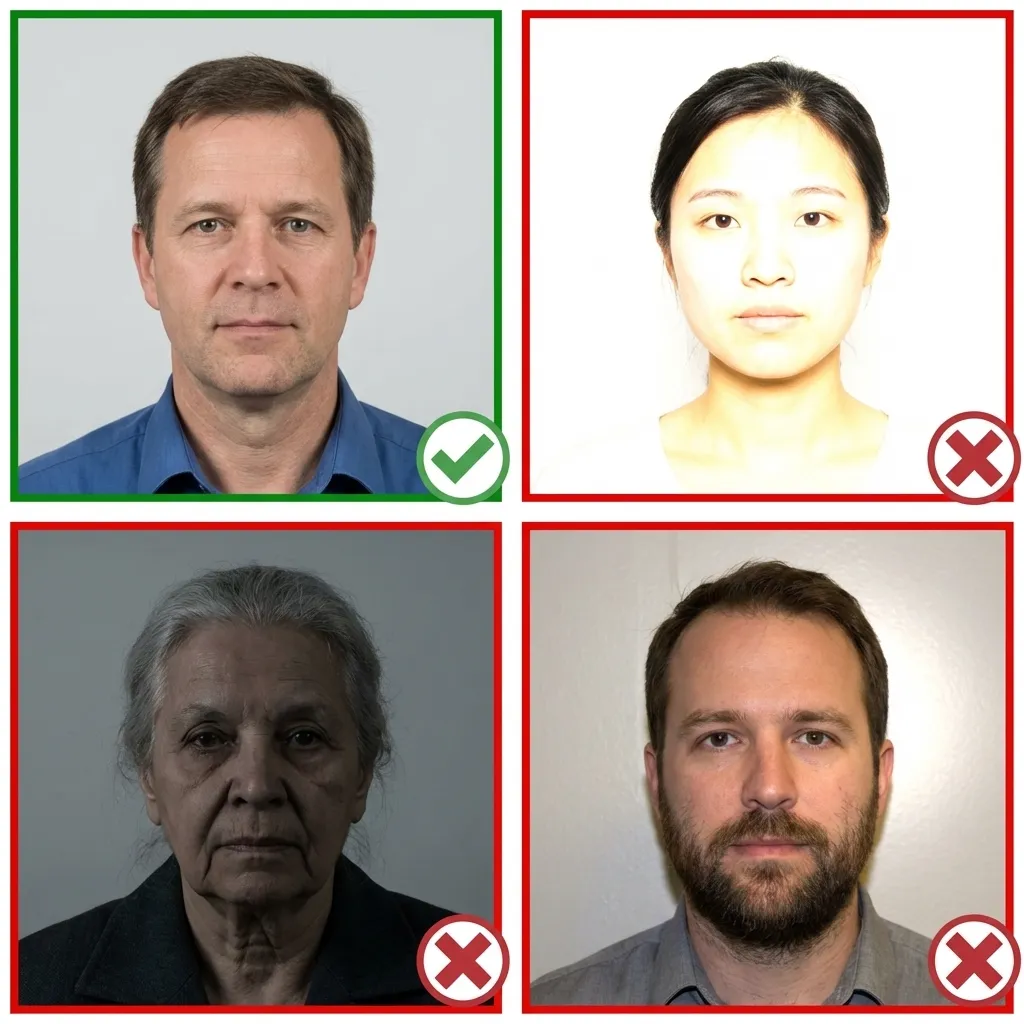
Wear your normal everyday clothing. Avoid uniforms and white tops that blend with the background. If you wear religious head coverings daily, you may keep them on as long as your full face is visible.
Make sure your hair does not cover your eyes or cast shadows on your face.
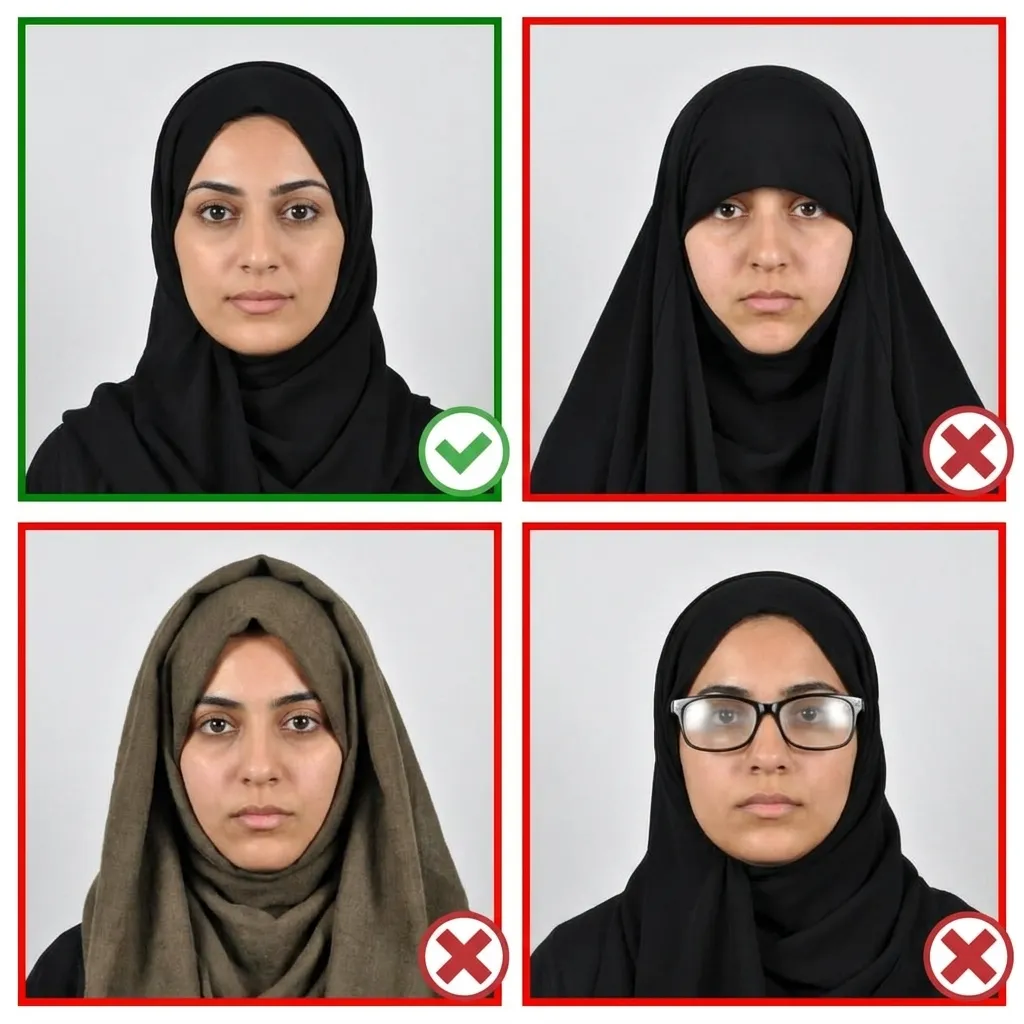
Stand about 4 feet (1.2 meters) in front of the camera with your head facing directly forward. Keep your shoulders relaxed and your head level — not tilted. Ensure your entire face from chin to forehead is visible.
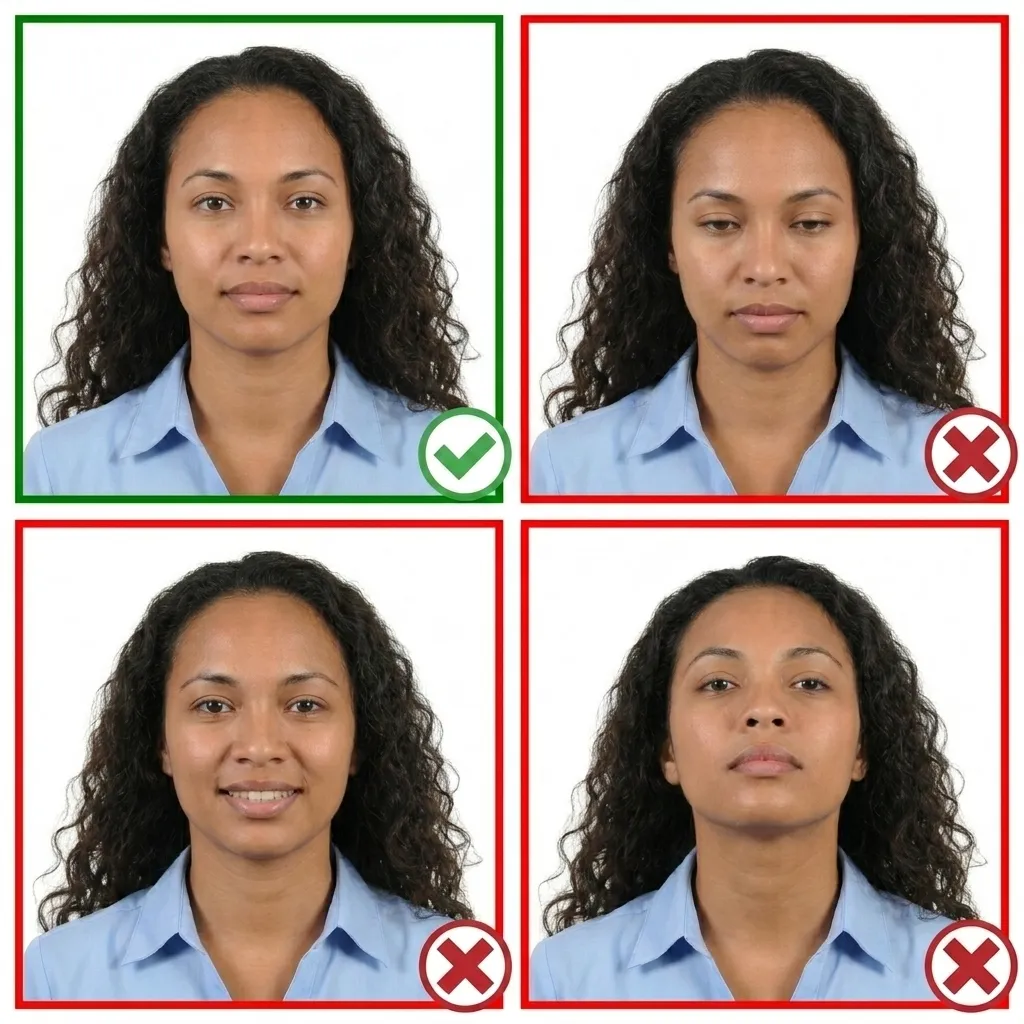
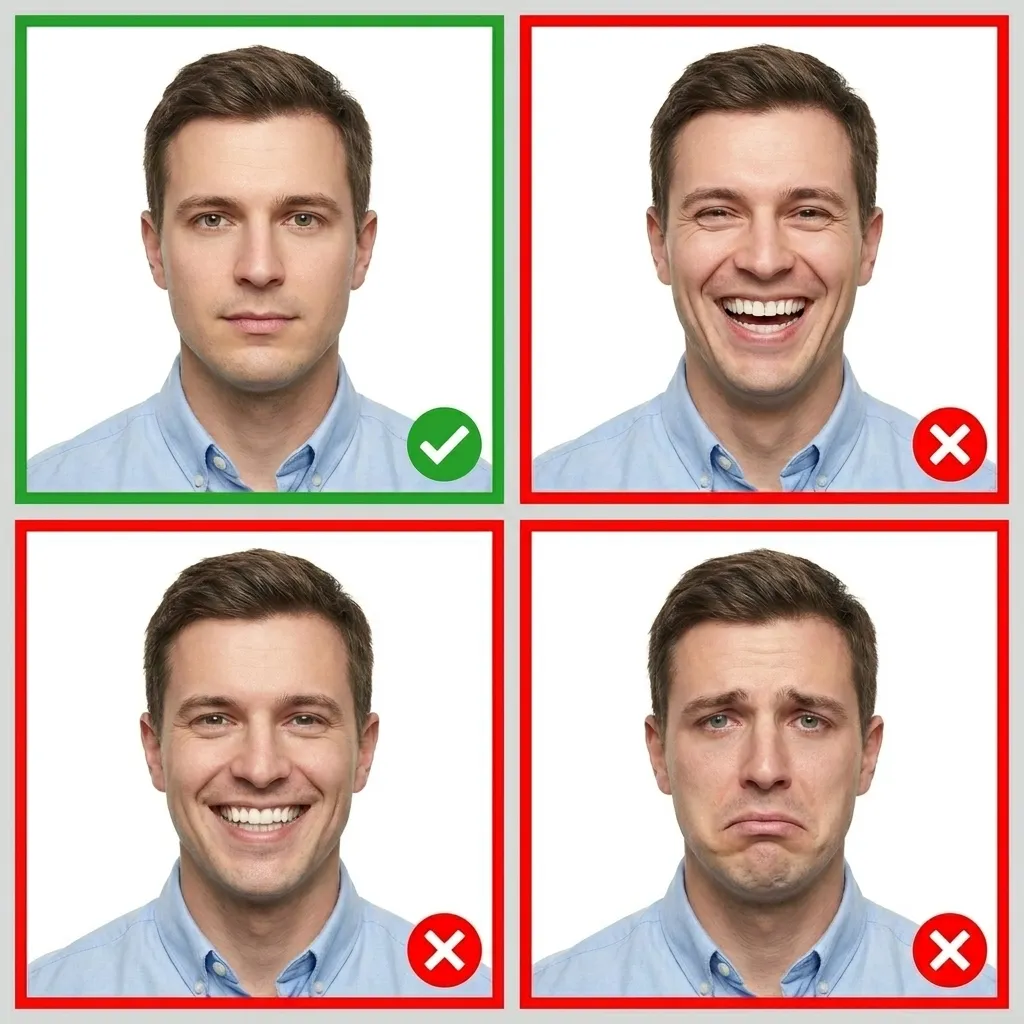
Keep your face relaxed with a neutral expression. Both eyes must be open and your mouth closed. You may have a very slight, natural smile — but no teeth showing and no squinting.
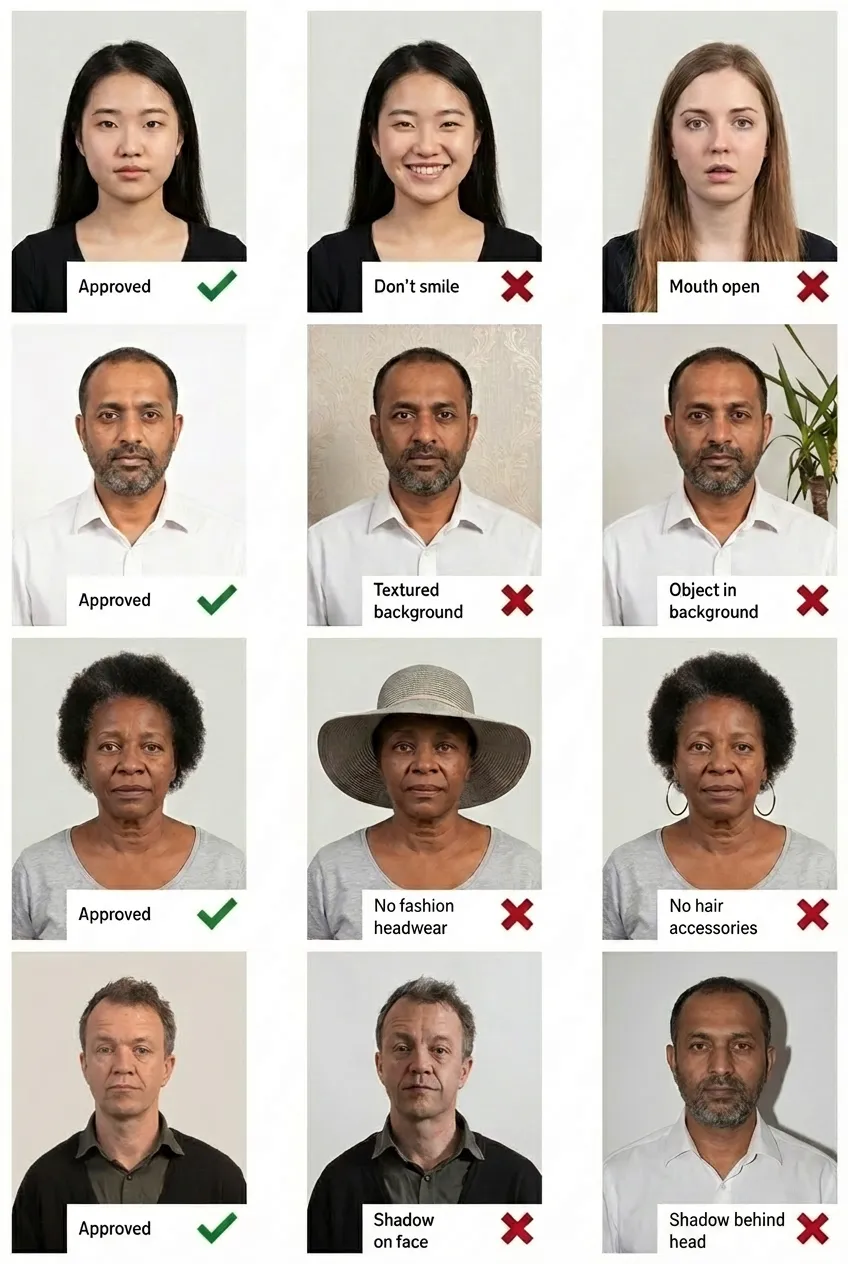
Comparison of acceptable and unacceptable passport card photos
Yes. The US Department of State requires identical photo specifications for both the passport card and passport book. Both require a 2x2 inch (51x51 mm) color photo with a white or off-white background, taken within the last 6 months. You can use the exact same photo for both applications.
A passport card is a wallet-sized, plastic travel document issued by the US Department of State. It serves as proof of US citizenship and identity. The card is valid for land and sea entry from Canada, Mexico, Bermuda, and Caribbean countries. It features RFID technology for faster processing at Ready Lanes at border crossings.
Yes, you can use the same photo for your passport card application as long as it was taken within the last 6 months and still reflects your current appearance. When applying for both documents at the same time, you only need one set of photos.
No. The passport card is not valid for international air travel. It can only be used for land and sea border crossings from Canada, Mexico, Bermuda, and Caribbean countries. For international flights, you must use a passport book. However, the Transportation Security Administration (TSA) does accept the passport card as valid identification for domestic flights within the United States.
The passport card photo must be exactly 2x2 inches (51x51 mm) — the same size as a passport book photo. Your head must measure between 1 inch and 1-3/8 inches (25-35 mm) from the bottom of your chin to the top of your head. The photo must be printed on matte or glossy photo-quality paper.
No. Since November 1, 2016, glasses are not allowed in US passport photos, including passport card photos. This policy applies even if you wear prescription glasses daily. The only exception is a signed medical statement from your doctor explaining why you cannot remove them.
The passport card is a wallet-sized plastic card with no visa pages, while the passport book is a traditional booklet. The card is valid only for land and sea entry from Canada, Mexico, Bermuda, and Caribbean countries, while the book is valid for all international travel by air, land, or sea. The card costs less than the book and includes RFID technology for faster border crossings. Despite these differences, the photo requirements for both documents are identical.
Yes. You can apply for both a passport book and passport card using the same application form (DS-11 for first-time applicants or DS-82 for renewals). You can use the same photo for both. When completing the form, simply select that you want both documents. Applying for both at the same time is more cost-effective than applying for them separately.