Everything you need to know about US Diversity Visa (DV) Lottery photo requirements, including digital image specs for online entry, scanning instructions, and interview photo guidelines.
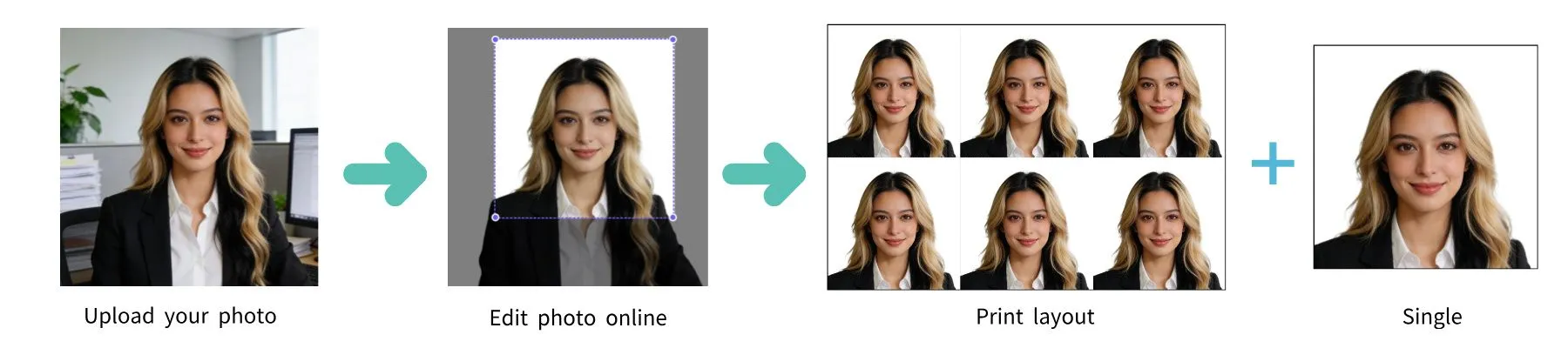
| Requirement | Specification |
|---|---|
| Country | United States |
| Document Type | DV Lottery (Diversity Visa Program) |
| Photo Size | 2 x 2 inches (51 x 51 mm) |
| Resolution (DPI) | 600 |
| Head Size | 1 to 1 3/8 inches (25-35 mm), or 50%-69% of image height |
| Background Color | White or off-white |
| Printable | Yes (if selected for interview, bring 2 identical photos) |
| Digital for Online Submission | Yes (required for DV entry) |
| Digital Photo Size | 600 x 600 pixels (min) to 1200 x 1200 pixels (max) |
| Photo Paper Type | Matte or glossy |
| Color | Color only (24-bit sRGB) |
| File Format | JPEG |
| Max File Size | 240 KB |
| Compression Ratio | 20:1 or less |
| Recency | Taken within the last 6 months |
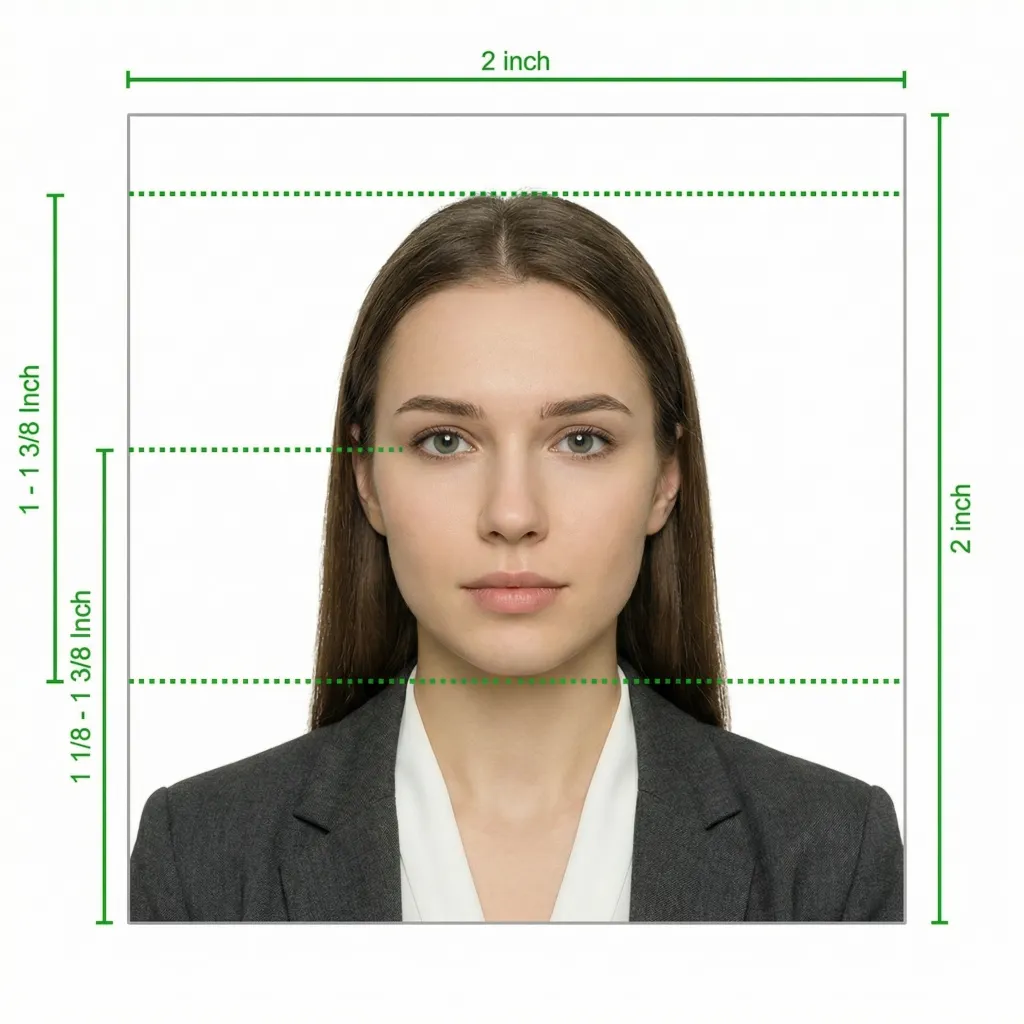
The US Department of State has strict requirements for Diversity Visa (DV) Lottery photos. Unlike standard passport applications, the DV Lottery requires you to upload a digital photo as part of your online entry. Below is a comprehensive guide covering all aspects of the photo requirements.
The DV Lottery (also known as the Green Card Lottery) requires each entrant to submit a digital photo as part of the electronic entry form on the official dvprogram.state.gov website. This photo is a critical part of your application — if it does not meet the requirements, your entire entry may be disqualified. The photo must be recent (taken within the last 6 months) and must not have been used in a previous DV Lottery entry year. Reusing a photo from a prior year's submission will result in disqualification.
Glasses are NOT allowed in DV Lottery photos (effective November 1, 2016). This applies even if you wear glasses daily. Sunglasses and tinted lenses are also prohibited. The only exception is a signed medical statement from a doctor explaining a medical reason why you cannot remove your glasses.
When you submit your DV Lottery entry online, you must upload a digital photo that meets these exact technical specifications:
If you have an existing printed photo that meets the physical requirements, you can scan it for digital submission. Follow these guidelines:
If you are selected in the DV Lottery and are invited for an immigrant visa interview, you will need to bring printed photos in addition to the digital photo you already submitted:
Every year, thousands of DV Lottery entries are disqualified due to non-compliant photos. Avoid these common mistakes:
You don't need a professional studio. Follow these simple steps to take a compliant DV Lottery photo at home using your smartphone.
Any modern smartphone camera (iPhone, Samsung Galaxy, Google Pixel, etc.) is more than capable of taking a DV Lottery-quality photo. Make sure the lens is clean and the camera is set to the highest resolution.
Place your phone on a tripod or ask someone to take the photo for you. Selfies tend to have the wrong angle and distortion, which can cause rejection.
Stand facing a window with natural daylight for the best even lighting. Avoid direct sunlight, which creates harsh shadows. If using indoor lighting, use multiple light sources from different angles to eliminate shadows.
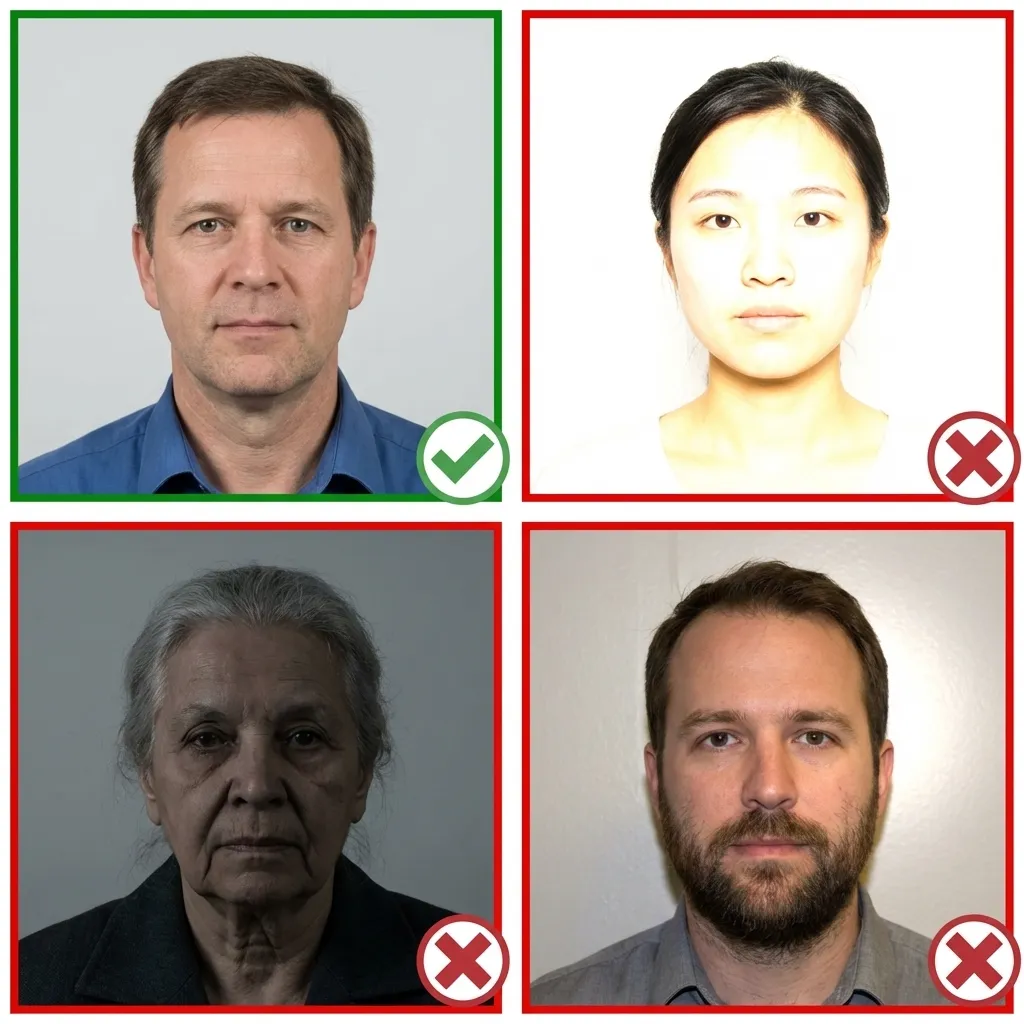
Wear your normal everyday clothing. Avoid uniforms and white tops that blend with the background. If you wear religious head coverings daily, you may keep them on as long as your full face is visible.
Make sure your hair does not cover your eyes or cast shadows on your face.
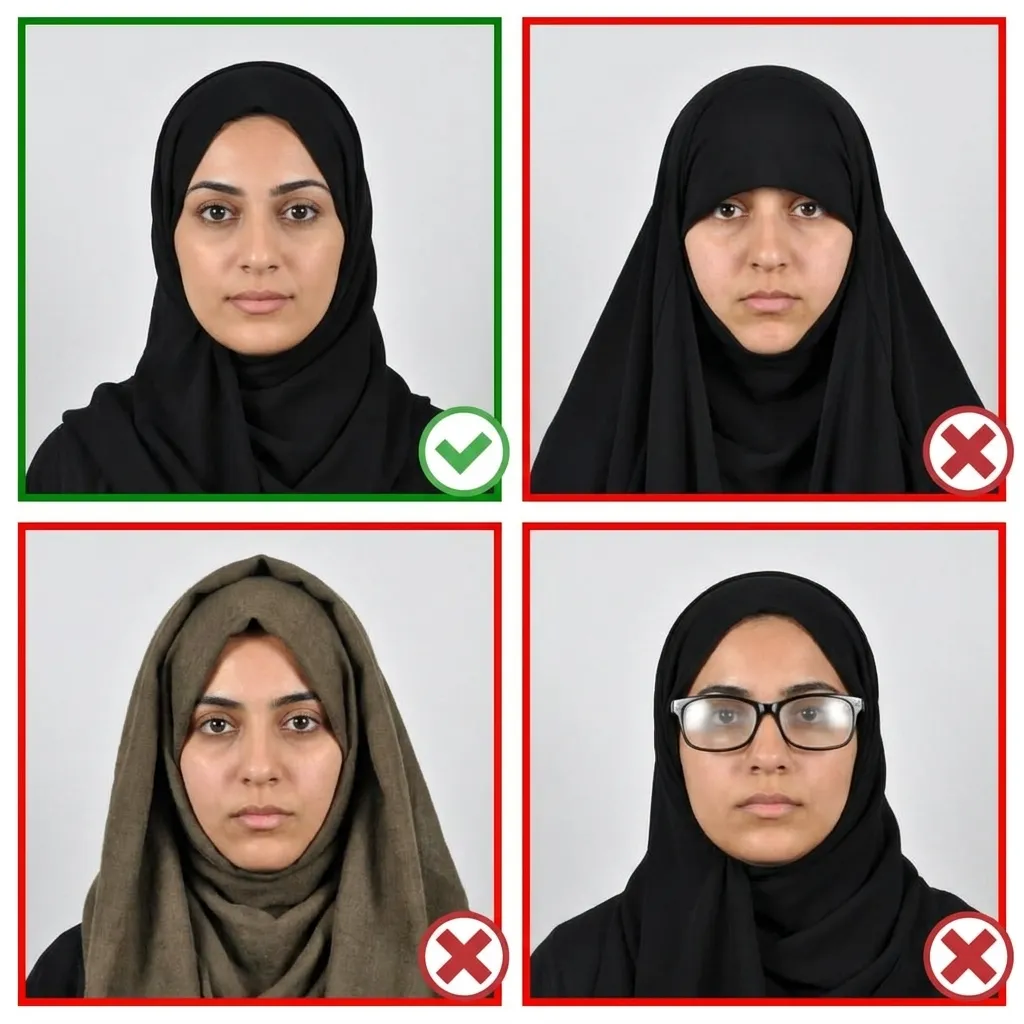
Stand about 4 feet (1.2 meters) in front of the camera with your head facing directly forward. Keep your shoulders relaxed and your head level — not tilted. Ensure your entire face from chin to forehead is visible.
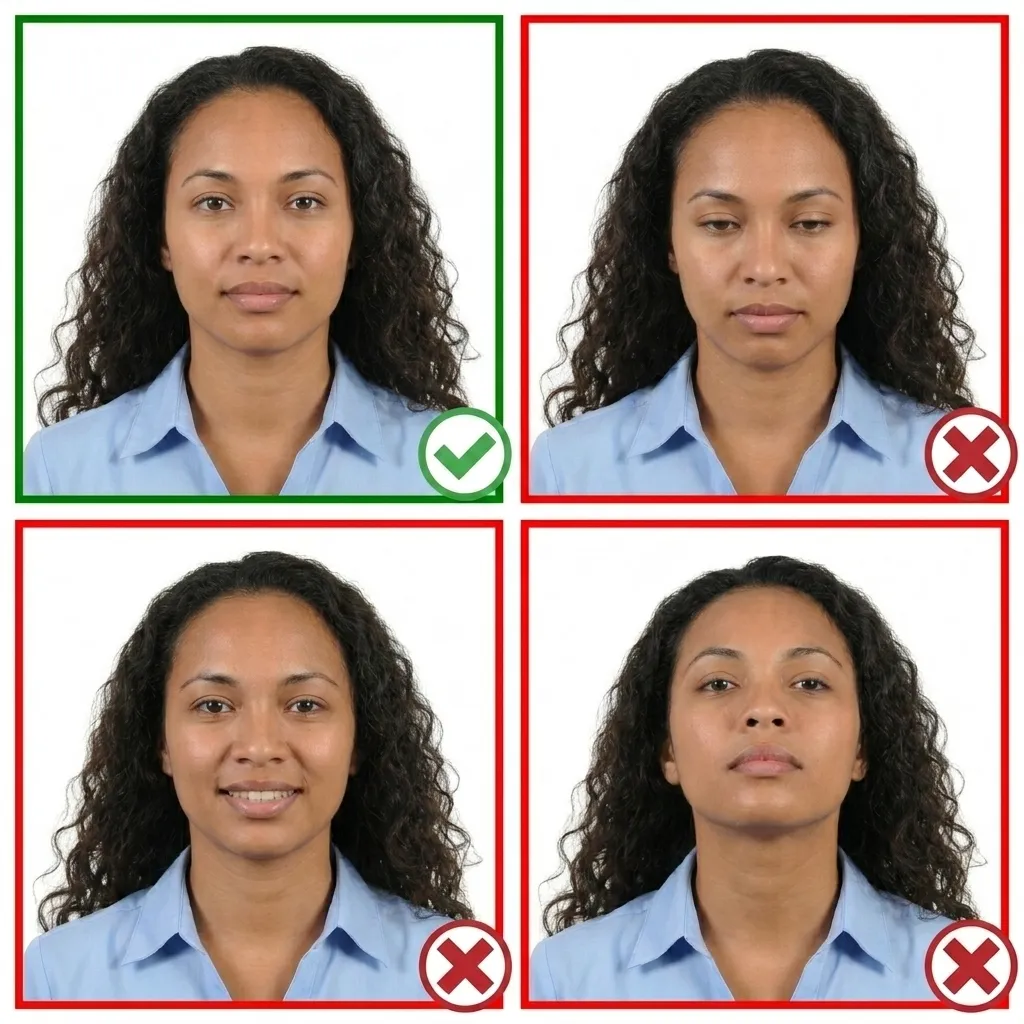
Keep your face relaxed with a neutral expression. Both eyes must be open and your mouth closed. You may have a very slight, natural smile — but no teeth showing and no squinting.
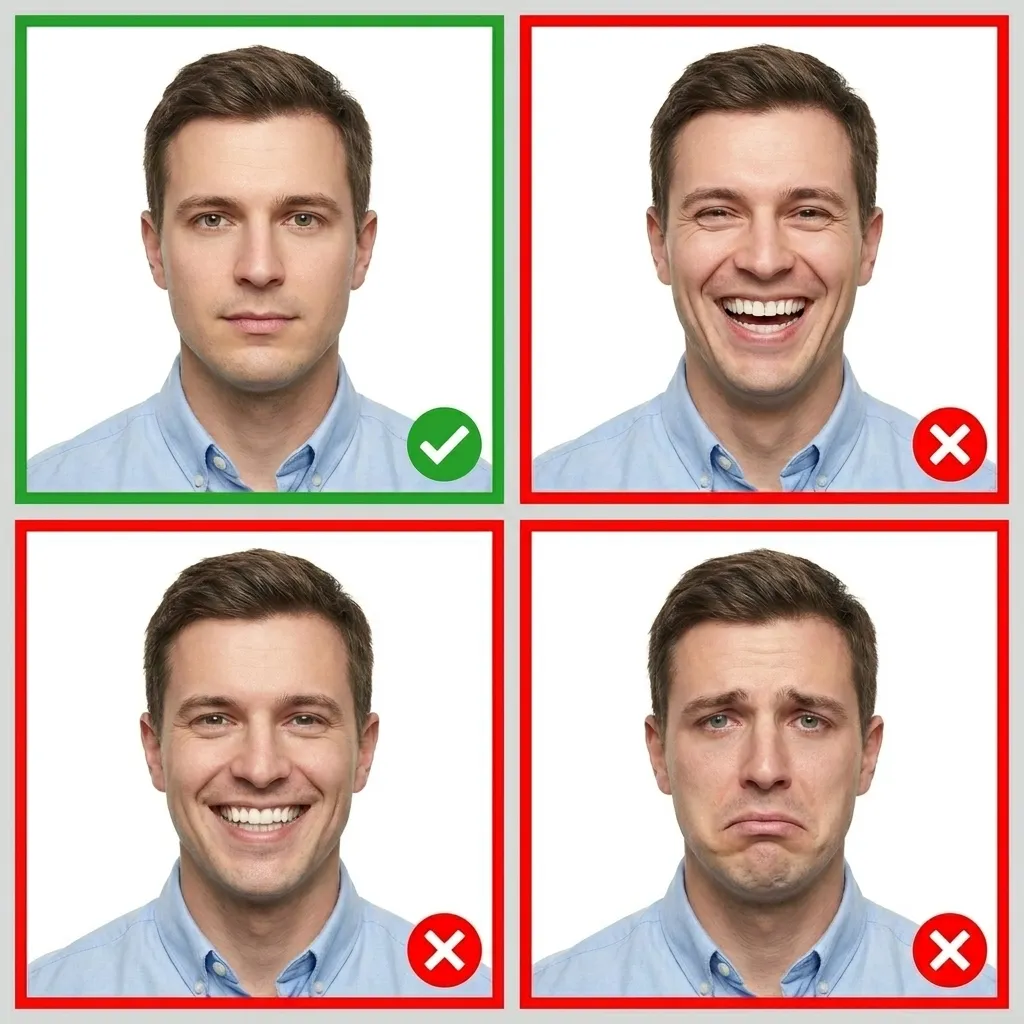
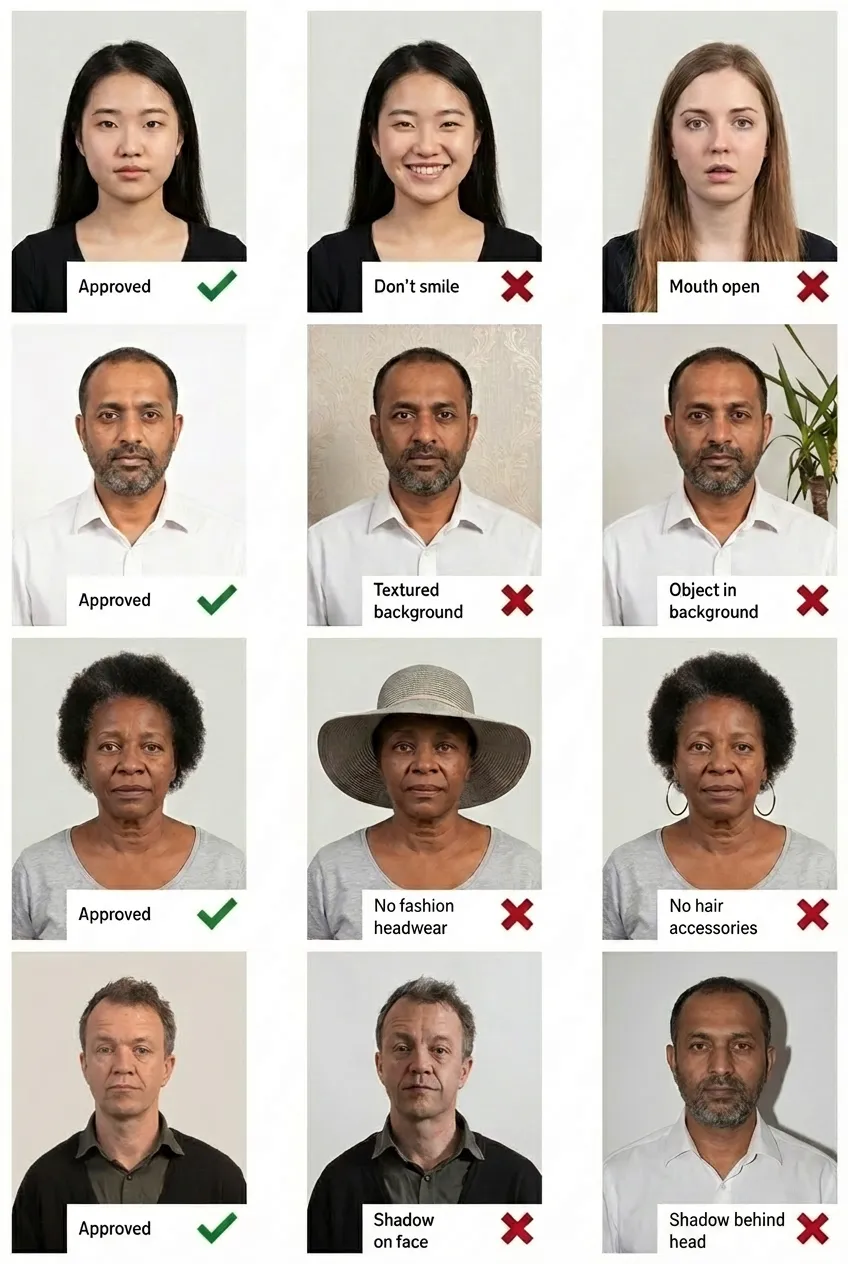
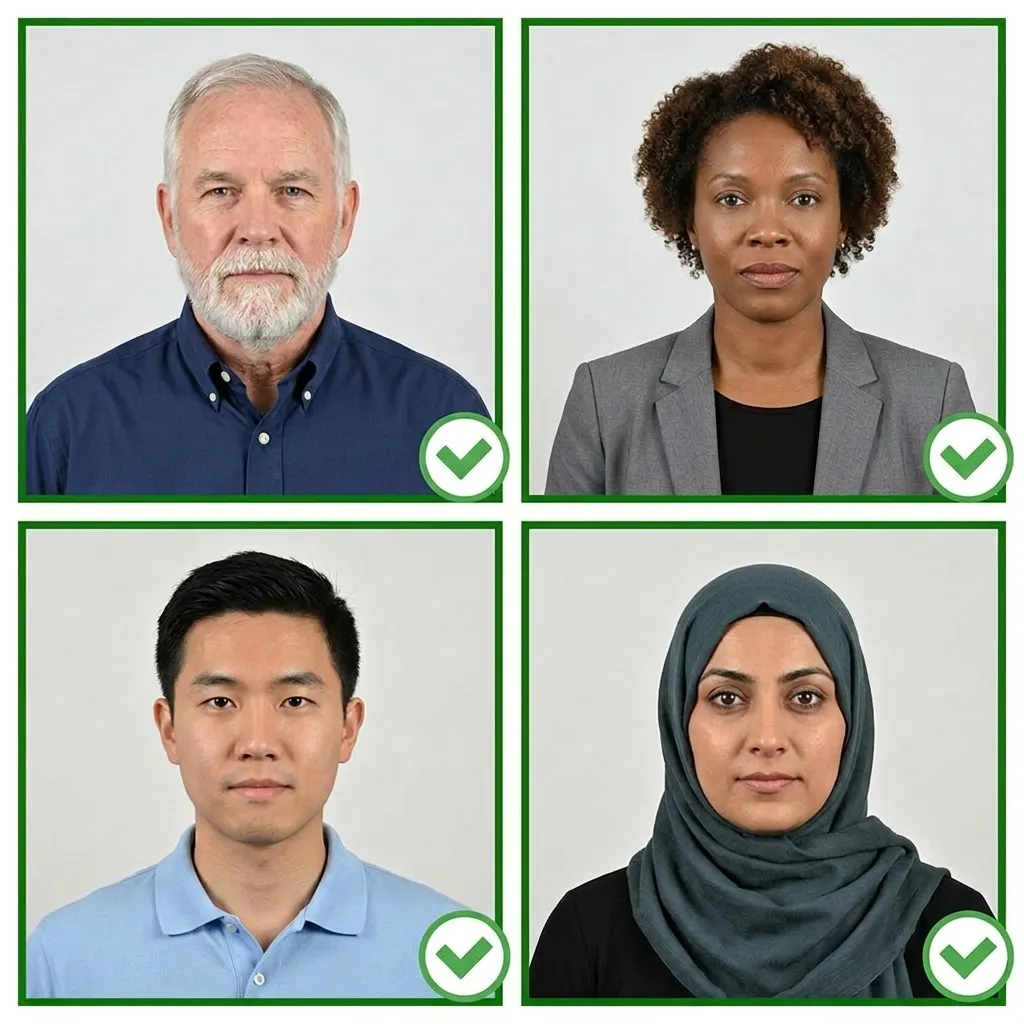
Comparison of acceptable and unacceptable DV Lottery photos
The DV Lottery digital photo must be in JPEG format (.jpg) with a file size of 240 KB or less. The image must be square (height equals width), between 600x600 pixels minimum and 1200x1200 pixels maximum. It must be 24-bit color in sRGB color space with a compression ratio of 20:1 or less. Black and white, monochrome, and grayscale photos are not accepted.
No. You must submit a new photo that was taken within the last 6 months. Reusing a photo from a previous DV Lottery entry year will result in disqualification. The Department of State compares submitted photos against previous years' entries to detect duplicates.
No. The DV Lottery photo must be in 24-bit color. Black and white, monochrome, and grayscale photos are not accepted. The photo must accurately represent your natural skin tone and coloring.
If your photo does not meet the DV Lottery requirements, your entire entry may be disqualified. The Department of State uses automated photo validation during submission, but even photos that pass the initial check may be rejected during later review. It is critical to follow all requirements carefully before submitting your entry.
Printed photos are not required for the DV Lottery entry itself — you only need a digital JPEG file for online submission. However, if you are selected and invited for an interview, you must bring 2 identical printed photos measuring 2x2 inches (51x51mm) on matte or glossy photo-quality paper.
Yes. You can scan an existing 2x2 inch (51x51mm) printed photo at 300 DPI (12 pixels/mm). The scanned output must be in JPEG format, 240 KB or less, and between 600x600 and 1200x1200 pixels. Do not crop or resize the scan after scanning — set the correct resolution on your scanner from the start.
The maximum file size for a DV Lottery photo is 240 KB (kilobytes). The image must also have a compression ratio of 20:1 or less. If your file exceeds 240 KB, you will need to reduce the quality or dimensions while keeping within the allowed range of 600x600 to 1200x1200 pixels.
No. Digitally enhancing or retouching your DV Lottery photo is strictly not allowed. This includes removing blemishes, smoothing skin, whitening teeth, adjusting facial features, or altering your appearance in any way. The photo must accurately represent how you currently look without any modifications beyond basic cropping and resizing.