Everything you need to know about UK passport photo requirements, including exact dimensions, background colour, pose rules, digital and printed photo specifications, and how to take a compliant photo at home.
| Requirement | Specification |
|---|---|
| Country | United Kingdom |
| Document Type | Passport |
| Photo Size | 35 x 45 mm (3.5 x 4.5 cm) |
| Resolution (DPI) | 600 |
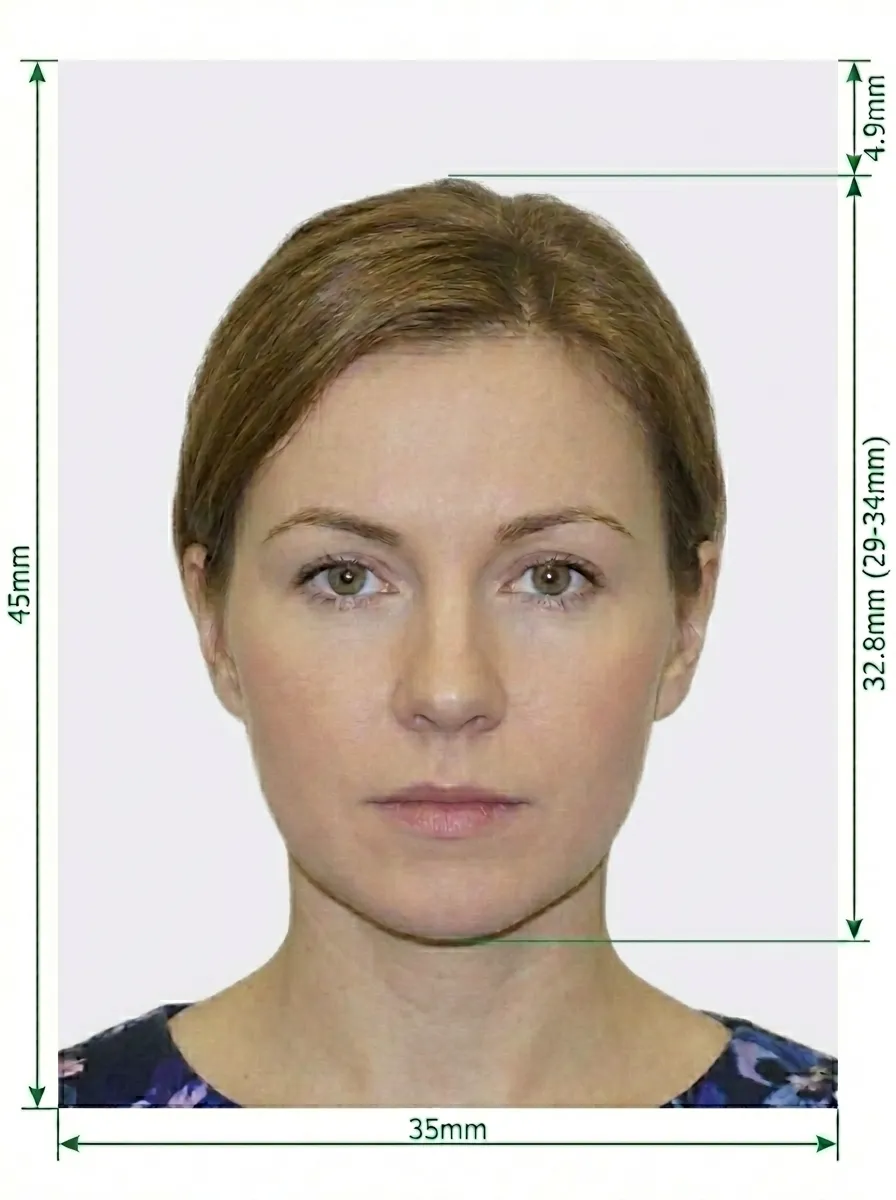
| Head Size | 29-34 mm from crown of head to chin |
| Head Proportion | 70-80% of the photograph |
| Background Colour | Plain light grey or cream |
| Printable | Yes — 2 identical photos required for paper applications |
| Digital for Online Submission | Yes (photo booth code or upload) |
| Digital Photo Size | At least 600 x 750 pixels (recommended: 826 x 1062 pixels) |
| Digital File Size | 50 KB - 10 MB |
| Photo Paper Type | Matte or glossy, plain white photographic paper |
| Colour | Colour only |
| Recency | Taken within the last month |
UK passport photos follow strict rules set by Her Majesty's Passport Office (HMPO) as published on gov.uk. Both printed and digital options are available depending on how you apply. Below is a comprehensive guide to ensure your photo is accepted.
The United Kingdom has some of the strictest passport photo requirements in the world. Photos are checked by HMPO and any that do not meet the rules will be rejected, causing delays to your application. Whether you are applying online or by post, your photo must meet the same quality standards. Digital applications give you the flexibility to upload a photo, use a photo booth code, or get a code from a photo shop.
You should not wear glasses in your UK passport photo unless it is absolutely necessary. If you must wear them:
If possible, remove your glasses before taking the photo to avoid any risk of rejection.
For paper (postal) passport applications, you must provide printed photos that meet these rules:
For online passport applications, you can submit a digital photo. It must meet these specifications:
There are three ways to provide a digital photo for your online UK passport application:
In certain circumstances, your passport photo must be counter-signed by someone who has known you personally for at least 2 years. This is typically required when:
Your counter-signatory must write your application reference on the back of one of your printed photos and sign it. For digital applications, the counter-signatory confirms your identity online.
If you have a disability that makes it difficult to meet the photo requirements, HMPO can help. You can contact the Passport Adviceline for guidance on how to submit an acceptable photo. Reasonable adjustments will be made where possible, and you may be able to submit a photo that does not meet all the standard requirements if you explain your circumstances.
Source: gov.uk — Photos for Passports
You don't need a professional studio or a photo booth. Follow these simple steps to take a compliant UK passport photo at home using your smartphone.
Any modern smartphone camera (iPhone, Samsung Galaxy, Google Pixel, etc.) is more than capable of taking a passport-quality photo. Make sure the lens is clean and the camera is set to the highest resolution.
Place your phone on a tripod or ask someone to take the photo for you. Selfies tend to have the wrong angle and distortion.
Stand facing a window with natural daylight for the best even lighting. Avoid direct sunlight, which creates harsh shadows. If using indoor lighting, use multiple light sources from different angles to eliminate shadows.
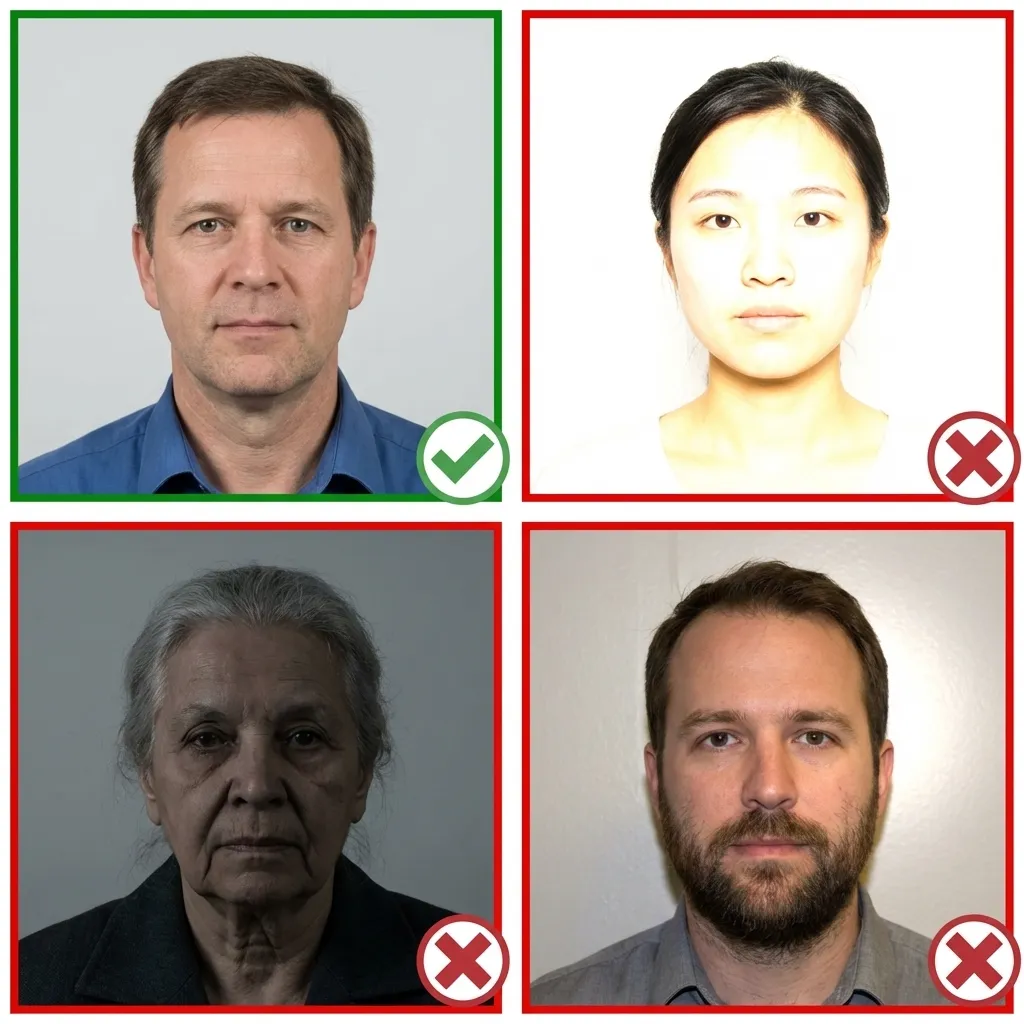
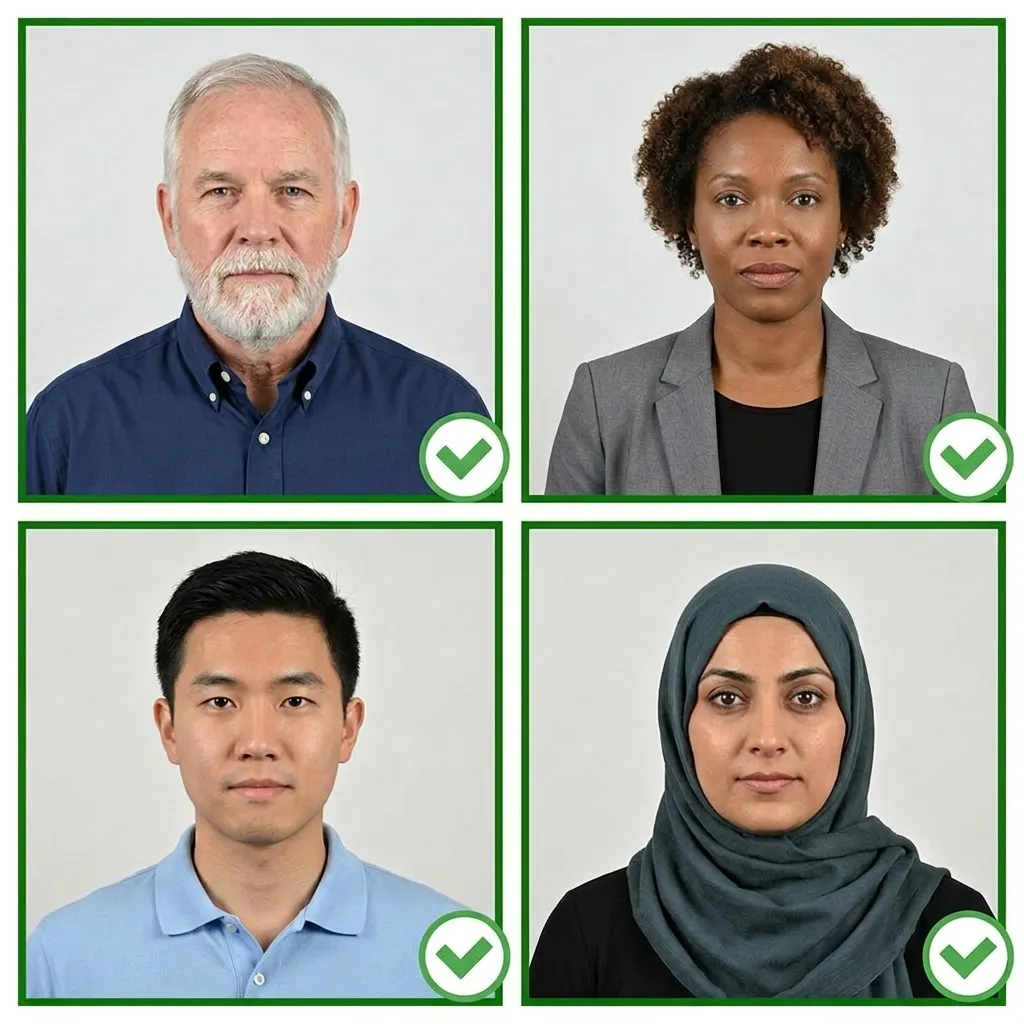
Wear your normal everyday clothing. Avoid uniforms and colours that blend with the light grey or cream background. If you wear religious head coverings daily, you may keep them on as long as your full face is visible.
Make sure your hair does not cover your eyes or cast shadows on your face.
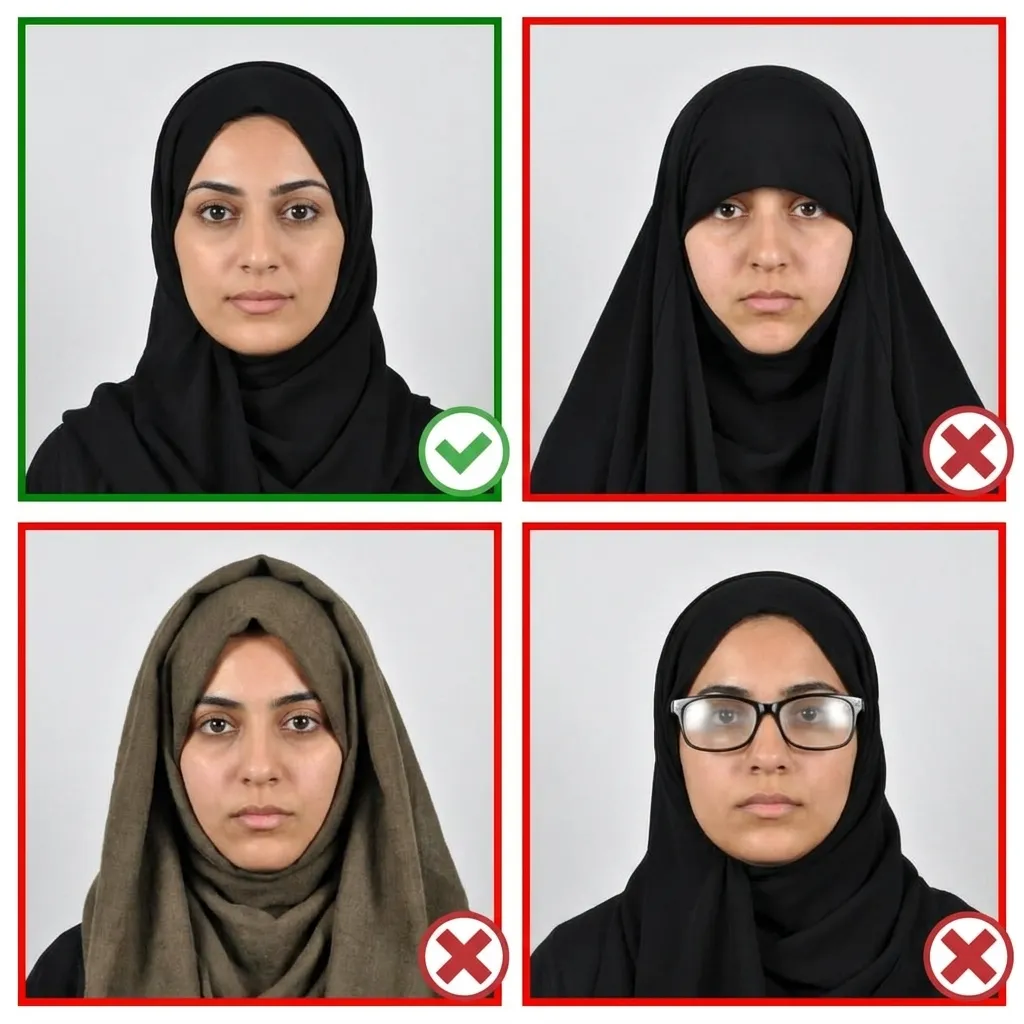
Stand about 1.5 metres (5 feet) in front of the camera with your head facing directly forward. Keep your shoulders relaxed and your head level — not tilted. Ensure your entire face from chin to forehead is visible, with head, shoulders, and upper body in the frame.
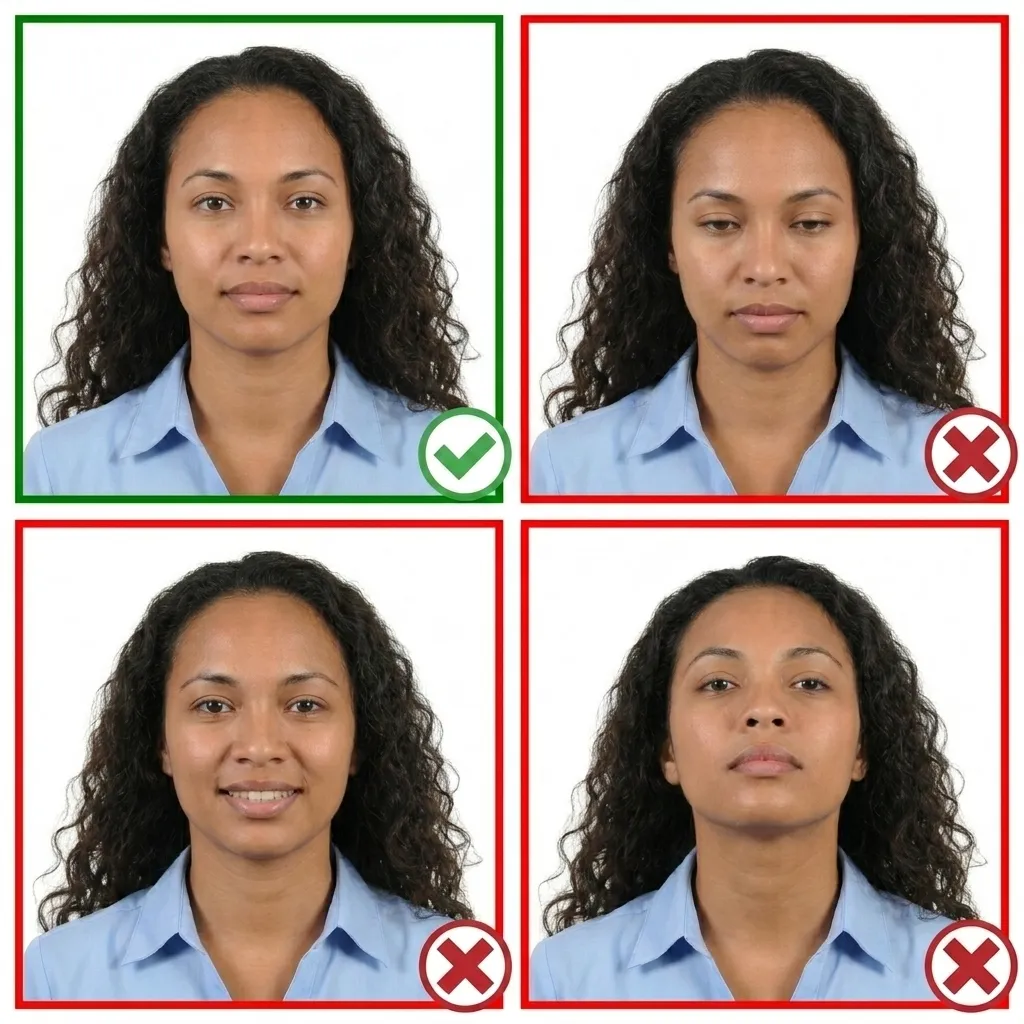
Keep your face completely relaxed with a plain expression. Both eyes must be open and your mouth firmly closed. Do not smile — the UK is strict about this. No squinting, frowning, or any exaggerated expressions.
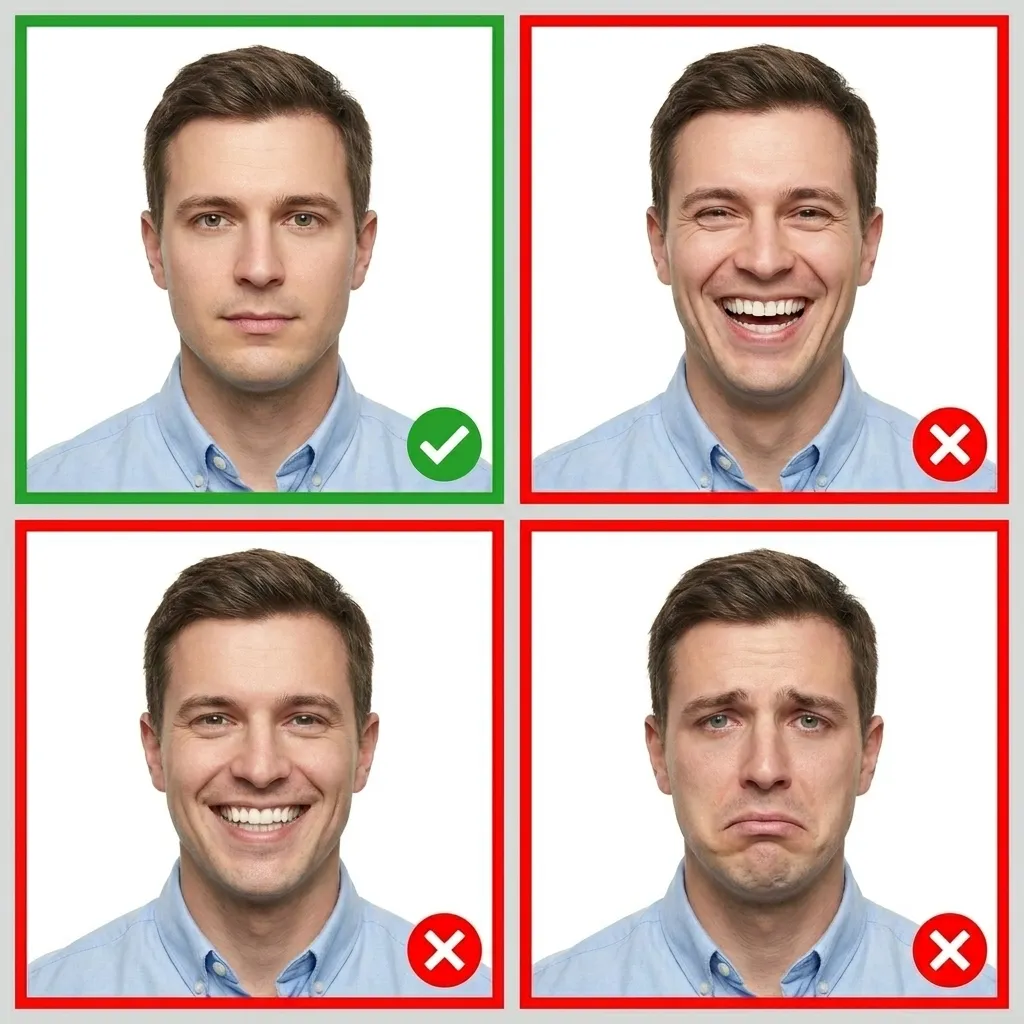
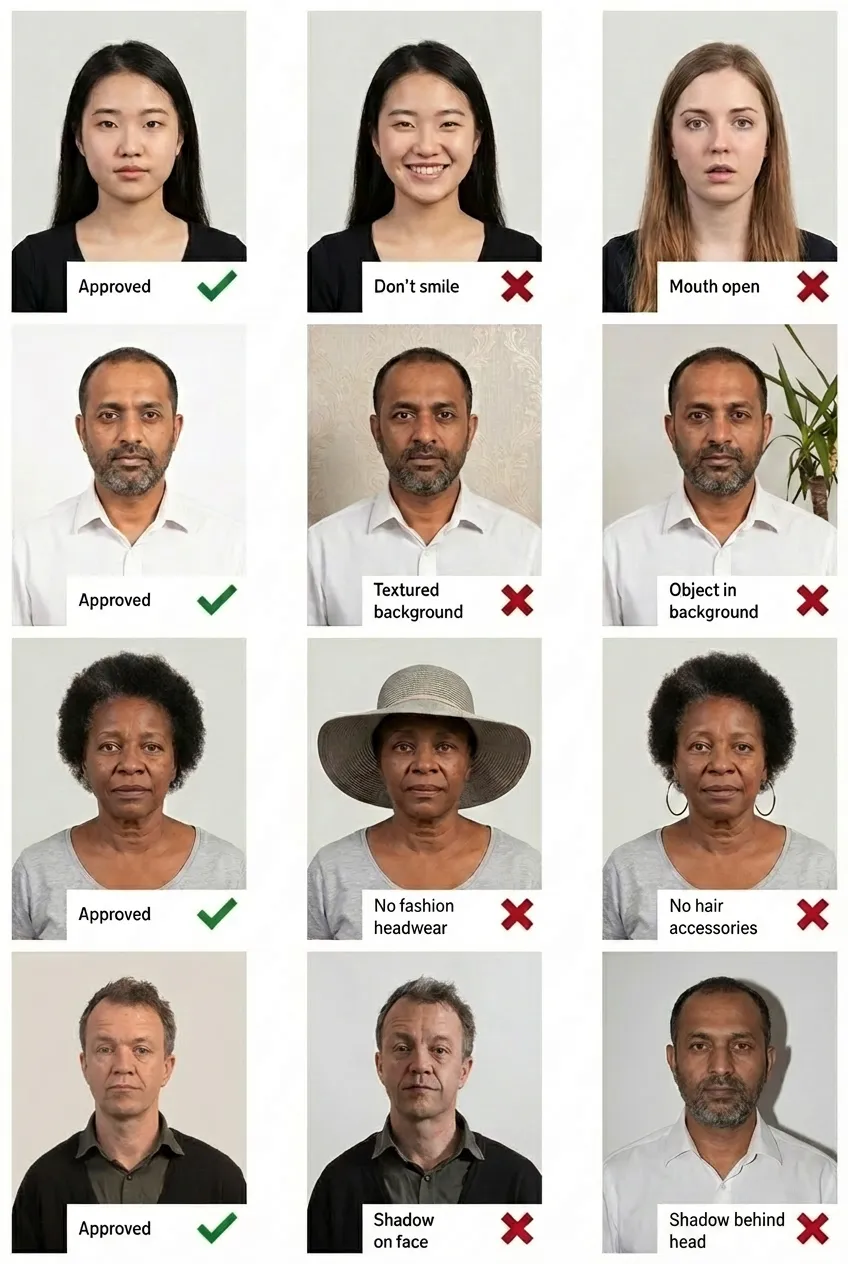
Comparison of acceptable and unacceptable passport photos
A UK passport photo must be exactly 35x45mm (3.5x4.5cm). Your head must measure between 29mm and 34mm from the crown of your head to your chin, and should occupy 70-80% of the photograph.
The background must be plain light grey or cream. White backgrounds are not accepted for UK passport photos, unlike US passports. There must be no patterns, objects, or shadows, and clear contrast between your face and the background.
No. You must have a completely plain expression with your mouth firmly closed. The UK is very strict about this — even a slight smile can result in your photo being rejected. Keep your face relaxed and neutral with no smiling whatsoever.
Your UK passport photo must have been taken within the last month. This is stricter than many other countries (such as the US, which allows 6 months). The photo should reflect your current appearance.
For paper (postal) applications, you need 2 identical printed photos. Both must meet all the requirements and be printed on plain white photographic paper with no border. They should be left loose and not attached to the form.
Yes. For online applications, you can upload a digital photo directly during your application, use a photo booth that provides a digital code, or get a code from a photo shop. The digital photo must be at least 600x750 pixels, between 50KB and 10MB, and include your head, shoulders, and upper body.
Some UK photo booths and photo shops provide a digital code that you can enter during your online passport application to add your digital photo. This saves you from having to upload a separate digital file. Not all booths offer this service, so check before using one.
You should not wear glasses in your UK passport photo unless absolutely necessary. If you must wear them, there must be no glare, reflection, or shadow on the lenses, and your eyes must be clearly visible. Sunglasses and tinted glasses are never allowed. Removing glasses entirely is strongly recommended.