Complete guide to Pakistan NADRA B-Form (Child Registration Certificate) baby photo requirements, including exact dimensions, background rules, tips for photographing babies and children, and how to get a compliant photo at home.

| Requirement | Specification |
|---|---|
| Country | Pakistan (پاکستان) |
| Document Type | Child Registration Certificate (B-Form / CRC) |
| Photo Size | 35 × 45 mm (1.38 × 1.77 inches) |
| Resolution (DPI) | 600 |
| Head Size | 70–80% of the photo (approximately 32–36 mm from chin to top of head) |
| Background Color | Plain white |
| Printable | Yes — on matte or glossy photo-quality paper |
| Digital for Online Submission | Yes |
| Digital Photo Size | 350 × 467 pixels (for NADRA online system) |
| Photo Paper Type | Matte or glossy photo paper |
| Color | Color only (black and white not accepted) |
| Recency | Taken within the last 6 months |
NADRA (National Database and Registration Authority) of Pakistan has specific requirements for B-Form (Child Registration Certificate) photos. Below is a comprehensive guide to ensure your baby or child's photo is accepted.
Source: NADRA — National Database and Registration Authority
You don't need a professional studio. Follow these simple steps to take a compliant NADRA B-Form baby or child photo at home using your smartphone.
Lay the baby on a plain white sheet or place them in a seated position in front of a white wall. Ensure no toys, pacifiers, bottles, or other objects are visible. If the baby is being held, make absolutely sure no part of the parent's hands or arms appears in the frame.
Any modern smartphone camera is more than capable of taking a NADRA-quality photo. Make sure the lens is clean and the camera is set to the highest resolution.
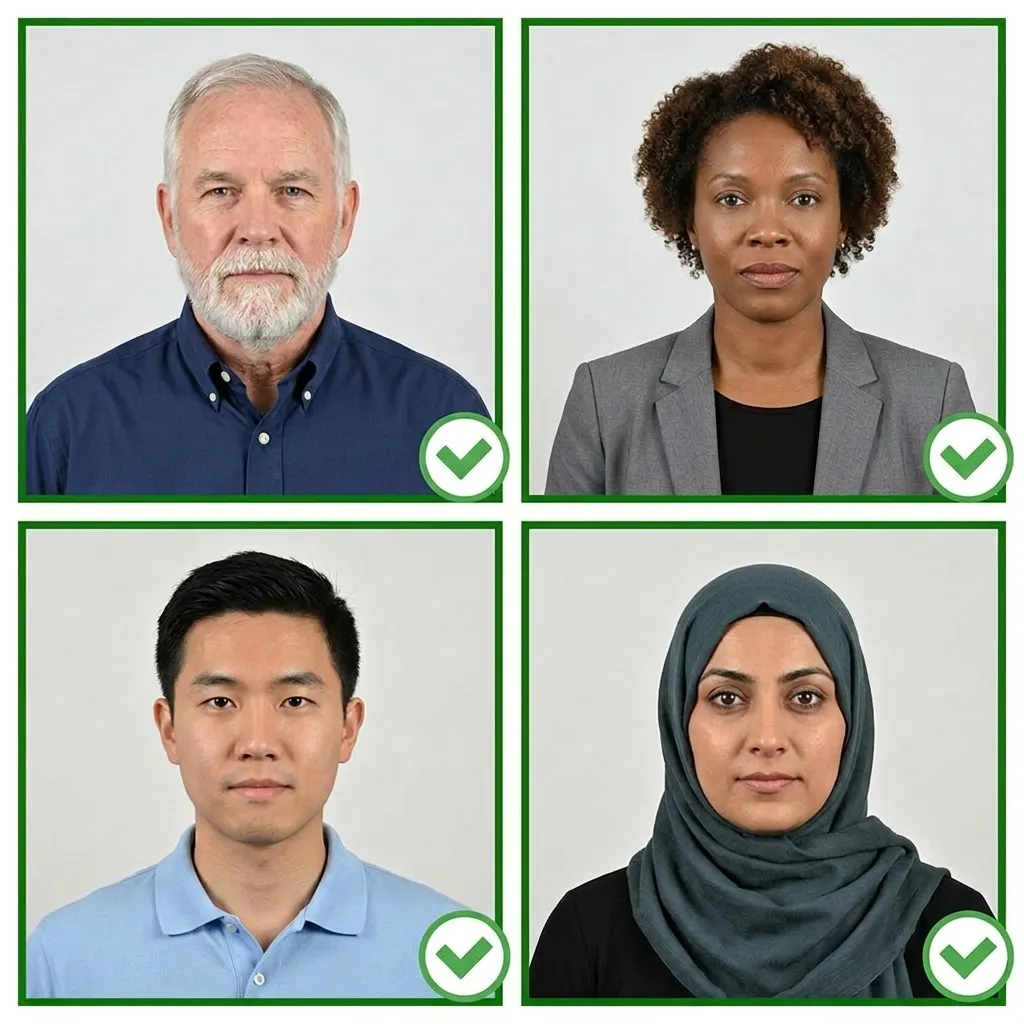
Use natural daylight from a window for the best even lighting. Avoid direct sunlight, which creates harsh shadows. For babies, avoid using the camera flash as it can startle them and cause red-eye. If using indoor lighting, use multiple light sources from different angles to eliminate shadows.
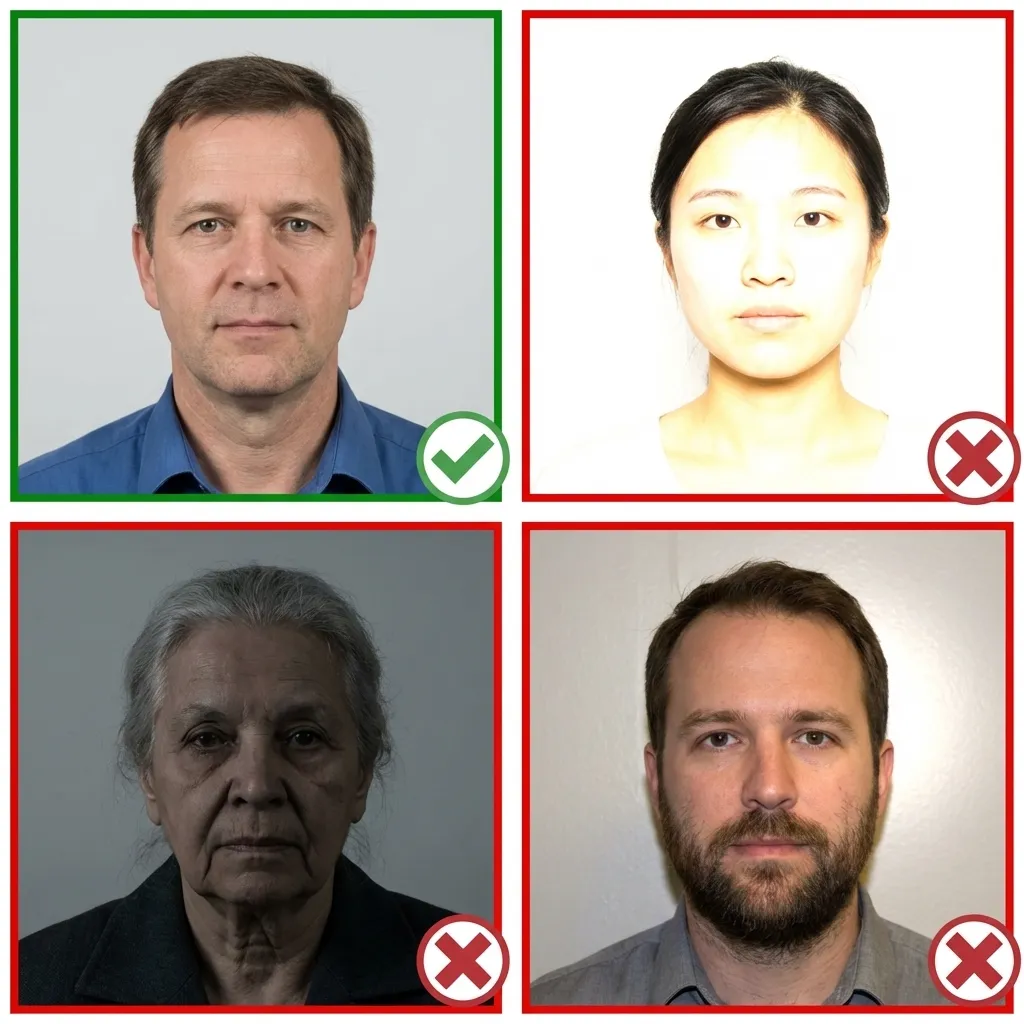
Dress the baby in simple, everyday clothing. Avoid white tops that may blend with the white background. Remove any hats, headbands, or hair accessories unless they are worn for religious reasons. No sunglasses or prescription glasses.
Choose clothing with colors that contrast well with the white background for the best result.
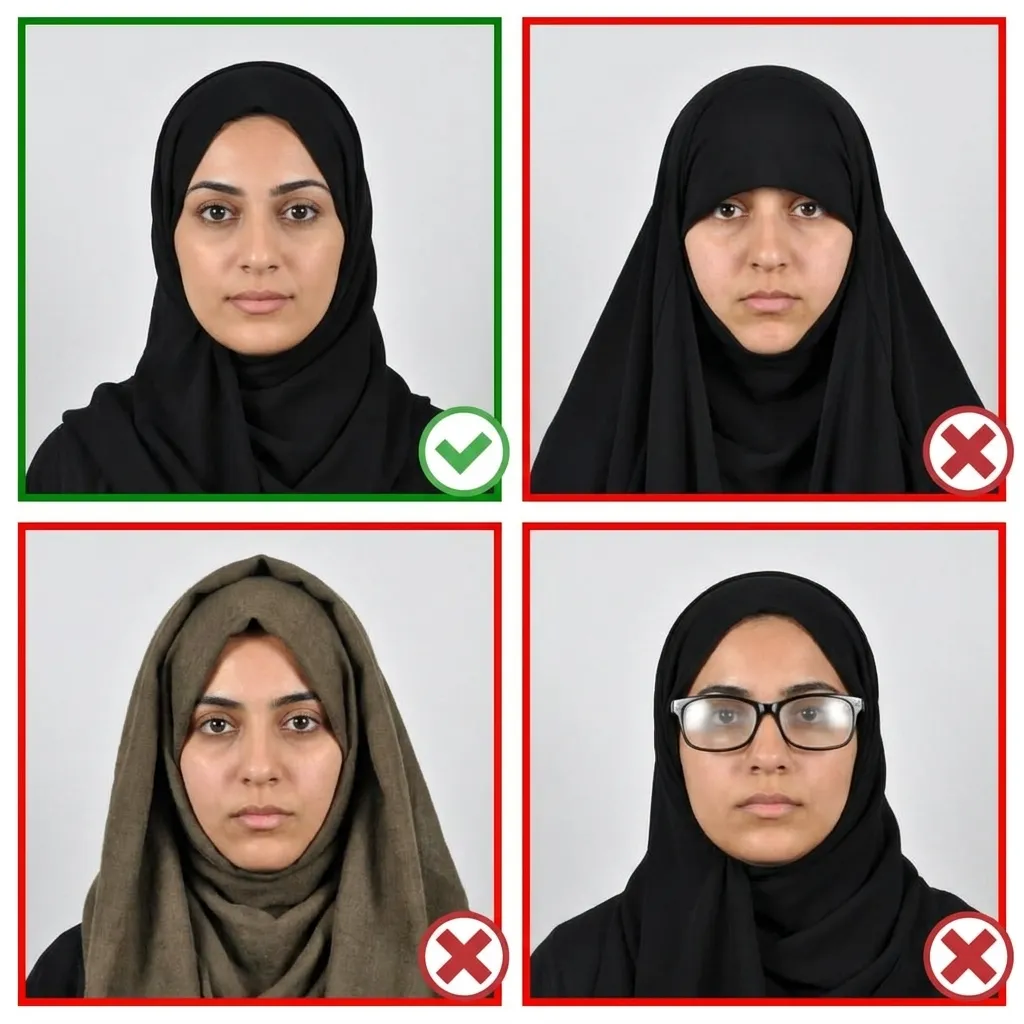
Ensure the baby's face is facing the camera directly with the head straight and centered. The baby should be the only person in the photo. If photographing from above while the baby lies down, make sure you are directly overhead — not at an angle.
The baby's full face from chin to forehead must be clearly visible, with both sides of the face showing.
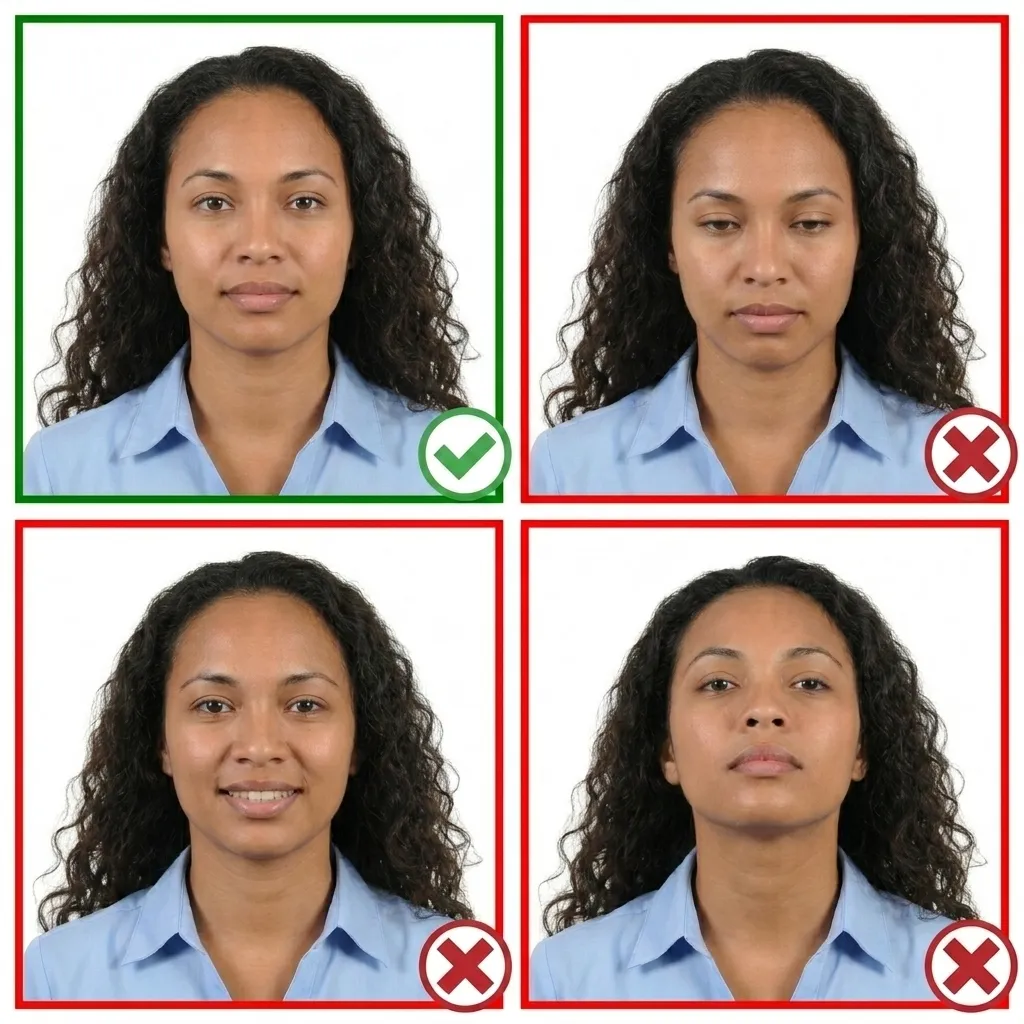
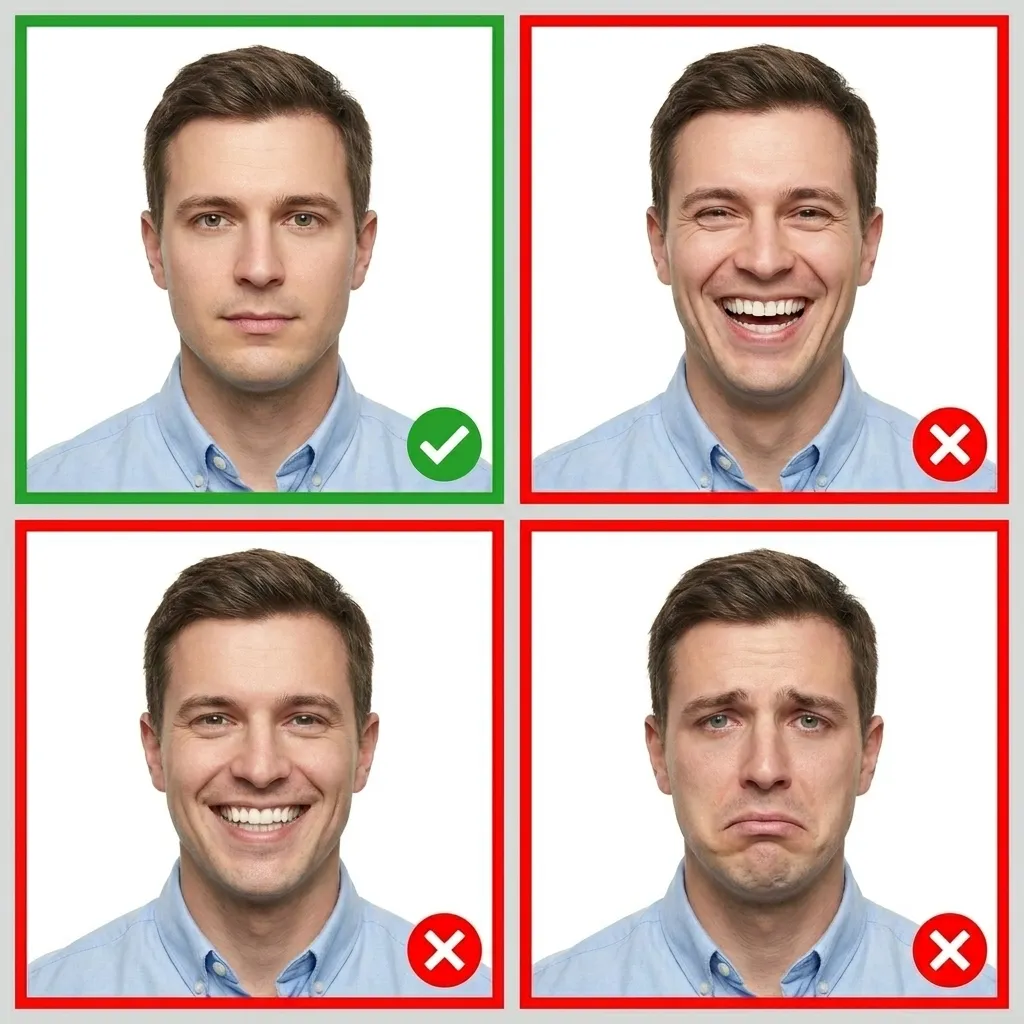
Wait for the baby to open their eyes and take the photo. A neutral expression is ideal, but NADRA understands that babies may not always cooperate perfectly. Try to capture a moment when the baby is calm with eyes open and mouth closed. Take multiple shots and choose the best one.
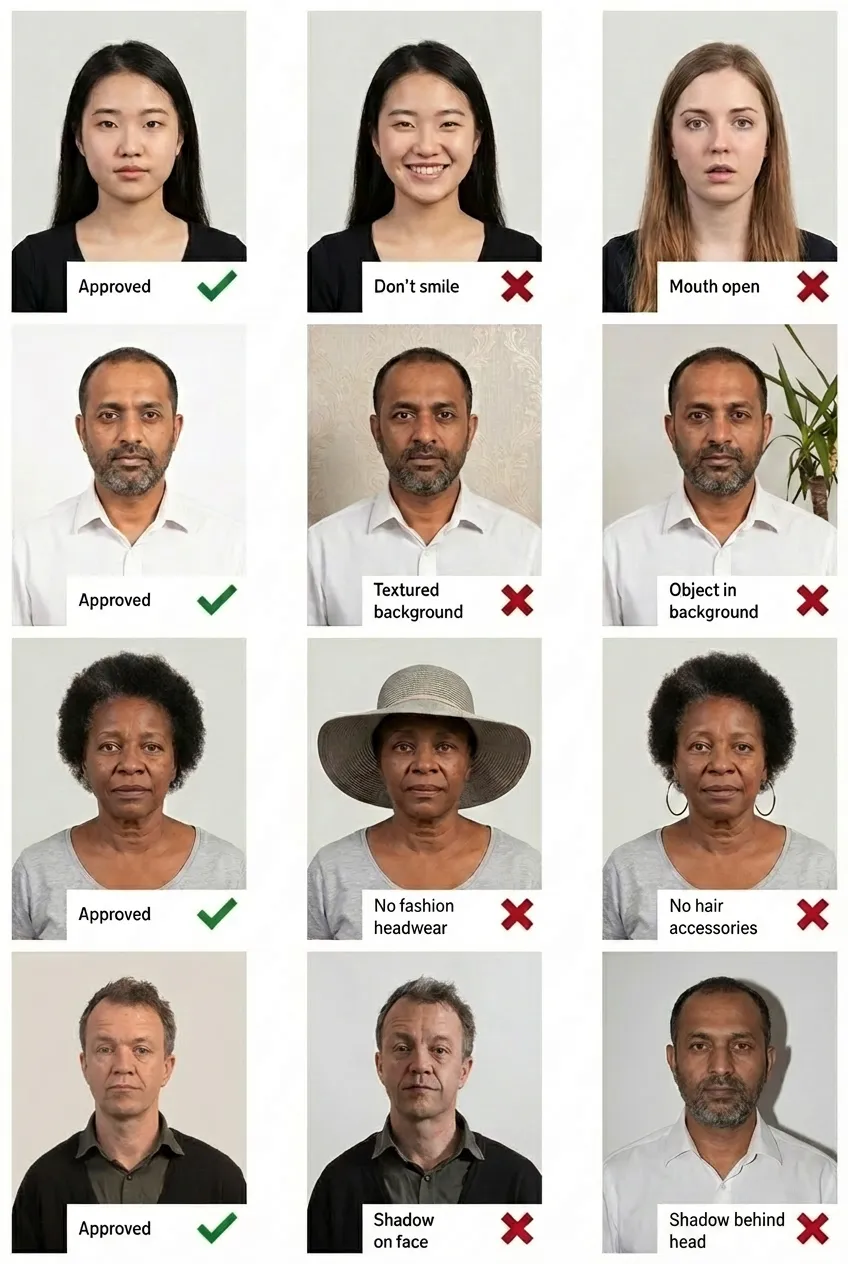
Comparison of acceptable and unacceptable baby/child ID photos
A Pakistan B-Form (Child Registration Certificate) photo must be 35×45 mm (approximately 1.38×1.77 inches). The child's head should occupy 70–80% of the photo. The digital version for the NADRA online system should be 350×467 pixels.
The B-Form, also known as the Child Registration Certificate (CRC), is issued by NADRA (National Database and Registration Authority) for Pakistani children under 18. It registers the child's birth and is required for school enrollment, passport applications, and other official purposes.
No. Only the baby or child must appear in the photo. No parent's hands, arms, or any other person should be visible. The photo must show only the child from chin to top of head against a plain white background. If you are holding the baby, ensure no part of your body appears in the frame.
Ideally yes, both eyes should be open and clearly visible. For newborns and very young infants, NADRA is generally more relaxed about this requirement, but you should still try to capture a photo with the baby's eyes open. Take multiple shots to get the best result.
The background must be plain white with no patterns, shadows, or objects visible. A plain white bed sheet can be used as a background when photographing babies who cannot sit up. If your background isn't perfectly white, our AI tool will automatically replace it with white.
Yes! You can take the baby's photo with any smartphone. Simply upload it to PassportPhoto.help and our AI will automatically crop, resize, remove the background, and ensure it meets all NADRA B-Form photo requirements.
No. Pacifiers, toys, bottles, blankets with patterns, or any other objects must not be visible in the photo. The baby's face must be fully visible with nothing covering the mouth, nose, or eyes. Remove all items before taking the photo.
If your baby's photo does not meet NADRA requirements, your B-Form application will be delayed and you will need to submit a new compliant photo. Using PassportPhoto.help ensures your photo meets all official requirements before you submit, saving you time and avoiding delays.