Malaysia E-Visa Photo Requirements and Size Guide (35×50mm)
Everything you need to know about Malaysia e-Visa photo requirements, including exact dimensions, digital photo specifications for online submission, background color, pose rules, and how to take a compliant photo at home.
Malaysia E-Visa Photo Specifications
Requirement
Specification
Country
Malaysia
Document Type
Malaysia Electronic Visa (e-Visa)
Photo Size (Print)
35 × 50 mm (3.5 × 5.0 cm)
Resolution (DPI)
600
Head Size
25–30 mm from chin to crown (50–70% of photo)
Background Color
Plain white background
Printable
Yes — on matte photo-quality paper
Digital Photo Size
Minimum 99 × 142 pixels for online submission
Max File Size (Digital)
240 KB for online upload
Accepted Format
JPEG
Photo Paper Type
Matte (glossy not recommended)
Color
Color only (black and white not accepted)
Recency
Taken within the last 6 months
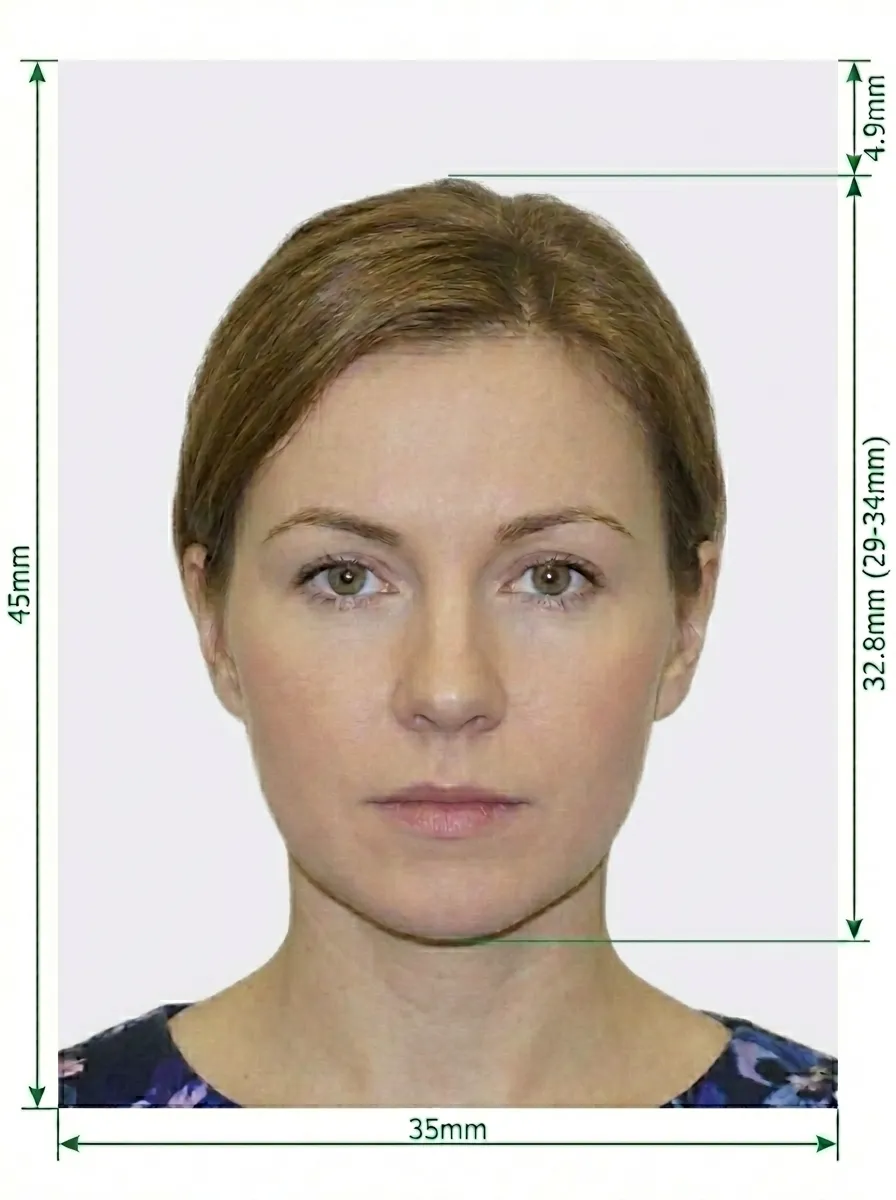
Malaysia E-Visa Photo Size Diagram
Key measurements: The photo must be exactly 35×50mm. Your head should measure 25–30mm from the bottom of your chin to the top of your crown, occupying 50–70% of the photo.
Don't worry about getting the perfect photo. Upload any photo taken at home, and our AI-powered tool will automatically crop to the correct 35×50mm size, remove and replace the background with white, adjust the head size, and optimize the file size for online e-Visa submission.
Detailed Malaysia E-Visa Photo Requirements
The Malaysia e-Visa is an electronic visa for tourism and business purposes. The photo requirements are similar to standard visa photos, with additional digital specifications for online submission.
Photo Basics
Your photo must be in color — black and white not accepted
Must be a recent photo, taken within the last 6 months
The photo must be clear and in focus, with no blurriness
No filters or editing — do not digitally alter your appearance
Must reflect your current appearance
Size and Dimensions
Printed photo size: exactly 35 × 50 mm
Digital photo: minimum 99 × 142 pixels
Your head should measure 25–30 mm from chin to crown
Printed on matte photo-quality paper
No white border around the photo
Digital Photo Requirements for Online Submission
Minimum resolution: 99 × 142 pixels
Maximum file size: 240 KB
Accepted format: JPEG
File must be clear and not pixelated
White background with no shadows
Important: When uploading your photo for the Malaysia e-Visa application, the file must not exceed 240KB. If your file is too large, our tool can compress it while maintaining quality.
Pose and Expression
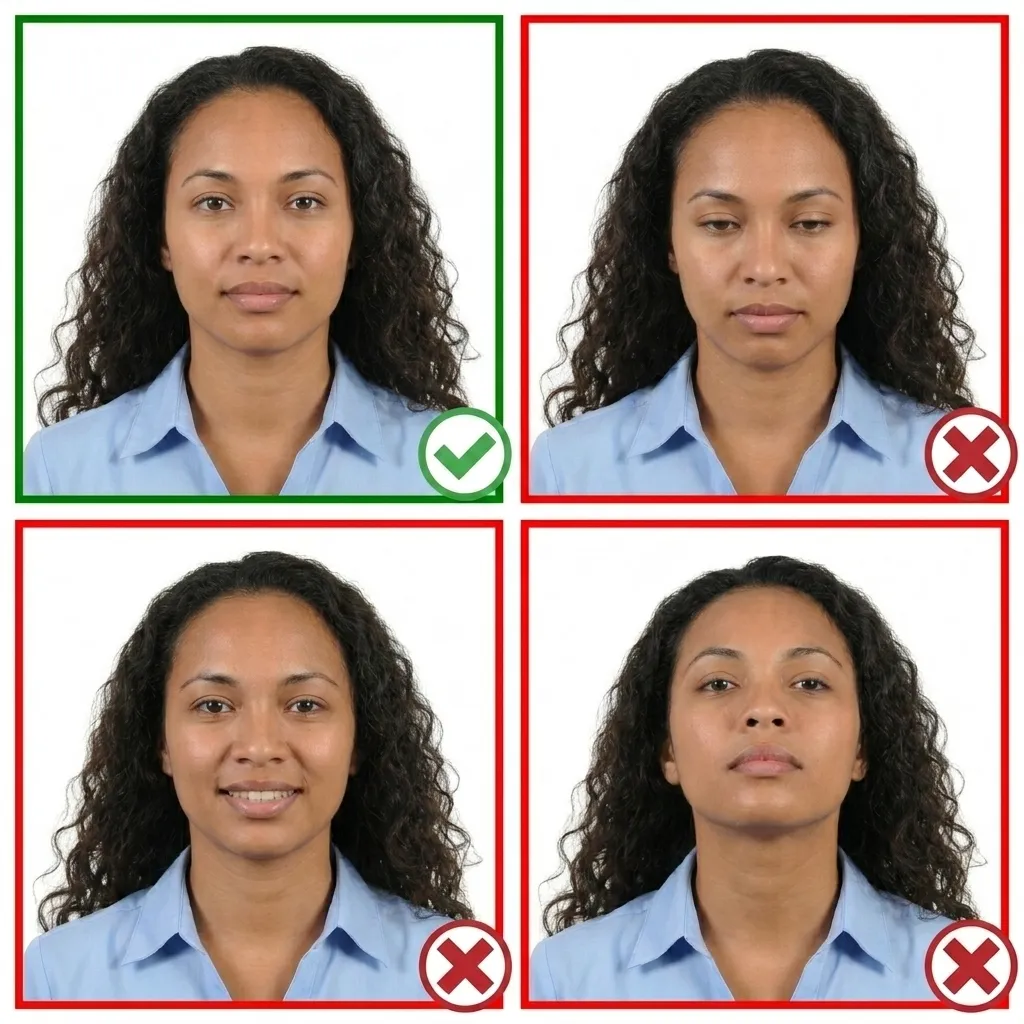
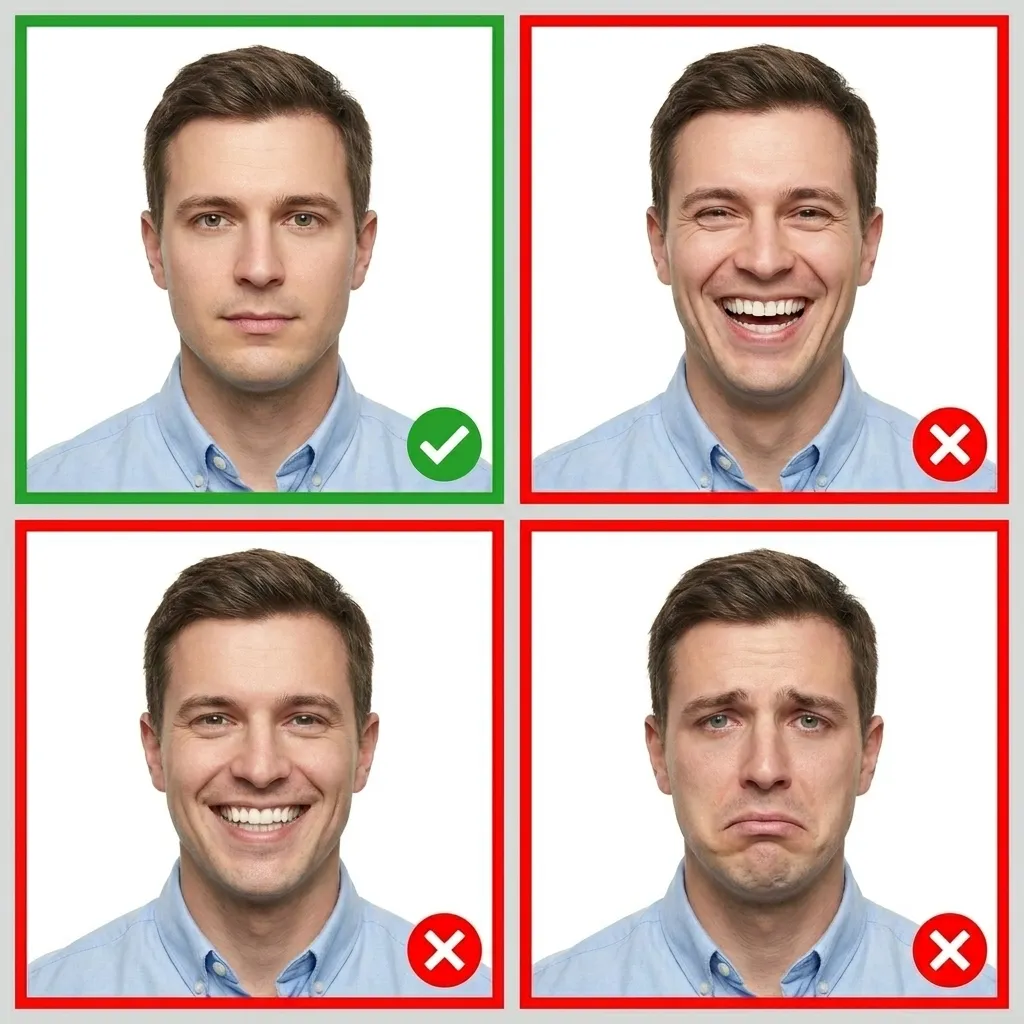
Face the camera directly — head must not be tilted or turned
Maintain a neutral facial expression
Both eyes must be open and clearly visible
Keep your mouth closed
Ensure your face is fully visible from chin to forehead
Background
Plain white background
No patterns, textures, or objects visible
No shadows on your face or behind your head
The background must be uniform and clean
Glasses
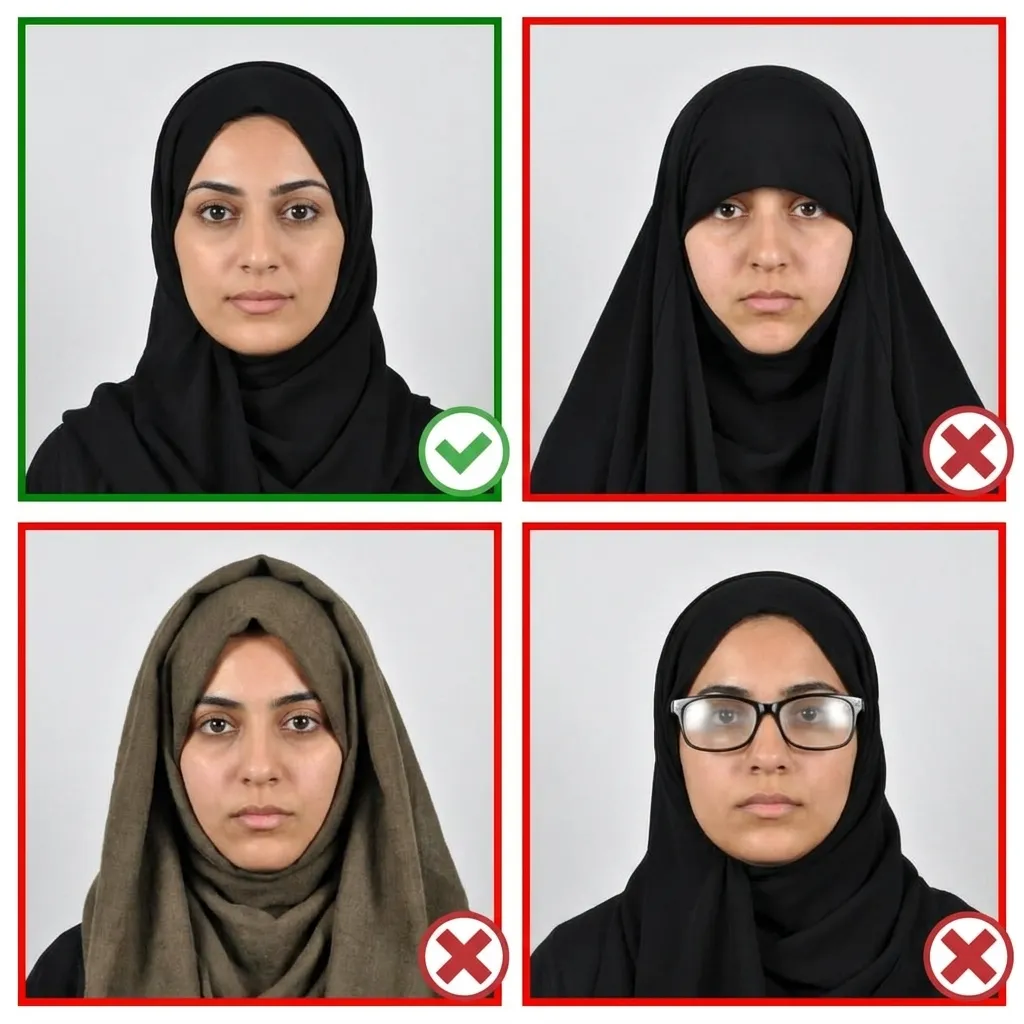
Glasses are NOT allowed in Malaysian visa photos. This applies to all applicants regardless of prescription. Sunglasses and tinted lenses are strictly prohibited.
Head Coverings
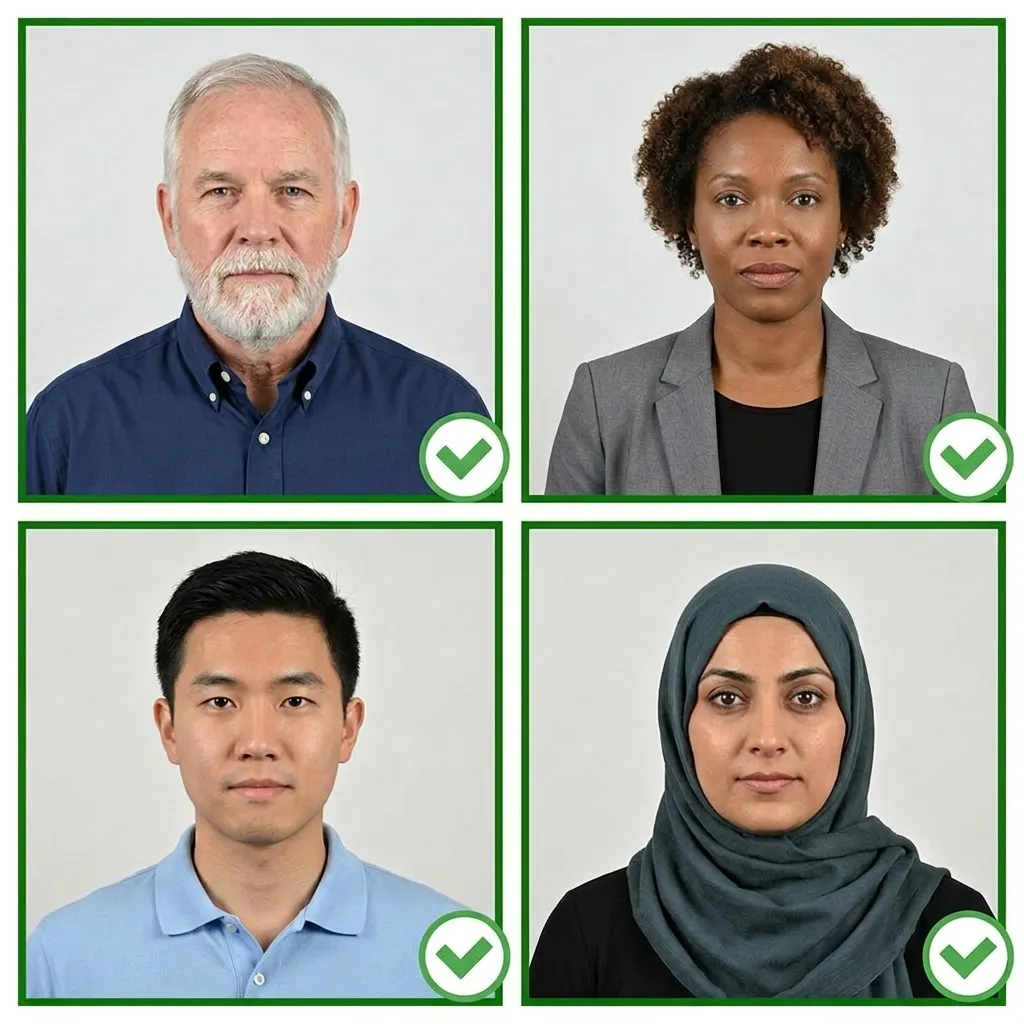
Hijab is allowed for Muslim applicants — must be dark-colored (black, dark blue, or dark brown)
The hijab must not cover the forehead, eyebrows, or any part of the face
No hats or caps for non-Muslim applicants
No headphones, earbuds, or wireless devices
Clothing
Wear normal everyday clothing
Do not wear uniforms
Avoid white tops that may blend with the white background
For Muslim women, ensure the hijab contrasts with the background
Any modern smartphone camera works. Clean the lens, use highest resolution. Use a tripod or ask someone to help.
2
Find Good Lighting
Stand facing a window with natural daylight. Avoid direct sunlight.
Tip: Our AI will automatically replace your background with white and optimize file size for e-Visa upload.
3
Dress Appropriately
Wear normal clothing. Avoid white tops. Muslim women may wear dark-colored hijab.
4
Pose Correctly
Stand about 1.5 meters from the camera. Head facing directly forward, shoulders relaxed.
5
Maintain a Neutral Expression
Neutral expression, both eyes open, mouth closed. No glasses allowed.
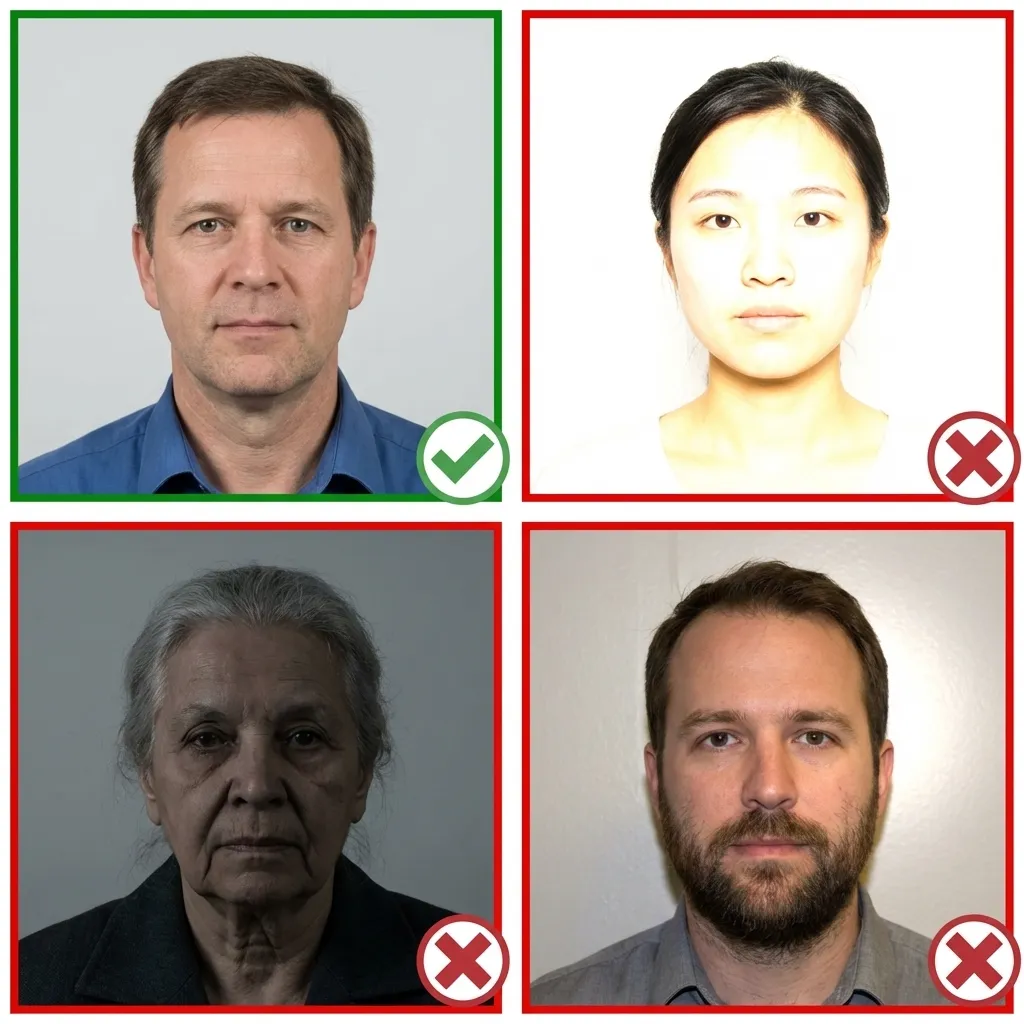
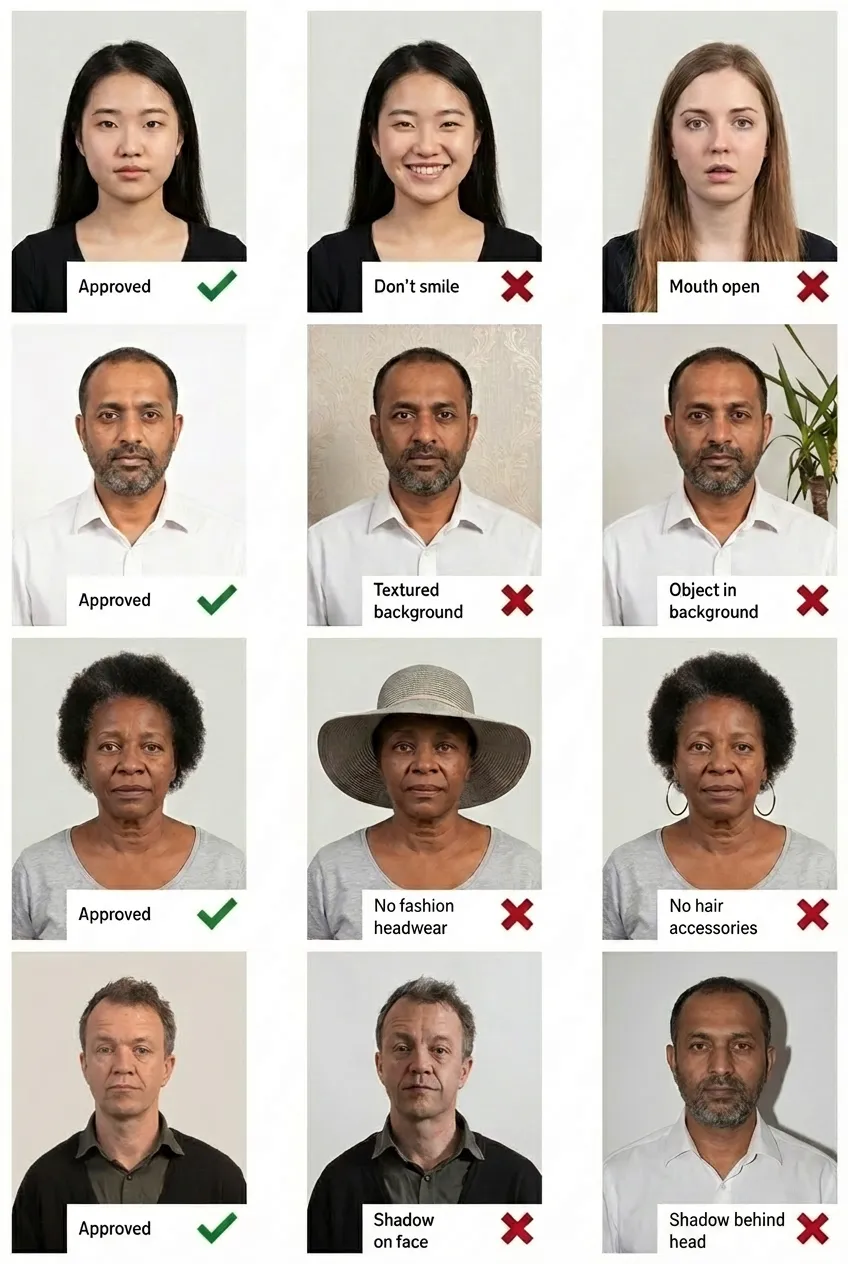
Good and Bad Examples
Comparison of acceptable and unacceptable visa photos
Frequently Asked Questions
What size is a Malaysia e-Visa photo?
A Malaysia e-Visa photo must be 35×50mm for printing, or at least 99×142 pixels for digital upload. The maximum file size for online submission is 240KB.
What are the digital photo requirements for Malaysia e-Visa?
For online submission, the photo must be at least 99×142 pixels, in JPEG format, and no larger than 240KB. The background must be plain white with no shadows.
Can I take my Malaysia e-Visa photo with my phone?
Yes! Upload it to PassportPhoto.help and our AI will crop, resize, remove the background, optimize the file size, and ensure compliance with e-Visa requirements.
What is the maximum file size for Malaysia e-Visa photo upload?
The maximum file size is 240KB for the online Malaysia e-Visa application. Our tool can compress your photo to meet this requirement while maintaining quality.
Can I wear glasses in my Malaysia e-Visa photo?
No. Glasses are not allowed in Malaysian visa photos, regardless of prescription. Sunglasses and tinted lenses are also prohibited.
Can I wear a hijab in my Malaysia e-Visa photo?
Yes, hijab is allowed for Muslim applicants. The hijab must be dark-colored (black, dark blue, or dark brown) and should not cover the forehead, eyebrows, or any part of the face.
Is the Malaysia e-Visa photo the same as the regular visa photo?
Yes, the photo requirements are the same: 35×50mm with a white background. The main difference is that for e-Visa, you submit a digital file that must be under 240KB.