Everything you need to know about the Indonesia visa photo in the traditional 3×4 cm (30×40 mm) format with white background, including exact dimensions, ICAO-standard background requirements, and how to create a compliant photo for e-Visa and online visa applications.

| Requirement | Specification |
|---|---|
| Country | Indonesia (Republik Indonesia) |
| Document Type | Visa (Visa Kunjungan) |
| Photo Size | 30 × 40 mm (3 × 4 cm) |
| Resolution (DPI) | 600 |
| Pixel Size | 709 × 945 pixels (at 600 DPI) |
| Head Height | ~30 mm from chin to top of hair |
| Top Margin | ~2.5 mm from top of photo to top of hair |
| Background Color | White, plain and uniform (ICAO standard) |
| Color Mode | Color only (correct skin tone, no red-eye) |
| Printable | Yes — print on glossy or matte photo paper |
| Digital for Online Submission | Yes — accepted for e-Visa applications |
| Recency | Taken within the last 6 months |
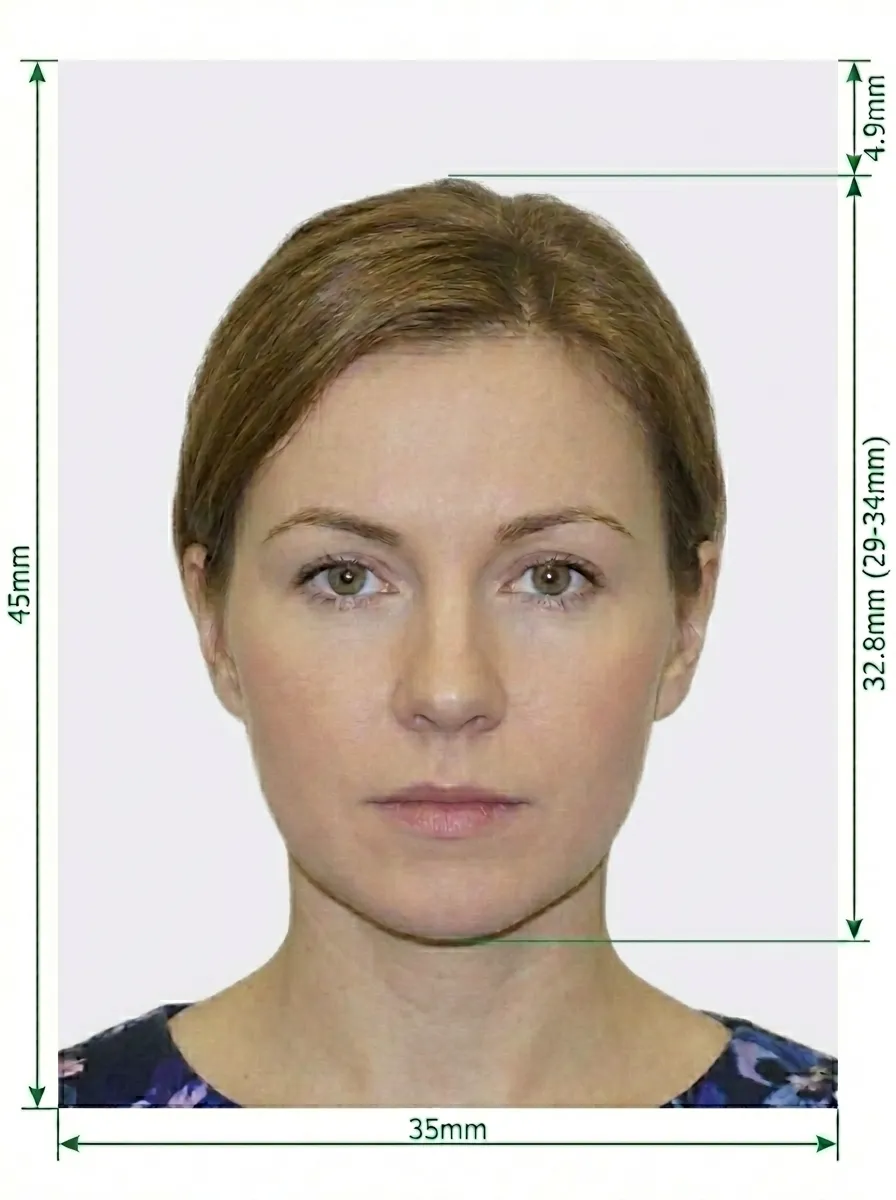
The 3×4 cm (30×40 mm) format with white background combines the traditional Indonesian pas foto dimensions with the internationally recognized ICAO-standard white background. This variant is accepted for certain e-Visa applications and online visa submissions where a white background is specified.
Glasses are NOT allowed in Indonesia visa photos. This rule applies to all types of eyewear — prescription glasses, sunglasses, and reading glasses must all be removed before the photo is taken. Contact lenses that do not change your natural eye color are acceptable. The restriction on glasses ensures clear visibility of your eyes for facial recognition and identity verification purposes.
Source: Indonesia e-Visa Official Portal
Save time and money by taking your own visa photo at home. Follow these steps to capture a compliant 3×4 cm Indonesia visa photo with white background using only your smartphone.
A modern smartphone camera is all you need. Wipe the lens clean with a soft cloth, and set the camera to its maximum resolution. Use the rear camera — it has better quality than the front-facing camera.
Prop your phone on a stable surface or tripod at approximately eye level. Having another person take the photo gives you the best results since they can ensure proper framing and alignment.
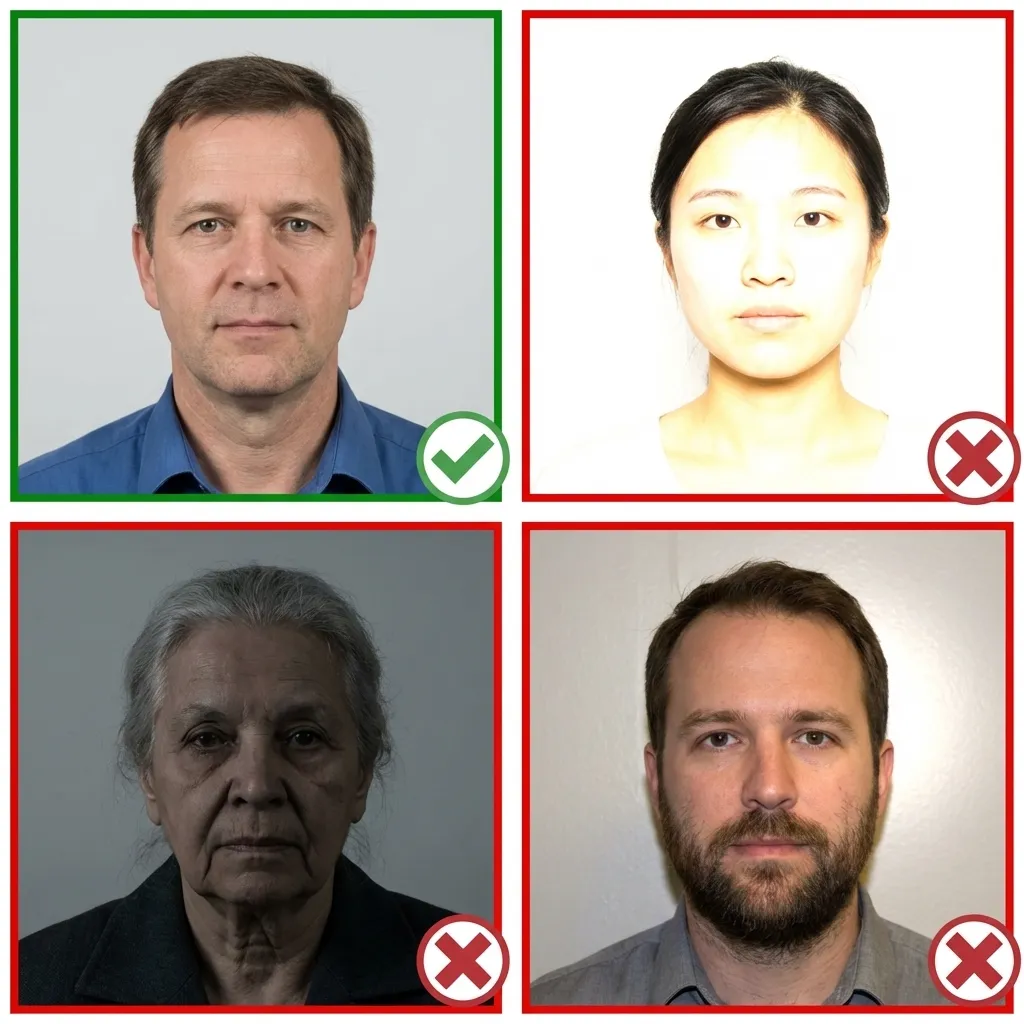
The best lighting comes from a large window with diffused natural daylight directly in front of you. Stand about 1 meter from the window and face it. This eliminates shadows and provides soft, even illumination across your entire face.
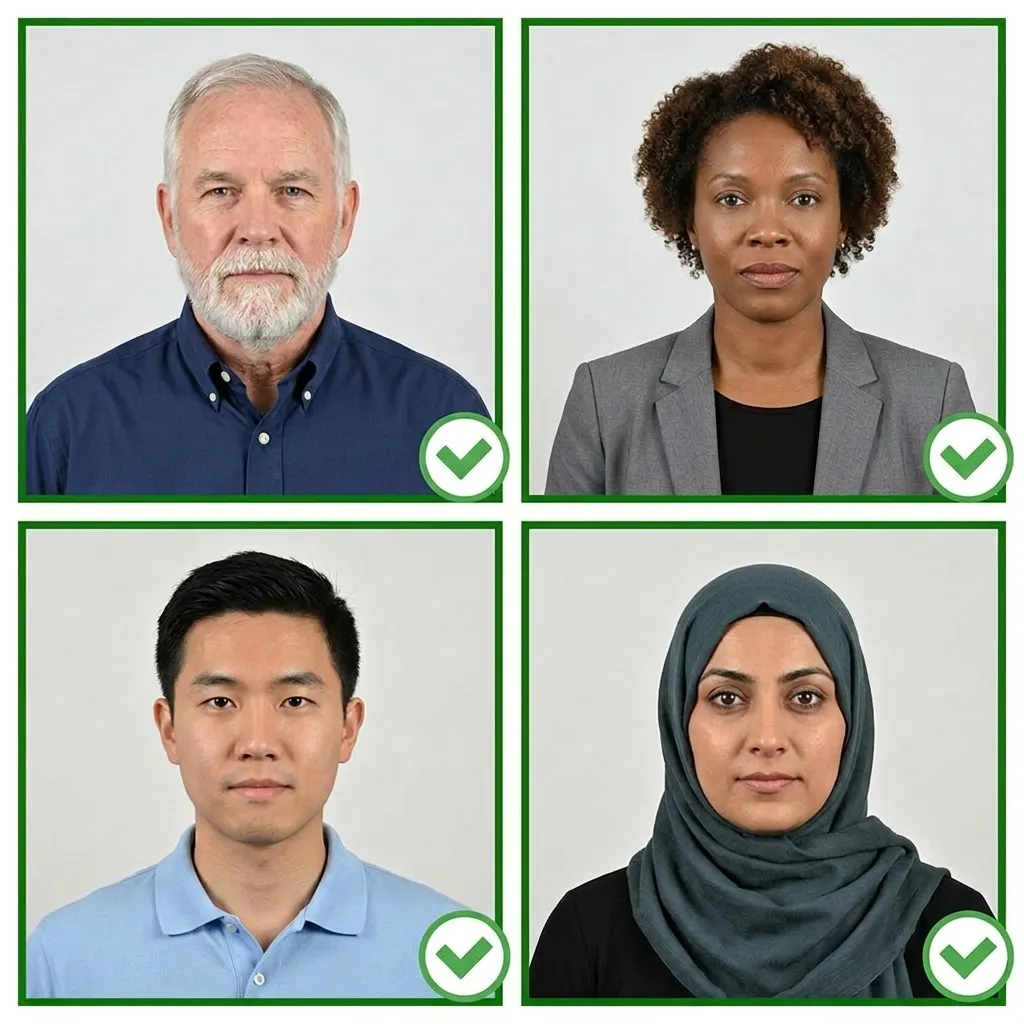
Choose everyday clothing in medium to dark colors — blues, grays, and blacks all work well against a white background. Avoid white or very light tops that might blend into the background. If wearing a hijab, select a color that provides contrast with white.
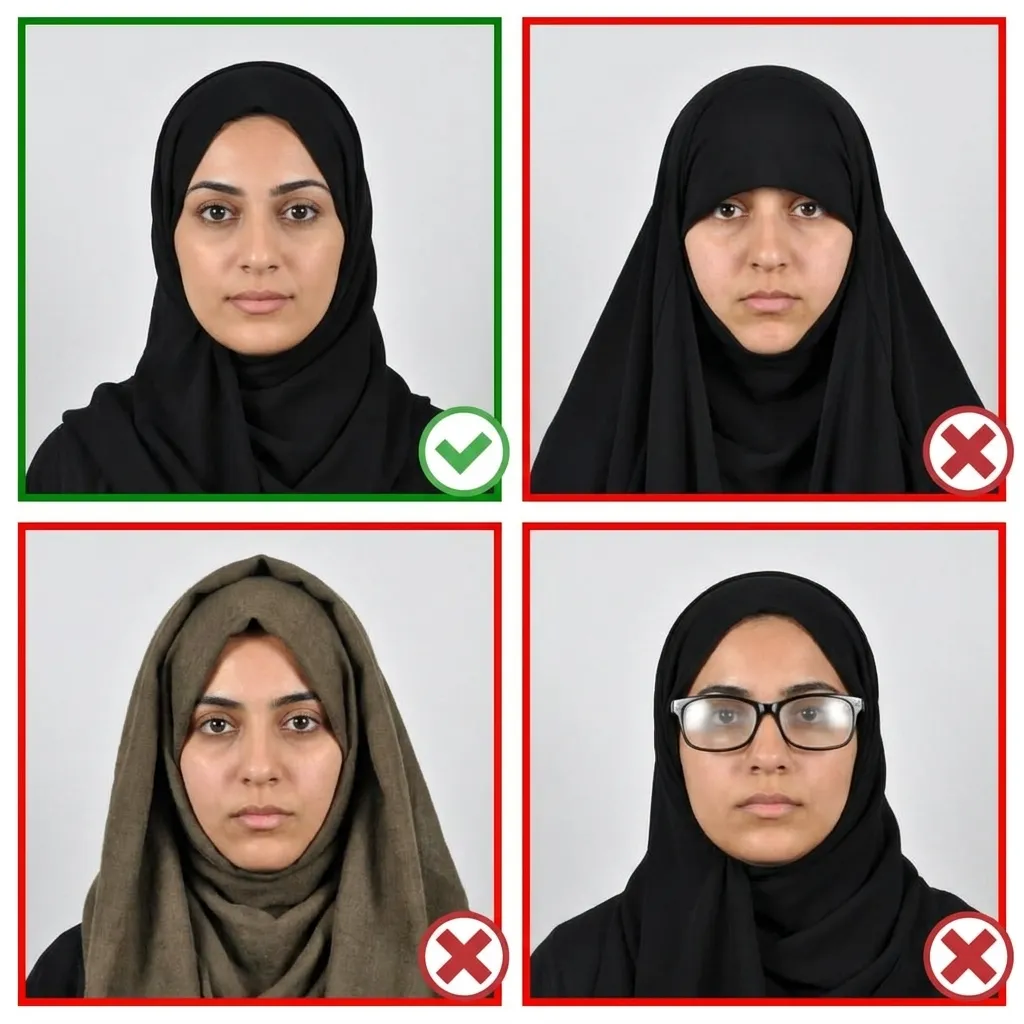
Position yourself about 1.5 meters from the camera. Face the lens directly with your head level and straight — not tilted up, down, or to the side. Relax your shoulders and keep them centered. Your full face from the bottom of your chin to the top of your forehead must be visible, along with both ears.
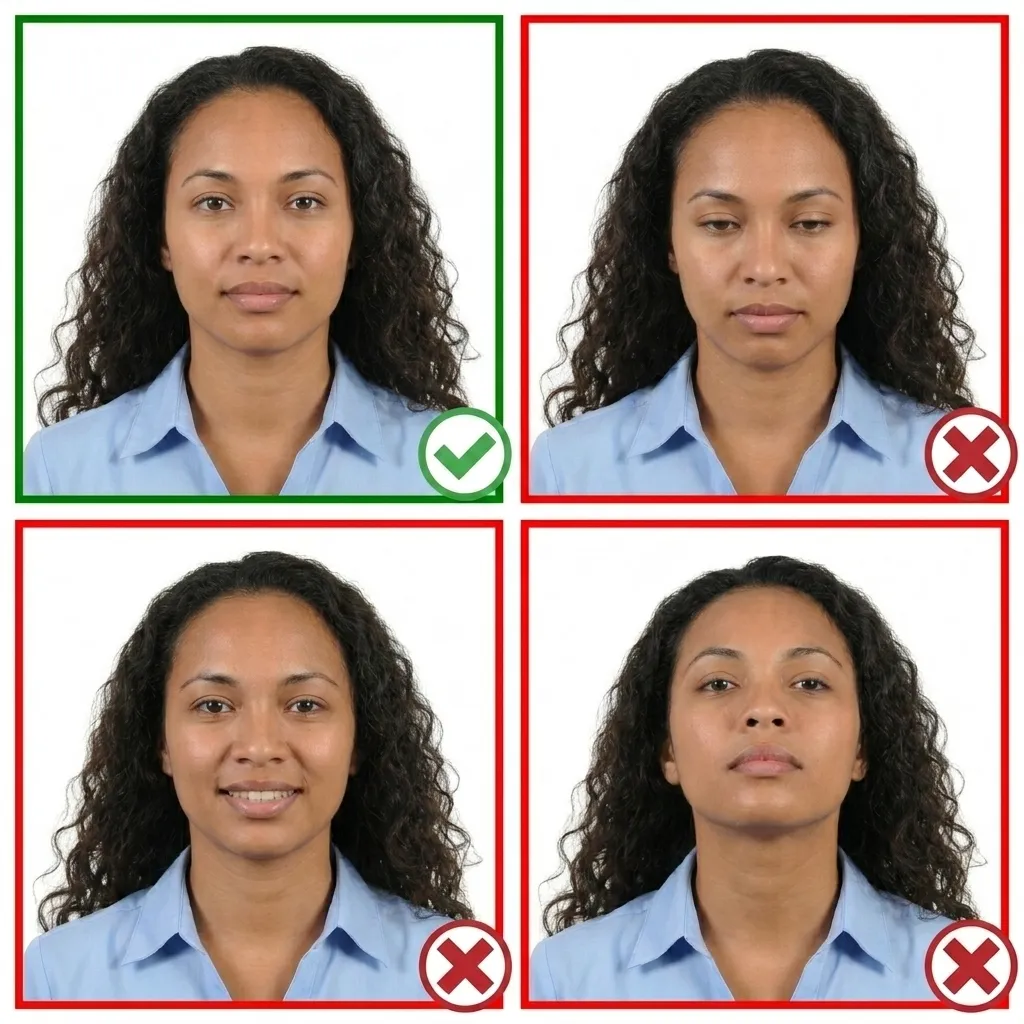
Relax your facial muscles completely. Close your mouth naturally and open both eyes wide. Look directly at the camera lens — not at the screen or yourself. Avoid smiling, frowning, or raising your eyebrows. A calm, neutral expression is what visa processors expect.
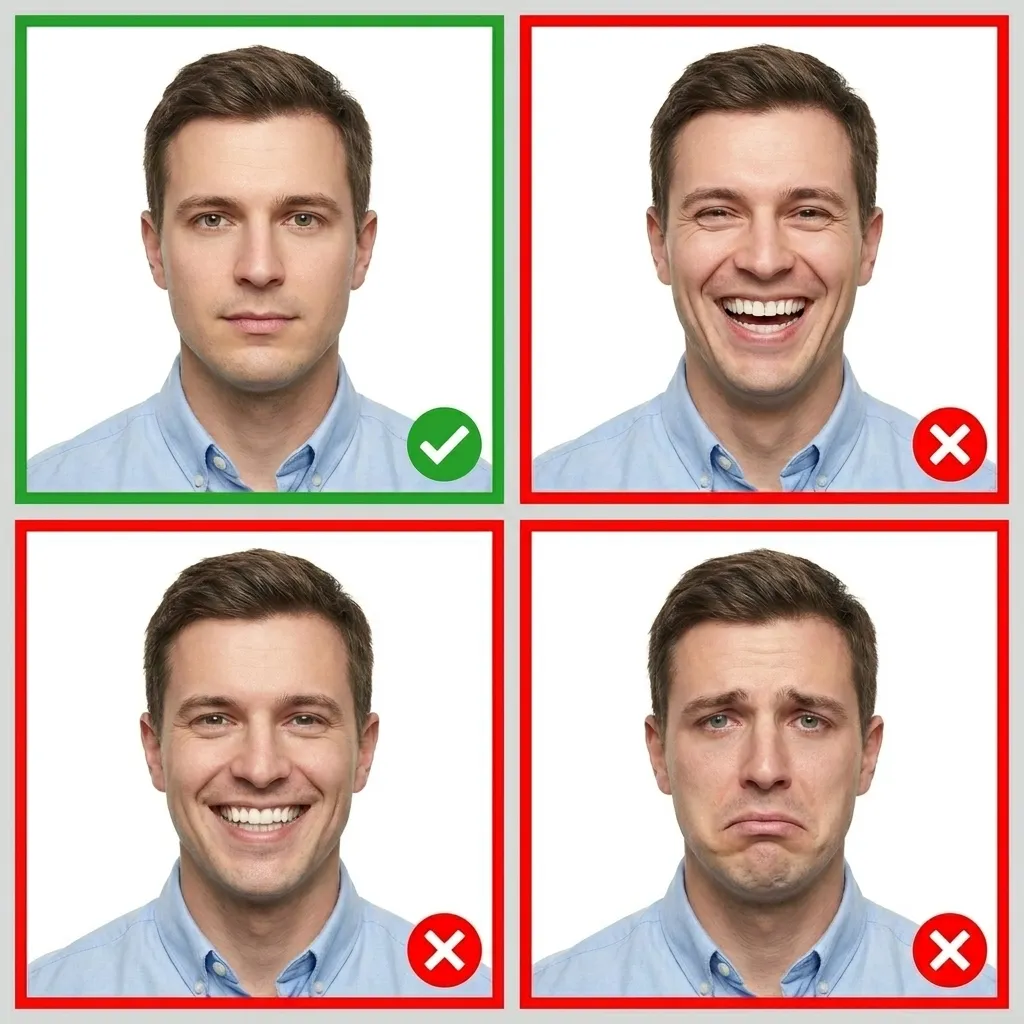
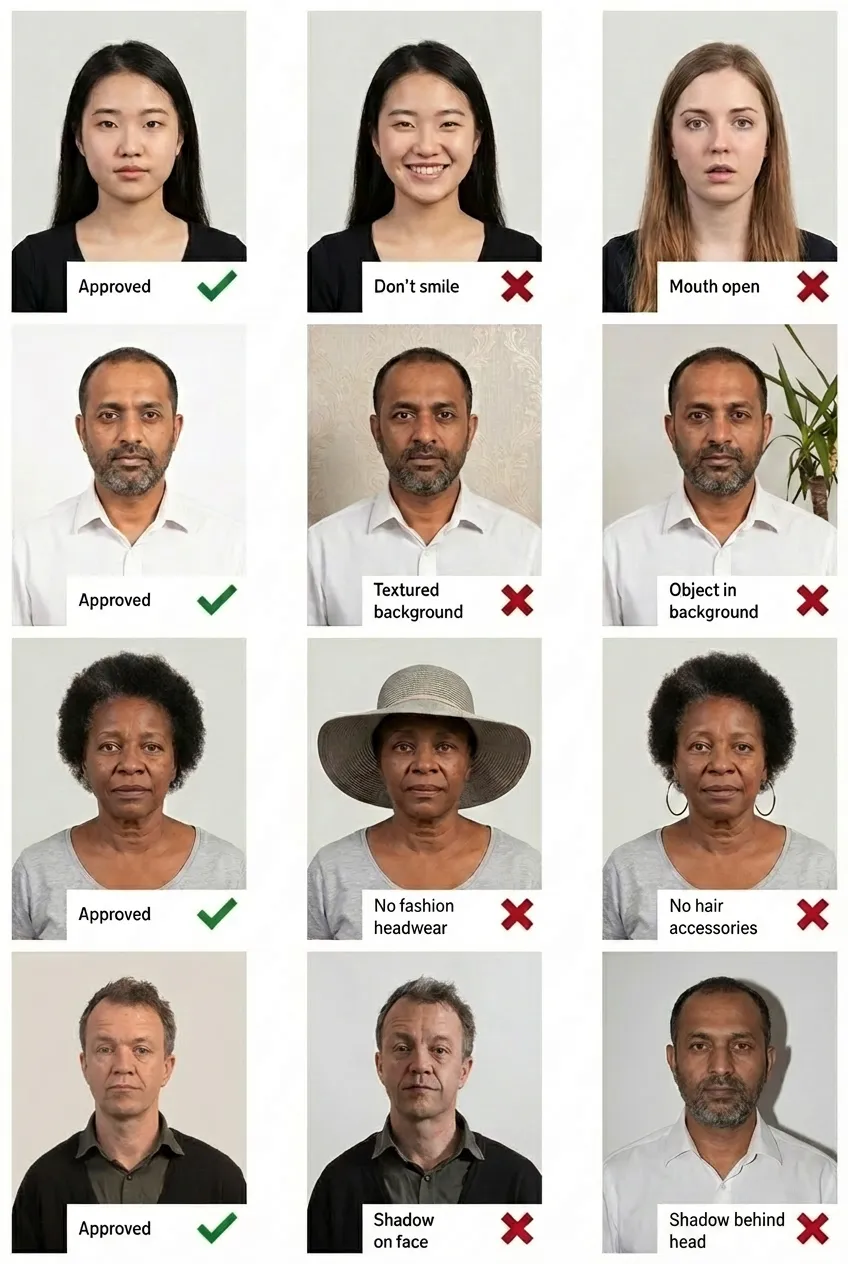
Comparison of acceptable and unacceptable visa photos
The 3×4cm white background format measures exactly 30×40 mm (3×4 centimeters). At 600 DPI resolution, the digital image should be 709×945 pixels. The head height should be approximately 30 mm from chin to the top of the hair, with a 2.5 mm margin from the top edge of the photo to the top of your hair.
The 3×4cm white background format is accepted for some Indonesia e-Visa and online visa applications. It combines the traditional Indonesian 3×4cm pas foto dimensions with the ICAO-standard white background, making it suitable for automated online processing systems. Always check the specific requirements of the embassy or online portal where you are applying.
Yes, hijab is fully permitted. Your full face must be clearly visible from the bottom of your chin to the top of your forehead, with both sides of your face visible. The hijab should not cast shadows on your face or obscure any part of your facial features.
No. Glasses are not permitted in Indonesia visa photos regardless of the format or background color. You must remove all eyewear — prescription glasses, sunglasses, and reading glasses — before taking the photo. Contact lenses that do not alter your natural eye color are acceptable.
The red background is the traditional Indonesian pas foto standard used for government documents and certain embassy applications. The white background follows ICAO international standards and is commonly preferred for e-Visa and online visa applications because it works better with automated facial recognition systems. Both formats use the same 30×40mm dimensions and head sizing requirements.
The 3×4cm format requires 600 DPI resolution, resulting in a digital image of 709×945 pixels. The higher DPI compared to the 35×45mm format (300 DPI) is necessary because the physical photo is smaller, and the extra resolution ensures all facial details remain sharp and clear for processing.
Yes! Any modern smartphone with a good camera works perfectly. Upload your photo to PassportPhoto.help and our AI will automatically crop it to the exact 30×40mm dimensions, replace the background with solid white, adjust the head size to approximately 30mm, and ensure it meets all the 3×4cm Indonesia visa requirements.
Your visa photo must have been taken within the last 6 months and should accurately reflect your current appearance. If your appearance has changed significantly (such as major weight change, facial hair changes, or different hairstyle), you should take a new photo even if the previous one is within the 6-month window.