Everything you need to know about the Indonesia visa photo requirements with white background, including exact dimensions (35×45mm), background specifications, pose rules, and how to create a compliant visa photo for e-Visa and embassy submissions.

| Requirement | Specification |
|---|---|
| Country | Indonesia (Republik Indonesia) |
| Document Type | Visa (Visa Kunjungan) |
| Photo Size | 35 × 45 mm (3.5 × 4.5 cm) |
| Resolution (DPI) | 300 |
| Pixel Size | 413 × 531 pixels (at 300 DPI) |
| Head Size | 70–80% of photo height (~34.5 mm from chin to top of hair) |
| Background Color | White, plain and uniform |
| Color Mode | Color only (correct skin tone, no red-eye) |
| Printable | Yes — print on glossy or matte photo paper |
| Digital for Online Submission | Yes — accepted for e-Visa applications |
| Recency | Taken within the last 6 months |
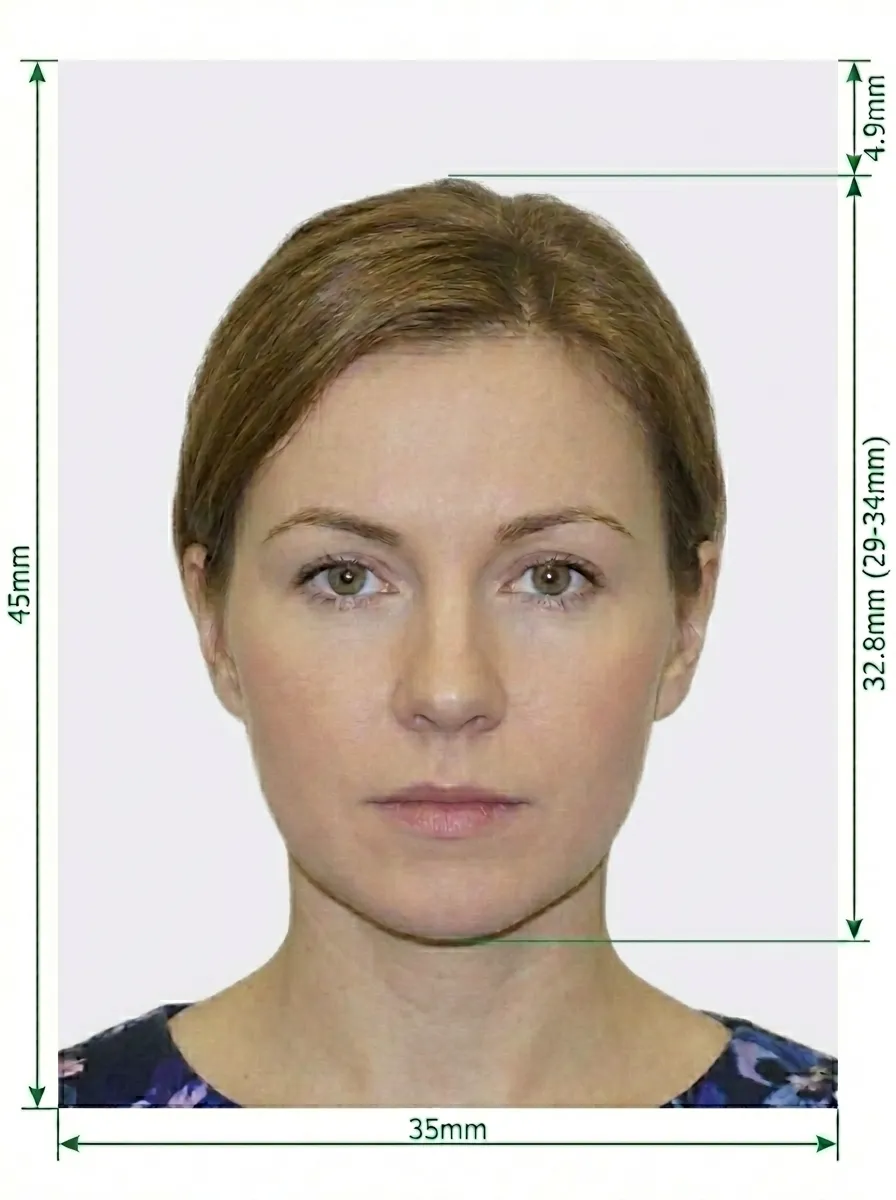
Indonesia's visa photo requirements with white background follow the standard ICAO (International Civil Aviation Organization) guidelines. This format is widely accepted for e-Visa applications submitted through the official portal and at many Indonesian embassies and consulates worldwide.
Glasses are NOT allowed in Indonesia visa photos. Remove all eyewear before taking the photo. This rule applies to all types of glasses, including prescription glasses, sunglasses, and reading glasses. Contact lenses are fine as long as they do not change the natural color of your eyes.
Source: Indonesia e-Visa Official Portal
You don't need a professional studio. Follow these simple steps to take a compliant Indonesia visa photo with white background at home using your smartphone.
Any modern smartphone with a good camera will work. Clean the lens thoroughly and set the camera to the highest resolution. Use the rear-facing camera rather than the front-facing one for better quality.
Mount the phone on a tripod at eye level, or have someone else take the photo. Avoid taking a selfie — the angle and distortion from selfies often cause visa photo rejections.
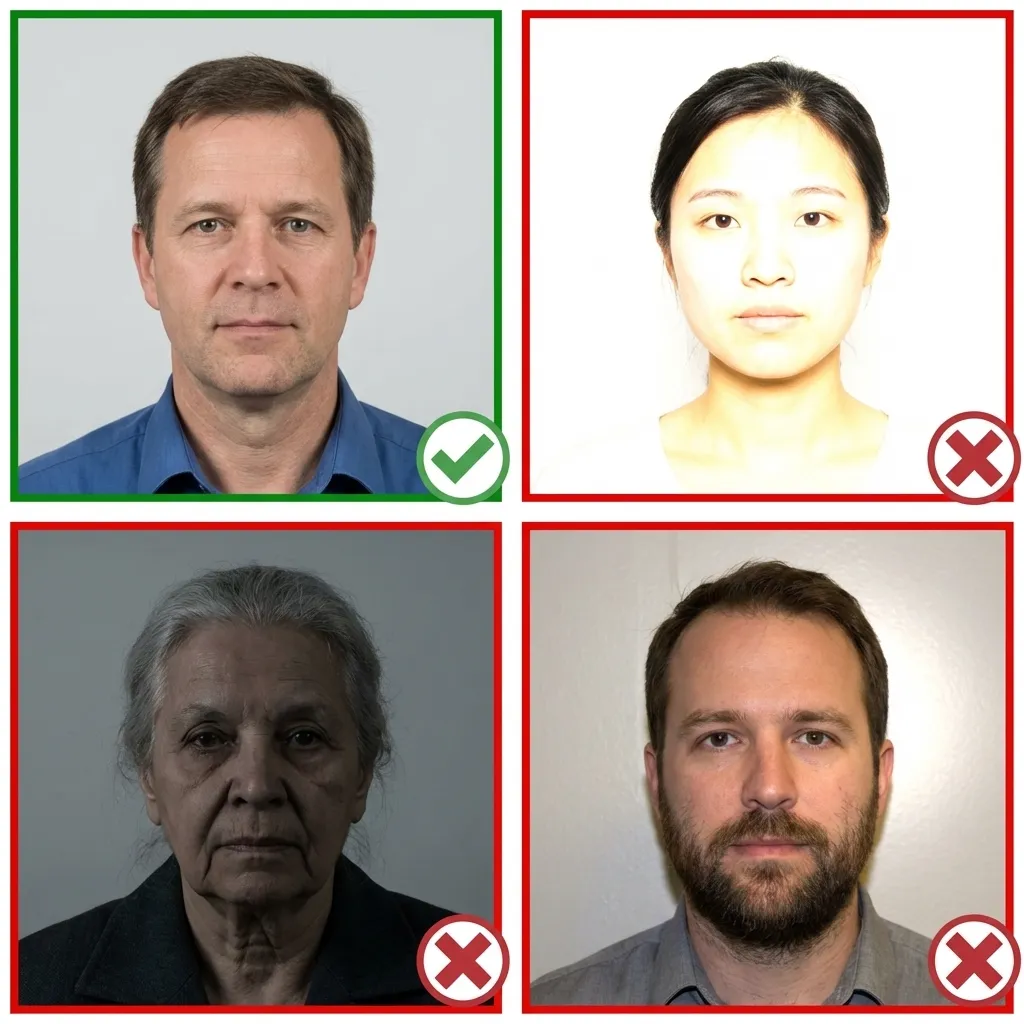
Natural daylight from a window in front of you provides the most even lighting. Avoid standing with a window behind you, as this creates a silhouette effect. If using artificial light, position two light sources at 45-degree angles to eliminate shadows.
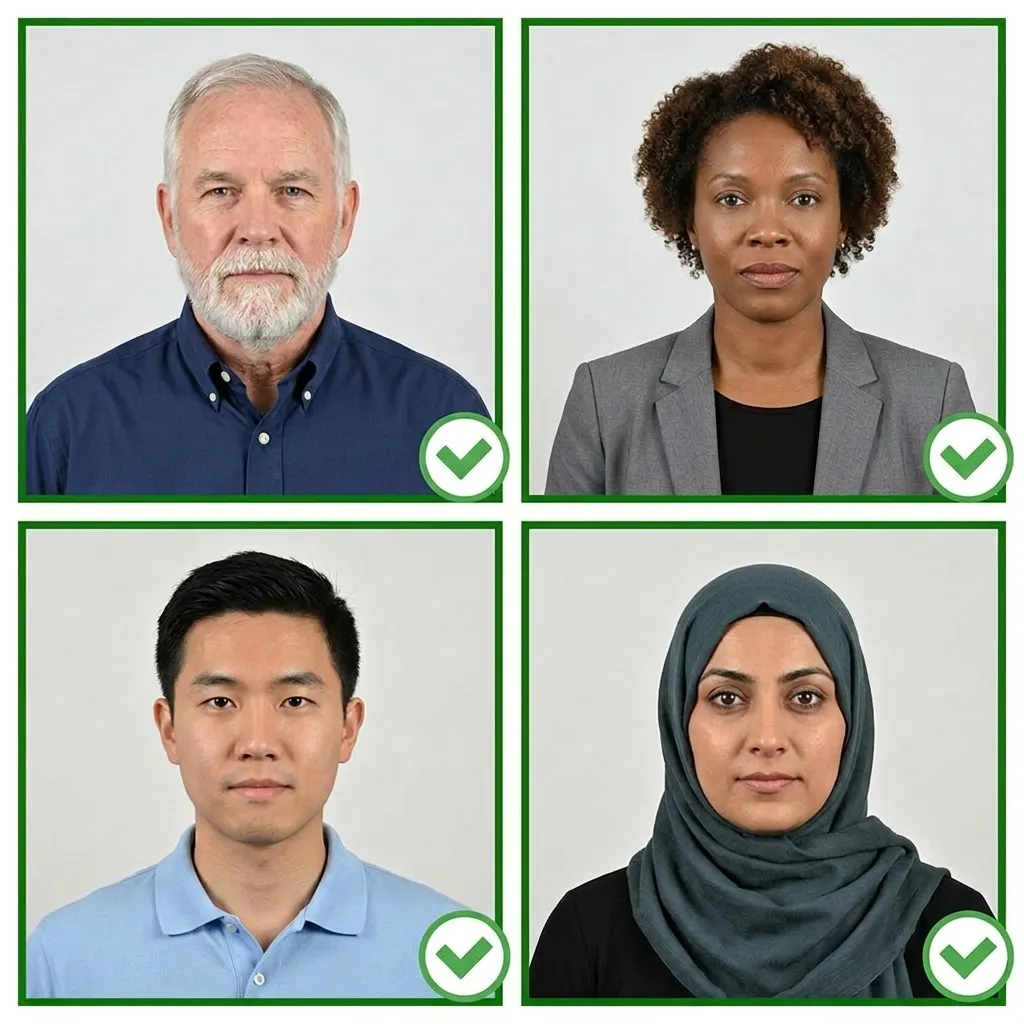
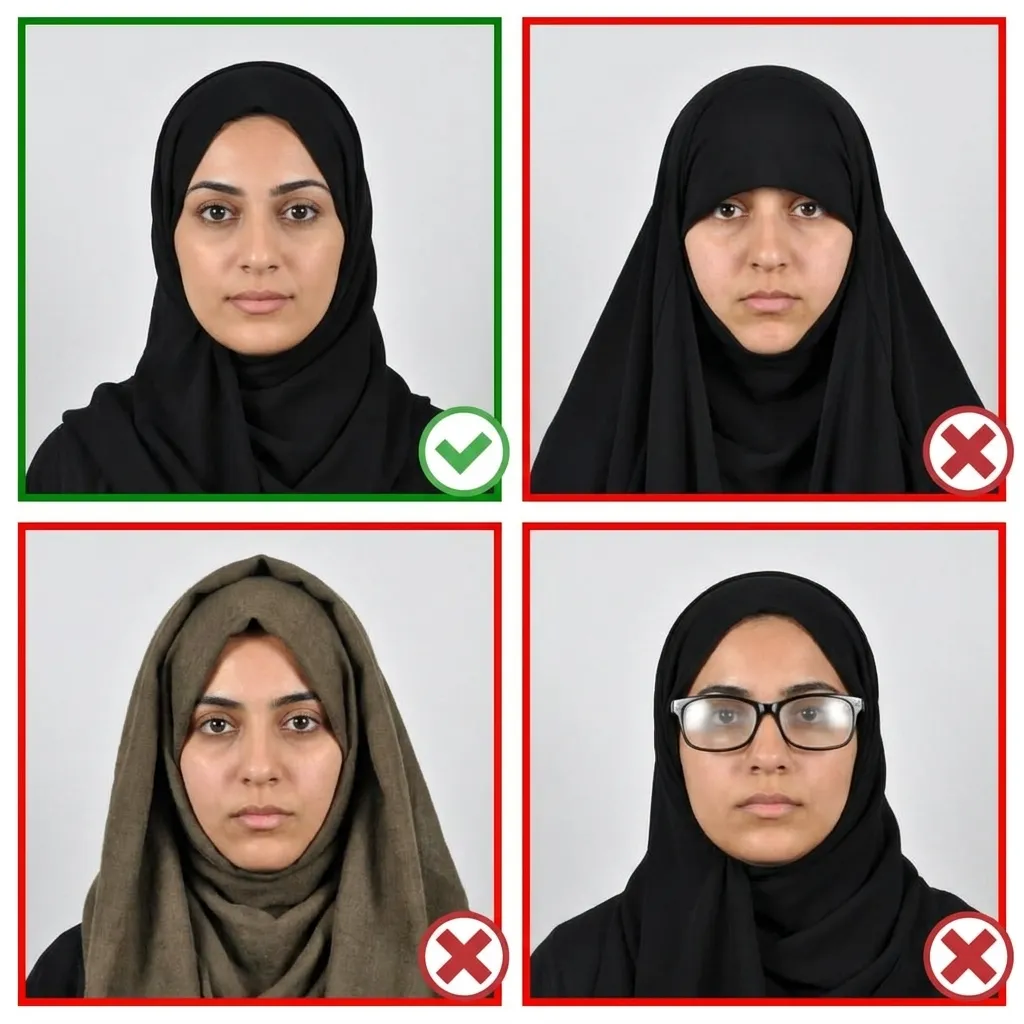
Wear normal everyday clothing in a color that contrasts with white — such as blue, black, or other medium-to-dark shades. Avoid white tops, uniforms, or clothing with large logos. If you wear a hijab, choose a color that contrasts with the white background.
Stand about 1.5 meters in front of the camera. Face directly forward with your head level — not tilted up, down, or to either side. Keep your shoulders relaxed and centered. Your entire face from chin to forehead and ear to ear must be visible.
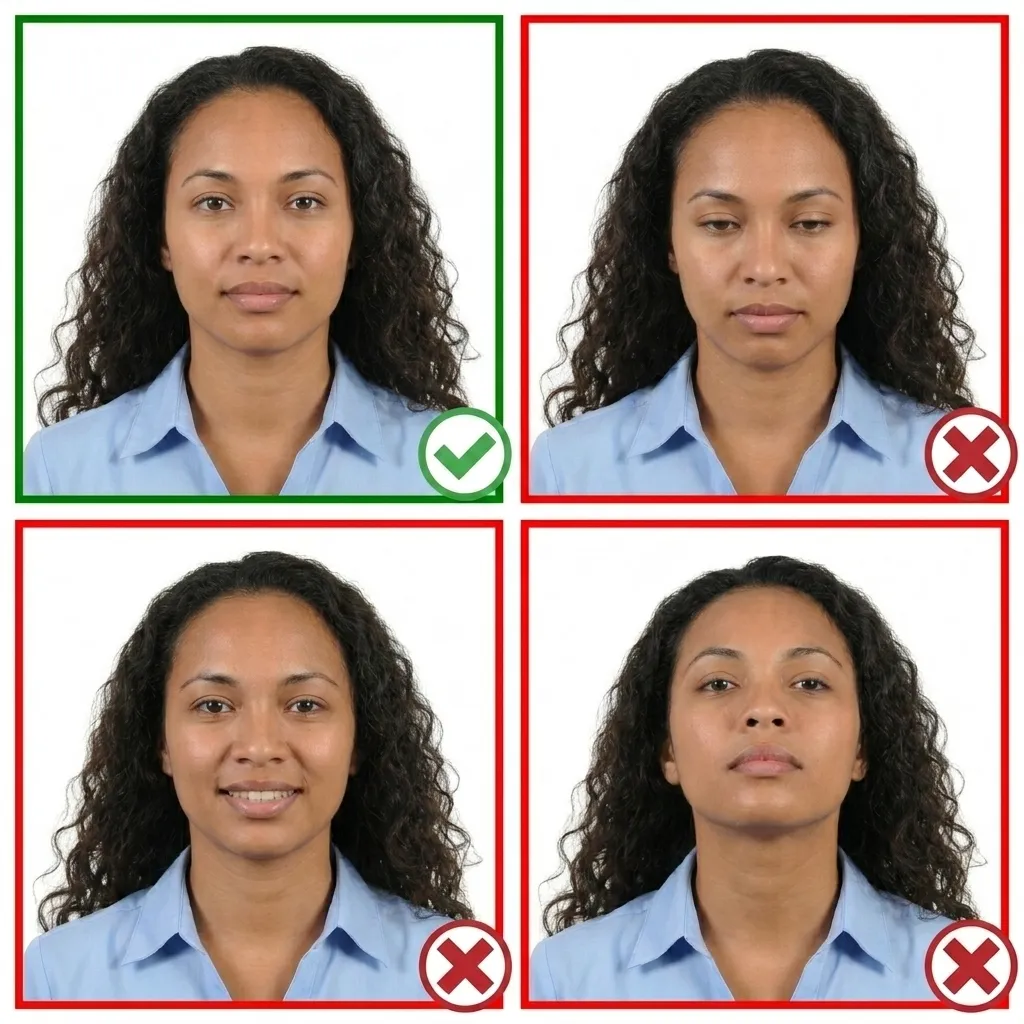
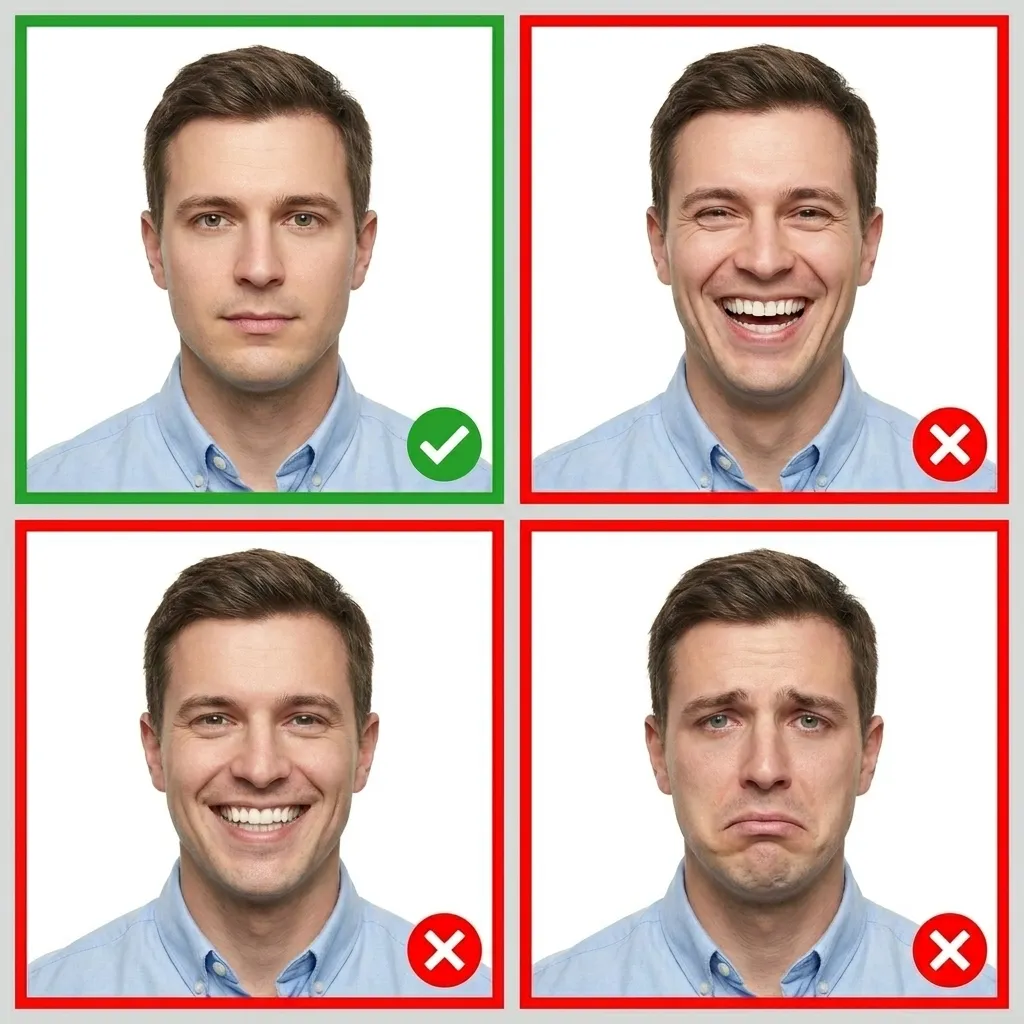
Relax your face and keep a neutral expression. Your mouth should be closed, both eyes open and looking directly at the camera. Do not smile, frown, or raise your eyebrows. The expression should be natural and relaxed.
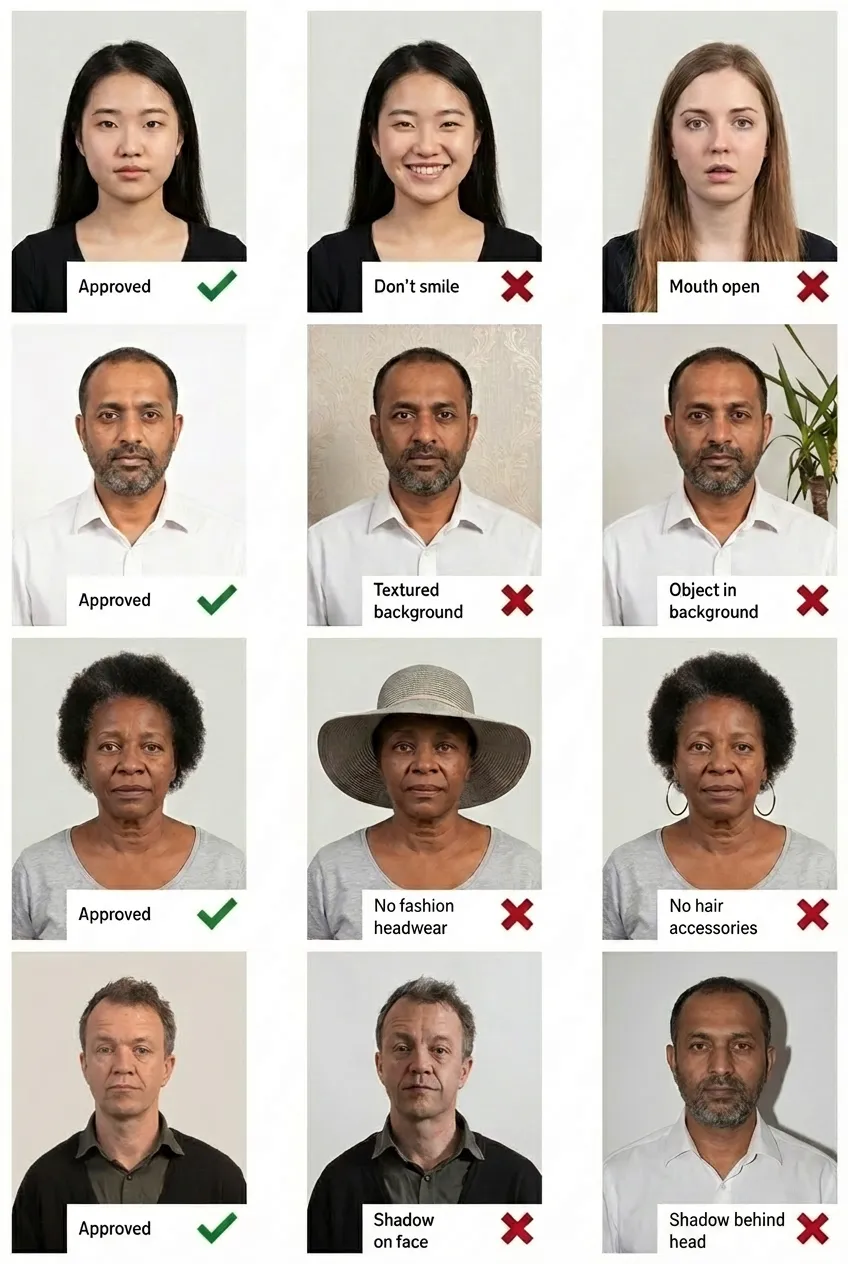
Comparison of acceptable and unacceptable visa photos
The Indonesia visa photo with white background must be exactly 35×45 mm. The head height should measure approximately 34.5 mm from chin to the top of the hair, occupying 70–80% of the photo. At 300 DPI, the digital image should be 413×531 pixels.
Yes. The white background format follows standard ICAO guidelines and is widely accepted for Indonesia e-Visa applications submitted through evisa.imigrasi.go.id and at many Indonesian embassy and consulate offices worldwide. It is often the preferred format for tourist and business visa categories.
Yes, hijab is allowed as long as your full face remains clearly visible from the bottom of your chin to the top of your forehead, and both sides of your face are visible. The hijab should not cast shadows on your face or obscure any facial features.
No. Glasses are not permitted in Indonesia visa photos. You must remove all eyewear — including prescription glasses — before taking the photo. Contact lenses are acceptable as long as they do not alter your natural eye color.
Some Indonesian embassies request a red background as a traditional pas foto requirement, while the white background follows standard ICAO guidelines and is more commonly used for e-Visa applications and international submissions. Check with your specific embassy or consulate to determine which format they require.
Yes. The 35×45mm white background format is the recommended format for Indonesia e-Visa applications submitted through the official portal at evisa.imigrasi.go.id. This ICAO-standard format is widely recognized and accepted.
Yes! You can take your visa photo with any modern smartphone. Upload it to PassportPhoto.help and our AI will automatically crop, resize, replace the background with solid white, and ensure it meets all Indonesia visa photo requirements.
Your visa photo must have been taken within the last 6 months. It should accurately reflect your current appearance. Using an older photo that no longer resembles you may result in your visa application being delayed or rejected.