Everything you need to know about Indonesia passport photo requirements, including the unique red background rule, exact dimensions (2x2 inch / 51x51 mm), pose and expression guidelines, hijab policy, and how to submit a compliant photo for your Indonesian passport (paspor) application at embassies, consulates, and VFS Global centers.

| Requirement | Specification |
|---|---|
| Country | Indonesia (Republik Indonesia) |
| Document Type | Passport (Paspor) |
| Photo Size (International) | 51 x 51 mm (2 x 2 inch) — used at embassies/consulates abroad |
| Photo Size (Domestic) | 40 x 60 mm (4 x 6 cm) — used at Kantor Imigrasi within Indonesia |
| Resolution (DPI) | 300 minimum |
| Head Size | ~32.8 mm head height (1.29 inches) |
| Eye Line | ~30 mm (1.18 inches) from bottom of photo |
| Background Color | RED — solid, uniform, shadow-free |
| Copies Required | 2 (two identical copies) |
| Digital Photo Size | 600 x 600 pixels (at 300 DPI) |
| Digital File Size | 0-240 KB |
| Color | Color only (correct skin tone, no red-eye) |
| Recency | Taken within the last 6 months |
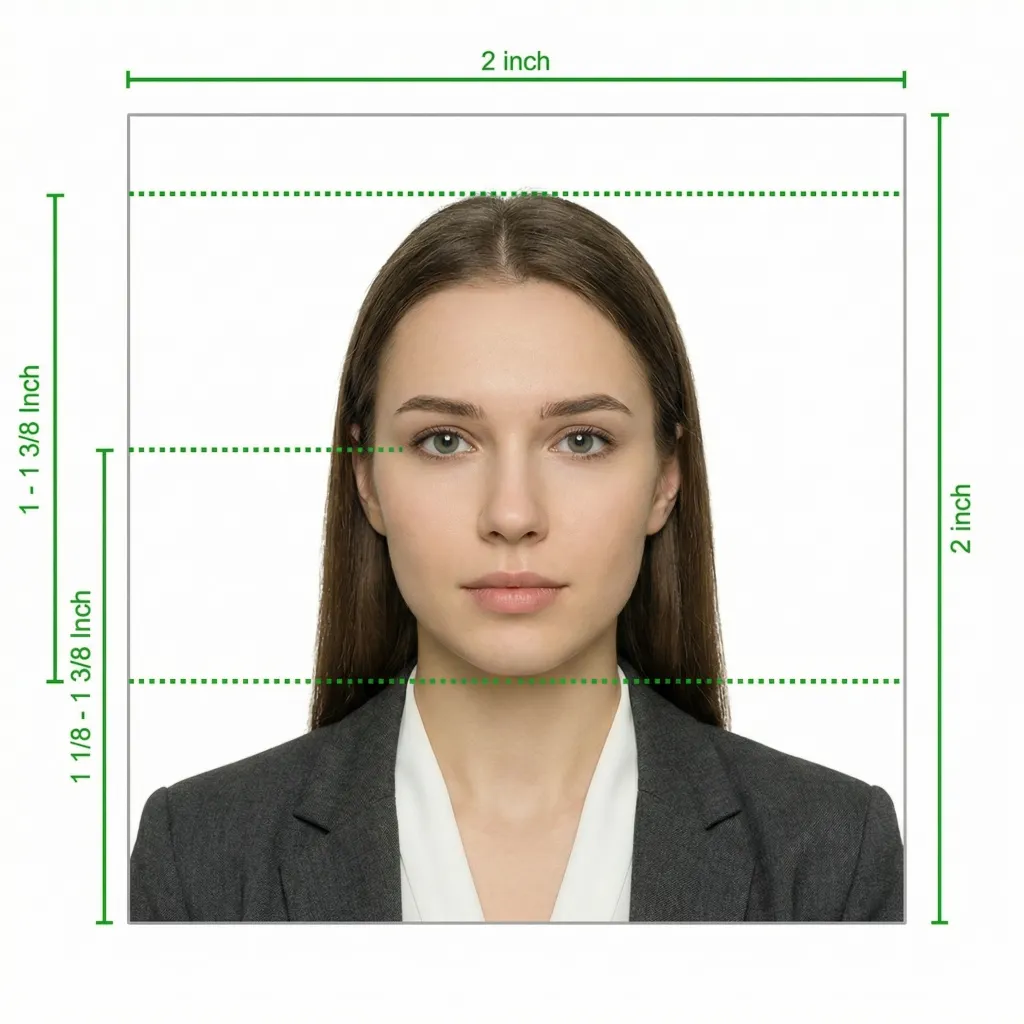
Indonesia's Directorate General of Immigration (Direktorat Jenderal Imigrasi) sets the passport photo standards. The requirements differ from most countries primarily due to the mandatory red background. Below is a comprehensive guide to ensure your photo is accepted at any Indonesian embassy, consulate, or Kantor Imigrasi.
Glasses are strictly NOT allowed in Indonesian passport photos. There are no exceptions — you must remove your glasses before taking the photo, even if you wear them daily. This rule is enforced at all Indonesian immigration offices and embassies.
Source: Direktorat Jenderal Imigrasi — imigrasi.go.id | paspor.imigrasi.go.id
You don't need to visit a photo studio or find a red wall. Follow these simple steps to take a compliant Indonesia passport photo at home using your smartphone. Our AI will handle the red background replacement automatically.
Any modern smartphone camera (iPhone, Samsung Galaxy, Google Pixel, etc.) can take a passport-quality photo. Make sure the lens is clean and set to the highest resolution. Place your phone on a tripod or ask someone to help — selfies tend to have the wrong angle and distortion.
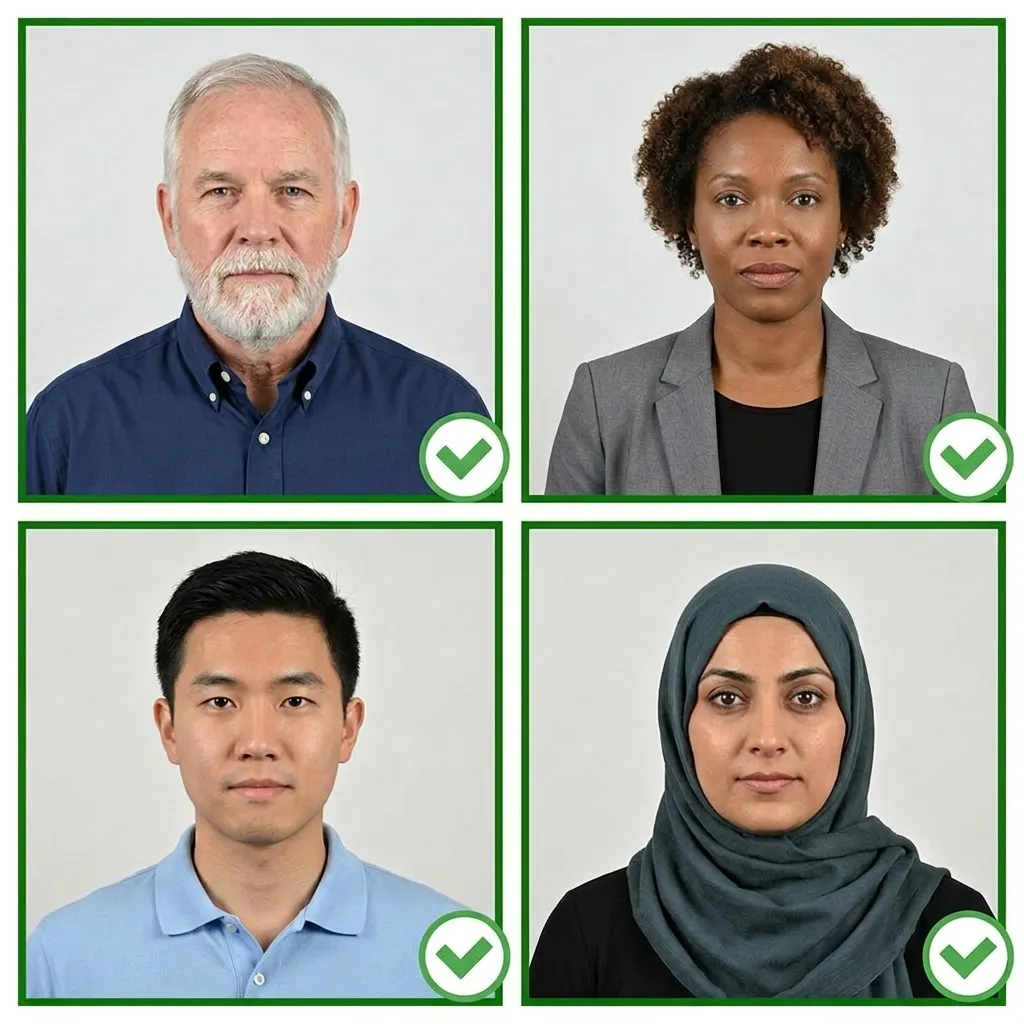
Stand facing a window with natural daylight for the best even lighting. Avoid direct sunlight which creates harsh shadows. If using indoor lights, use multiple light sources from different angles to ensure both sides of your face are equally lit.
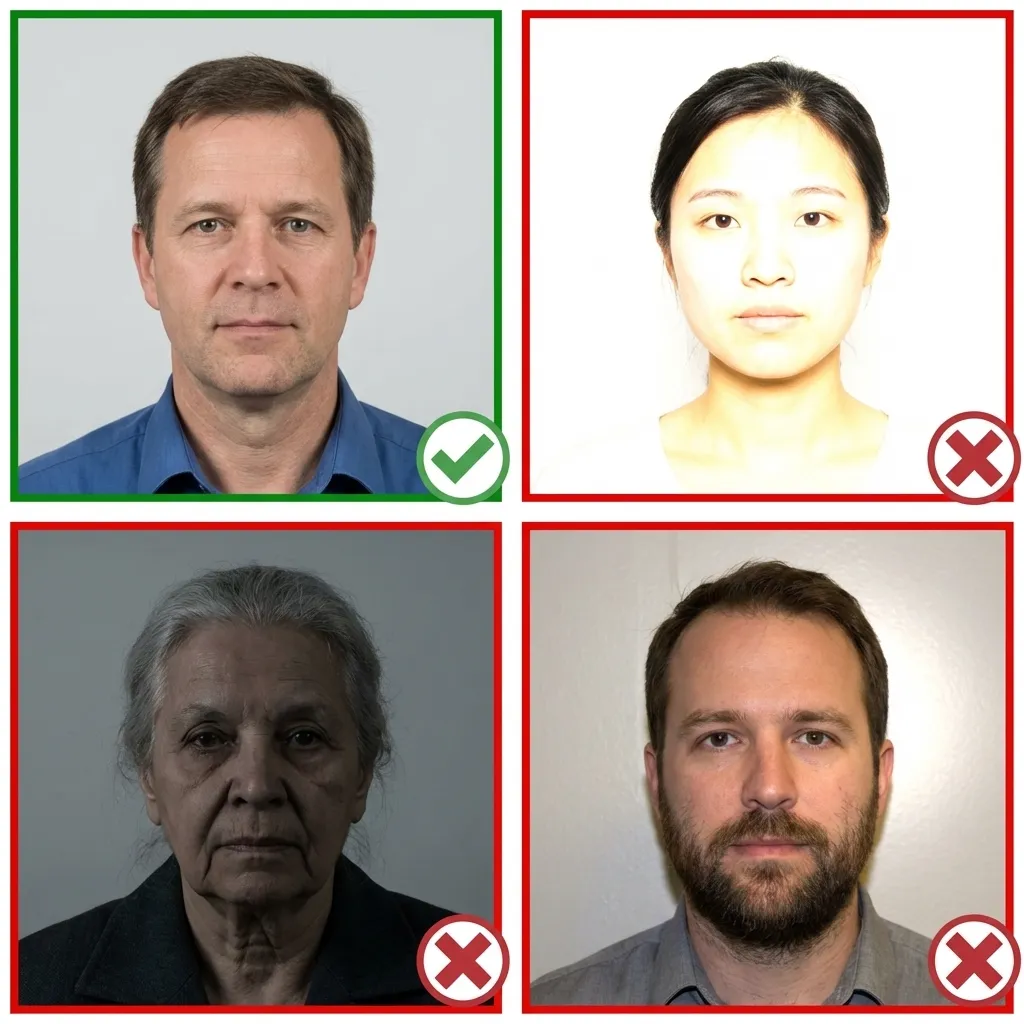
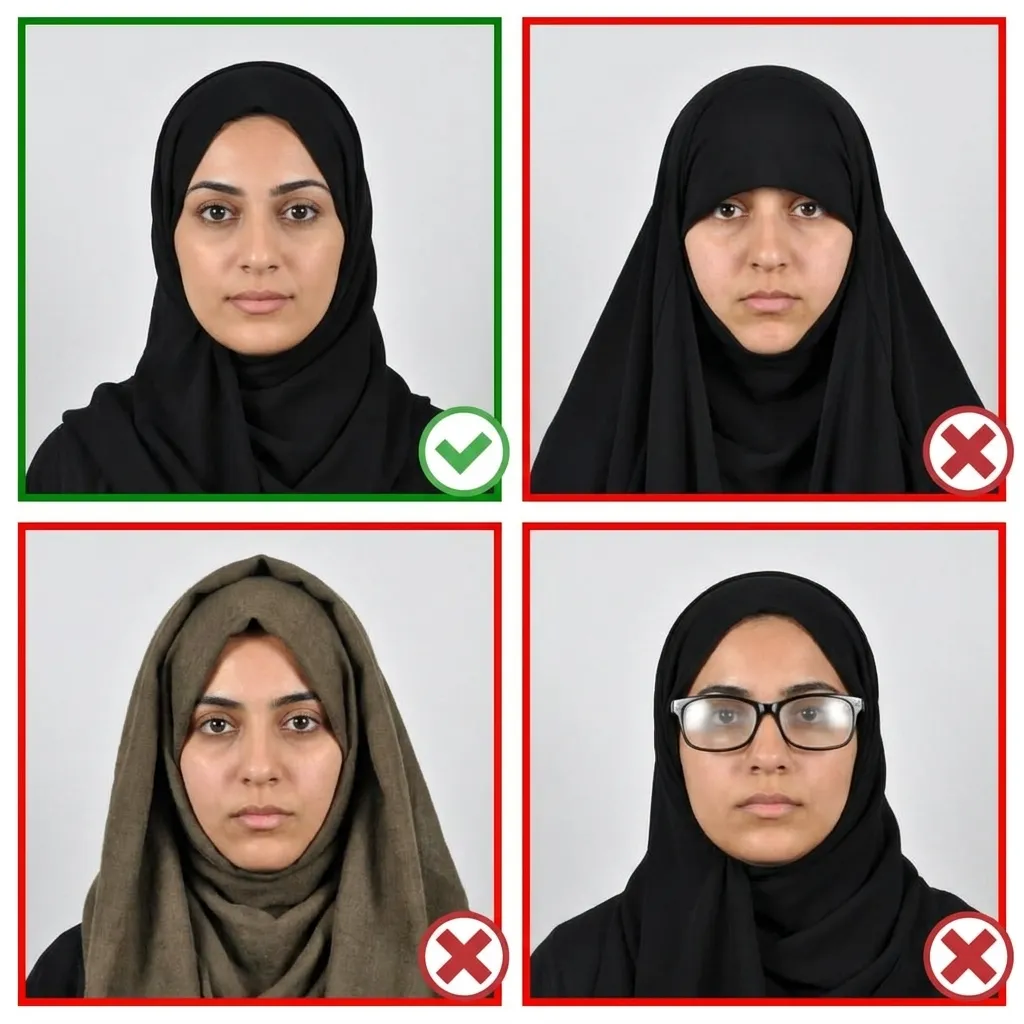
Wear your normal everyday clothing. Avoid uniforms and red tops that may blend with the background. If you wear hijab, ensure your face is fully visible from chin to forehead and ear to ear. Avoid bright patterns on your hijab.
Stand about 1.5 meters in front of the camera with your head facing directly forward. Keep your shoulders relaxed and your head level — not tilted. Your entire face from chin to forehead must be clearly visible on both sides. Remember: no smiling.
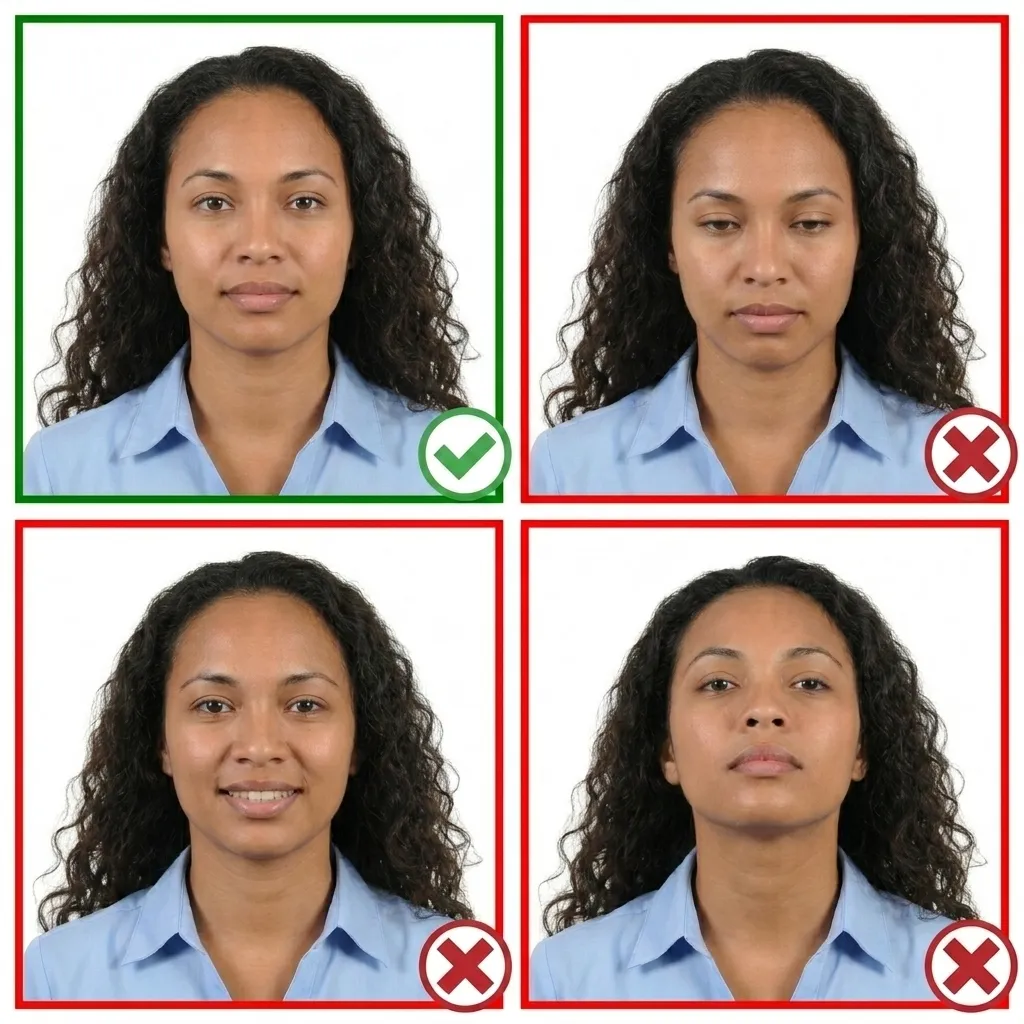
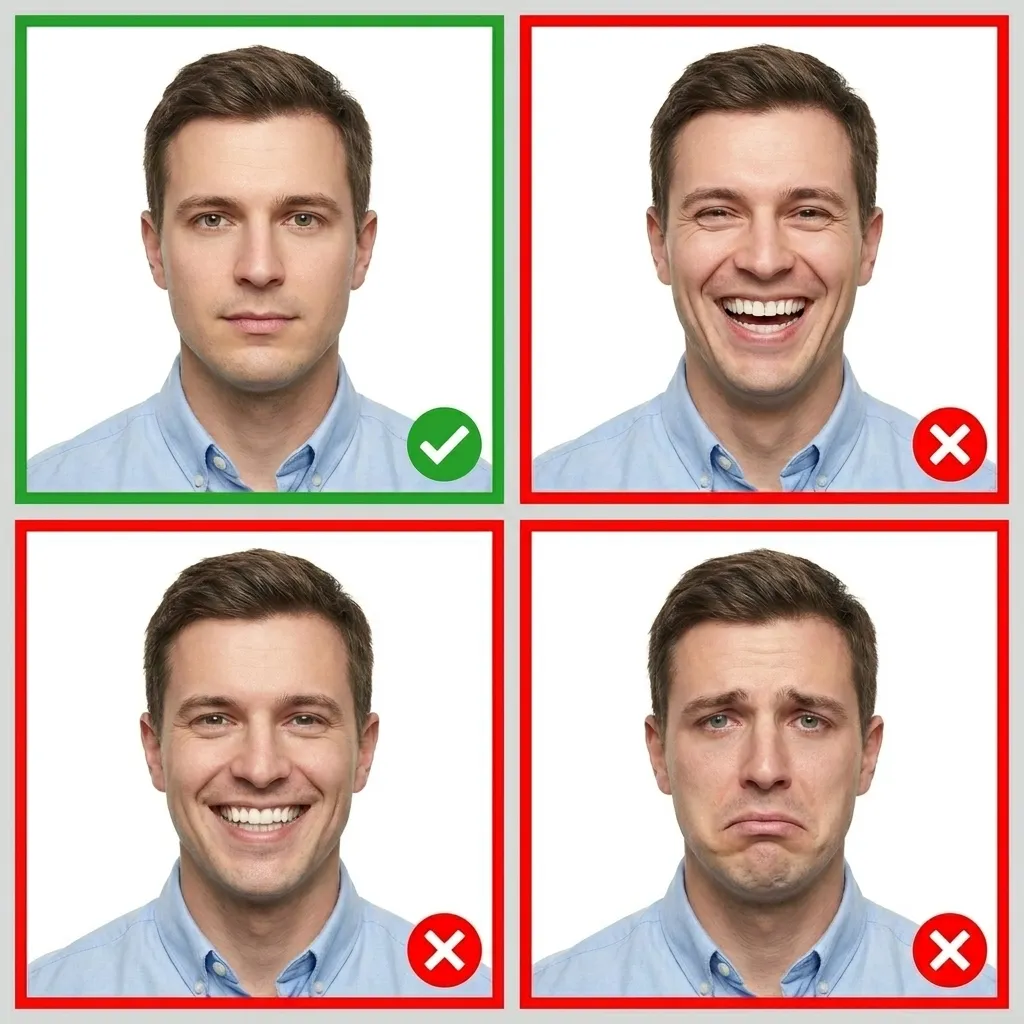
Keep your face relaxed with a neutral expression. Both eyes must be open and your mouth closed. Do not smile — Indonesian passport photos strictly require a neutral expression. The horizontal line between your eyes should be parallel to the top edge of the photo.
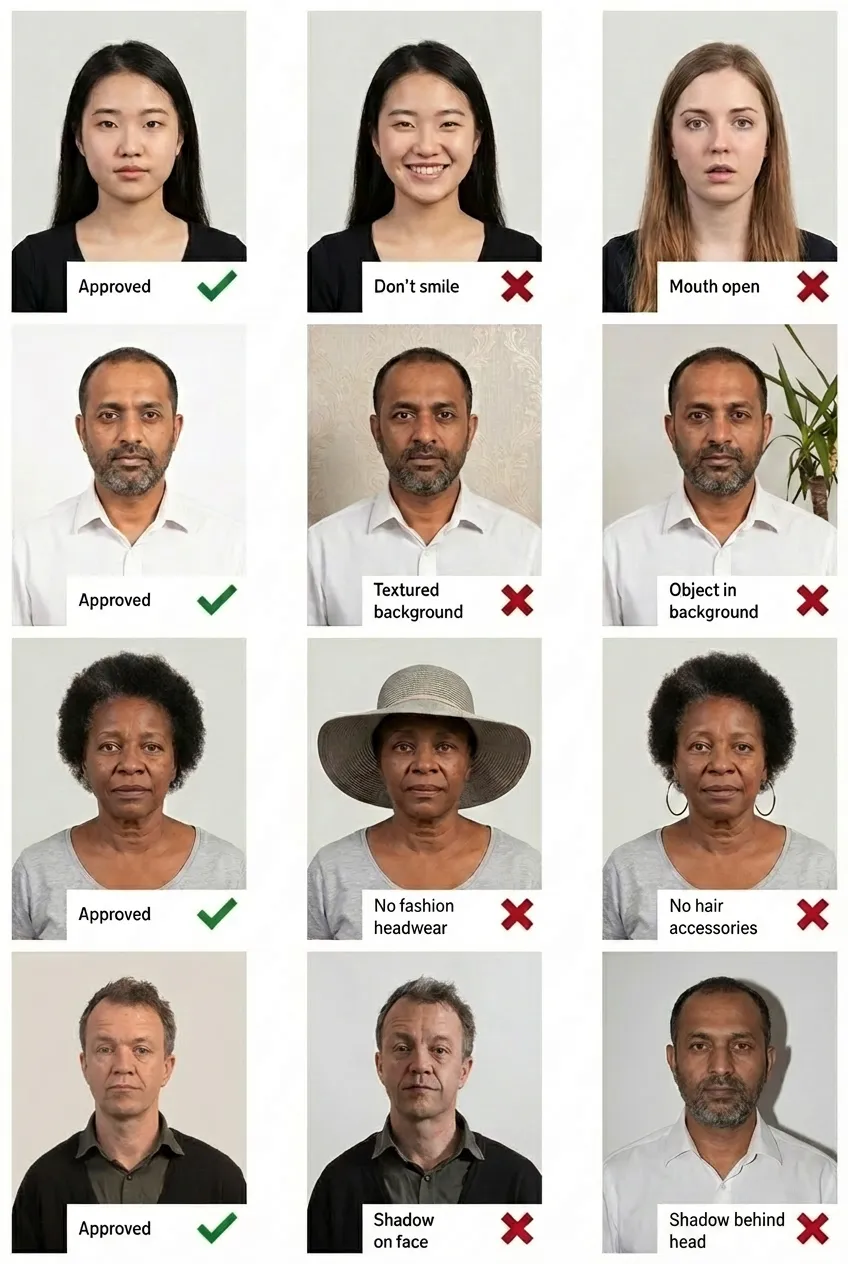
Comparison of acceptable and unacceptable passport photos
Indonesia mandates a solid red background for passport photos as a national standard set by the Directorate General of Immigration. This is unique to Indonesia — almost no other country uses red backgrounds for passport photos. The red background helps with identification and distinguishes the passport photo from photos used in other documents. Do NOT confuse this with the KTP red/blue rule — the passport always requires red regardless of birth year.
It depends on where you apply. For applications at Indonesian embassies, consulates abroad, and VFS Global centers, the required size is 51x51 mm (2x2 inch). For domestic applications at Kantor Imigrasi within Indonesia, the format is typically 40x60 mm (4x6 cm). Both formats require a red background. Always confirm with the office where you plan to apply.
No, glasses are strictly NOT allowed in Indonesian passport photos. There are no exceptions for medical or any other reasons. You must remove your glasses before taking the photo, even if you wear them daily. This rule is enforced consistently at all immigration offices and embassies worldwide.
Yes, hijab is allowed for Indonesian passport photos. The requirement is that the full face must be visible — from the bottom of the chin to the top of the forehead, and from ear to ear. The hijab must not cast shadows on the face. Choose a solid, neutral-colored hijab to avoid any issues.
Yes! You can take your passport photo with any smartphone camera. Upload it to PassportPhoto.help and our AI will automatically crop to the correct 2x2 inch (51x51 mm) size, replace the background with solid red, adjust the head size and eye line, and ensure your photo meets all Indonesian passport requirements.
The 2x2 inch (51x51 mm) format is used at Indonesian embassies, consulates, and VFS Global centers outside Indonesia. The 4x6 cm (40x60 mm) format is the standard domestic size used at Kantor Imigrasi offices within Indonesia. Both require a red background. If you are applying abroad, use the 2x2 inch format.
Indonesian passport applications require 2 (two) identical copies of the passport photo. Both copies must match exactly — same photo, printed twice or submitted digitally twice. They must be taken within the last 6 months and meet all requirements including the red background.
No, they are completely different rules. The KTP (Kartu Tanda Penduduk, Indonesian national ID card) uses a red background for people born in even-numbered years and a blue background for those born in odd-numbered years. The passport, however, ALWAYS requires a red background for every applicant, regardless of birth year.