Everything you need to know about Algeria visa photo requirements, including exact dimensions, background color, pose rules, and how to take a compliant photo at home.
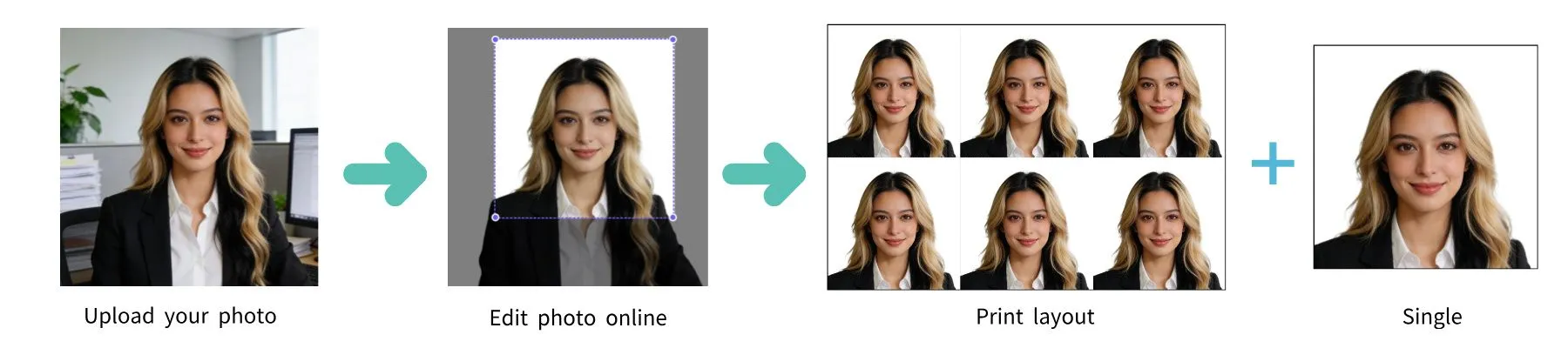
| Requirement | Specification |
|---|---|
| Country | Algeria |
| Document Type | Visa |
| Photo Size | 35 × 45 mm |
| Resolution (DPI) | 600 |
| Pixel Dimensions | 827 × 1063 pixels at 600 DPI |
| Head Size | 70–80% of photo |
| Head Height | 34.7 mm |
| Top Margin | 3.5 mm |
| Background Color | White |
| Printable | Yes — on matte or glossy photo-quality paper |
| Digital for Online Submission | Yes |
| Color | Color only (black and white not accepted) |
| Photos Required | 2–3 |
| Recency | Within 6 months |
Algeria has specific requirements for visa photos. Below is a comprehensive guide to ensure your photo is accepted.
Glasses are best removed for your Algeria visa photo. If you must wear them, ensure there are no tinted lenses and no glare or reflection on the lenses. Your eyes must be clearly visible through the glasses.
You don't need a professional studio. Follow these simple steps to take a compliant Algeria visa photo at home using your smartphone.
Any modern smartphone camera (iPhone, Samsung Galaxy, Google Pixel, etc.) is more than capable of taking a passport-quality photo. Make sure the lens is clean and the camera is set to the highest resolution.
Place your phone on a tripod or ask someone to take the photo for you. Selfies tend to have the wrong angle and distortion.
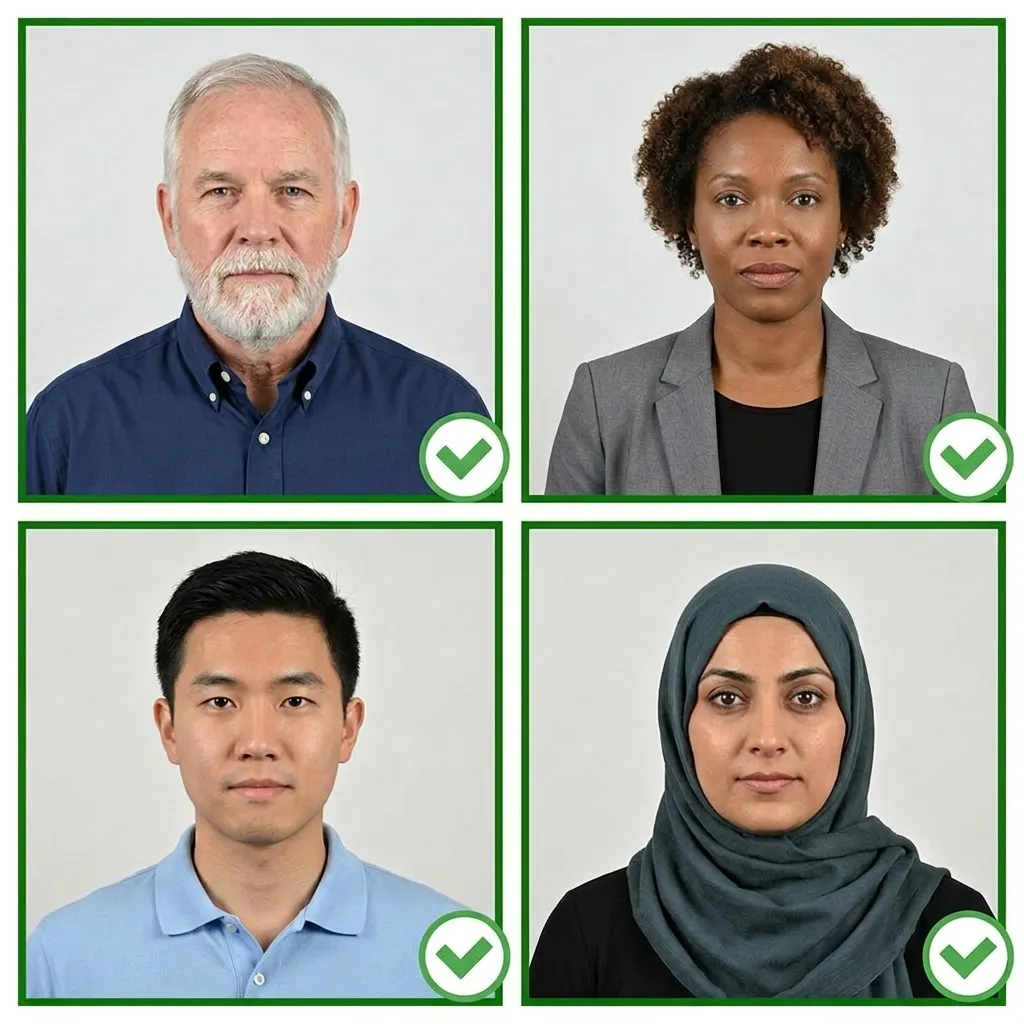
Stand facing a window with natural daylight for the best even lighting. Avoid direct sunlight, which creates harsh shadows. If using indoor lighting, use multiple light sources from different angles to eliminate shadows.
Wear your normal everyday clothing. Avoid uniforms and white tops that blend with the background. If you wear religious head coverings daily, you may keep them on as long as your full face is visible.
Make sure your hair does not cover your eyes or cast shadows on your face.
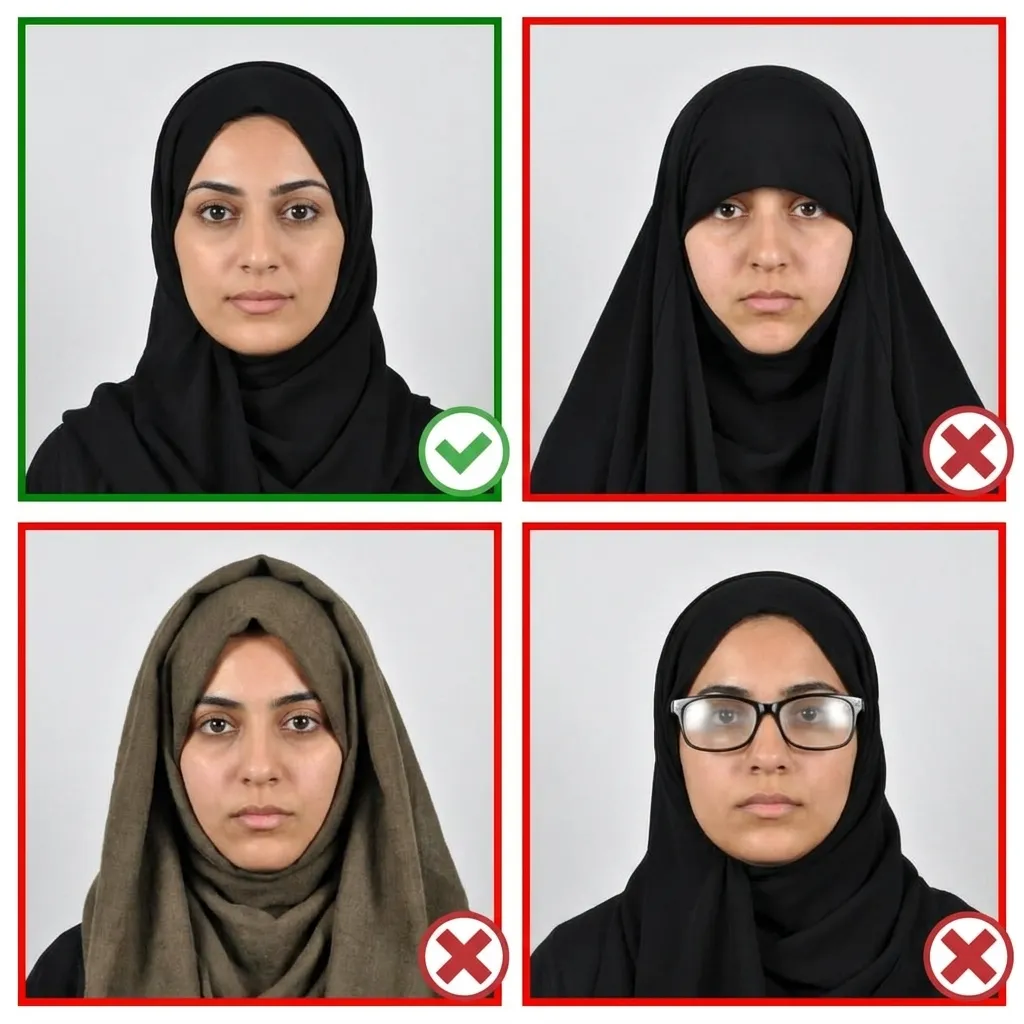
Stand about 4 feet (1.2 meters) in front of the camera with your head facing directly forward. Keep your shoulders relaxed and your head level — not tilted. Ensure your entire face from chin to forehead is visible.
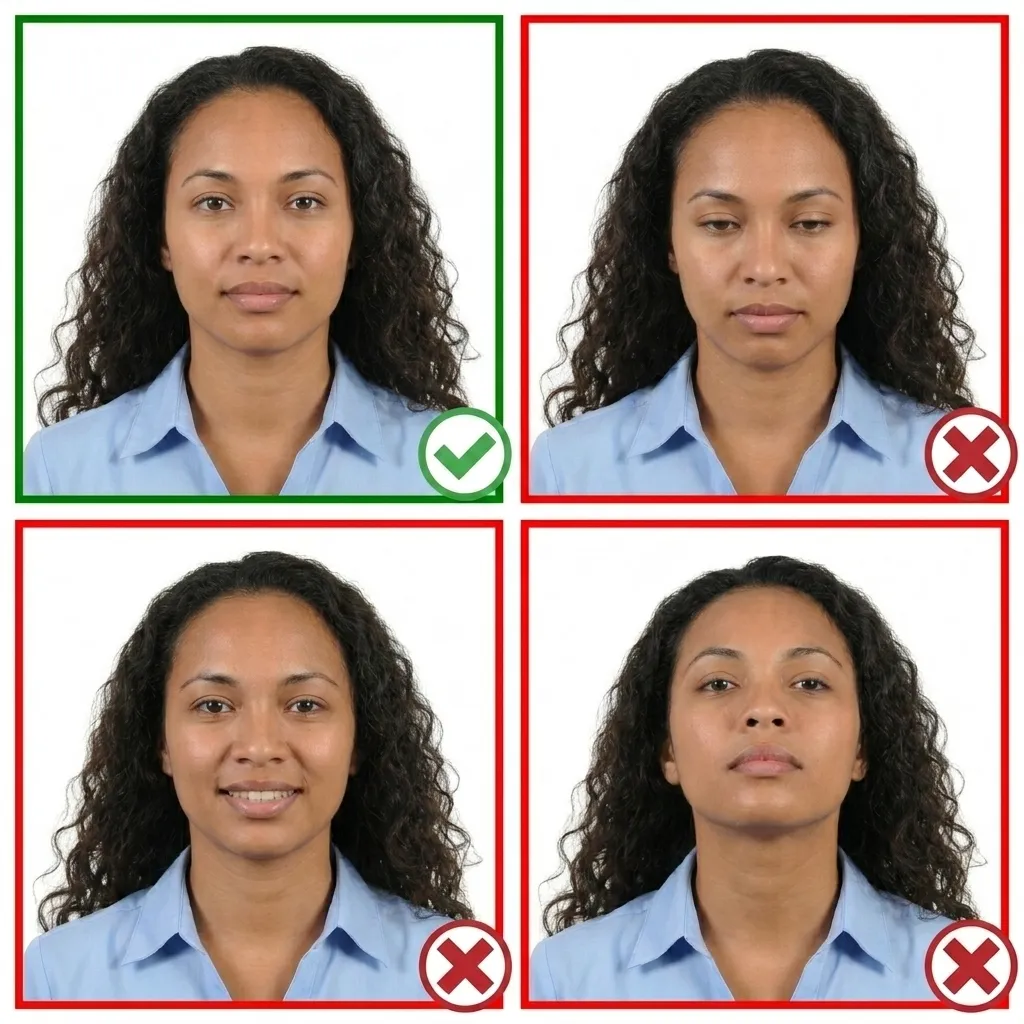
Keep your face relaxed with a neutral expression. Both eyes must be open and your mouth closed. No smiling, frowning, or exaggerated expressions.
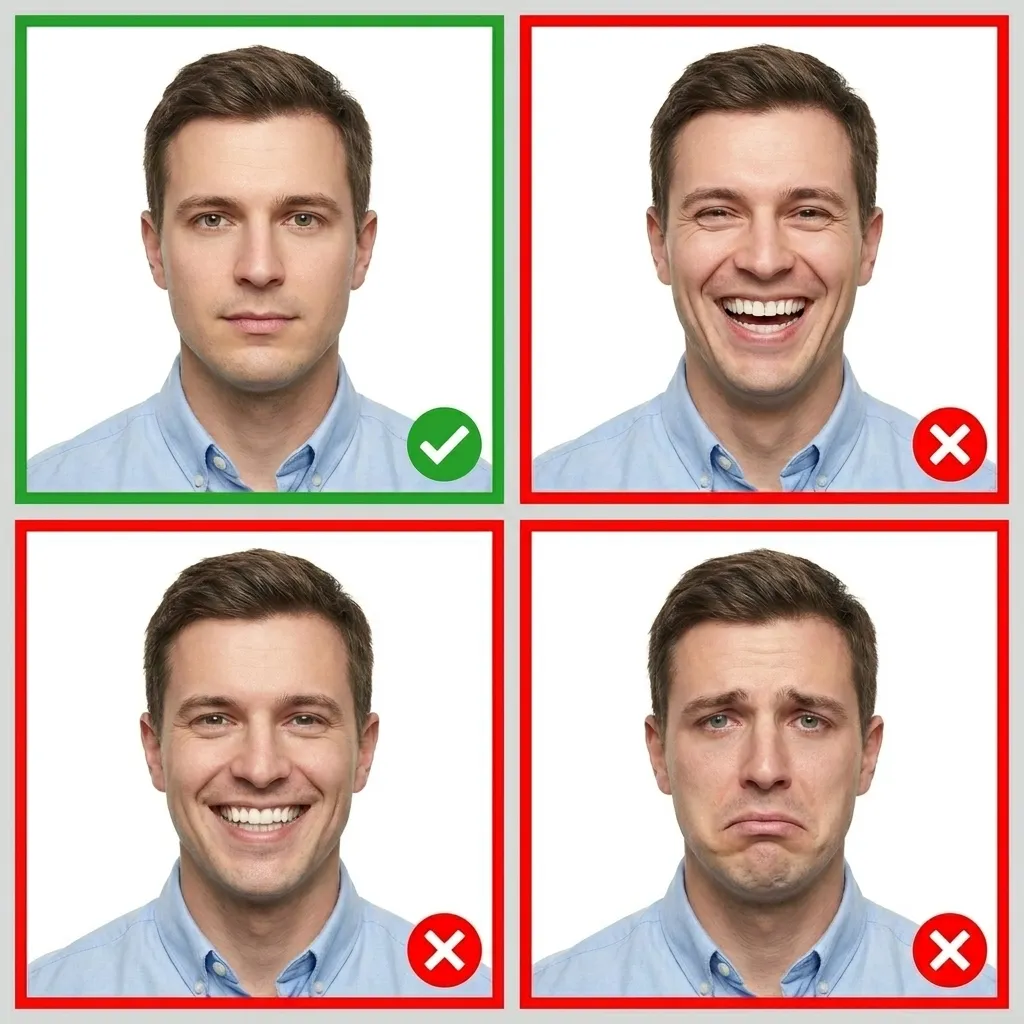
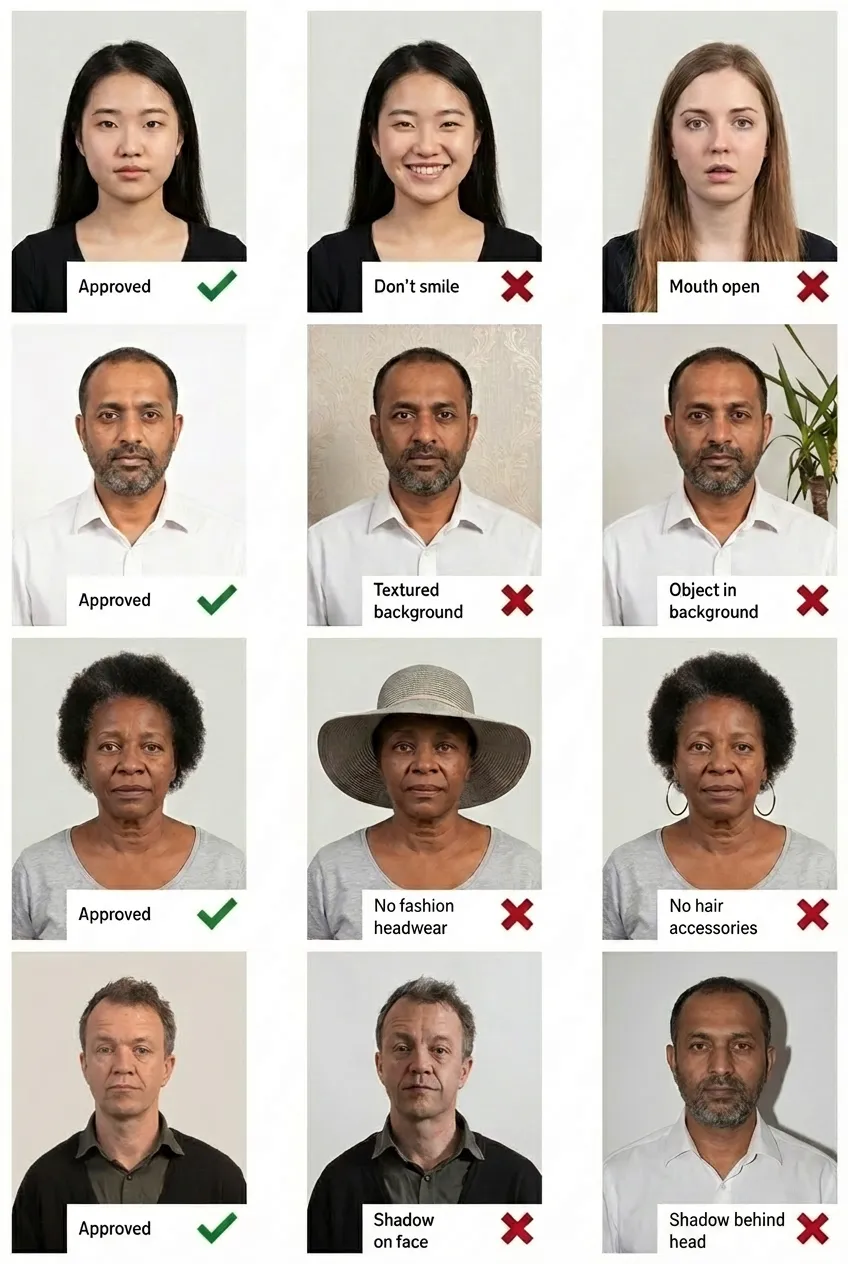
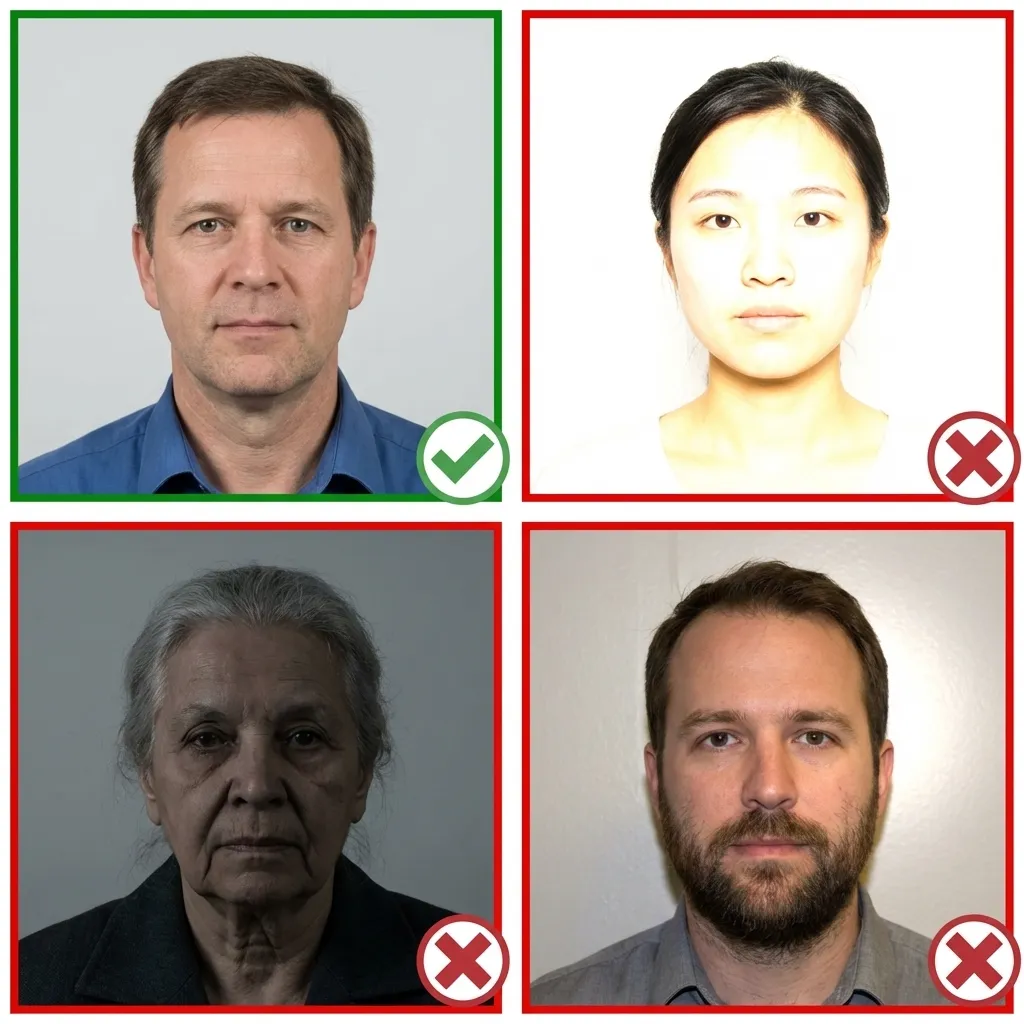
Comparison of acceptable and unacceptable visa photos
An Algeria visa photo must be exactly 35×45 mm. The head should occupy 70–80% of the photo, with a head height of approximately 34.7 mm and a top margin of 3.5 mm.
It is best to remove glasses for your Algeria visa photo. If you must wear them, ensure there are no tinted lenses and no glare or reflection on the lenses. Your eyes must be clearly visible through the glasses.
No. You must maintain a neutral facial expression with your mouth closed and both eyes open. No smiling, frowning, or exaggerated expressions are permitted.
Yes! You can take your visa photo with any smartphone. Simply upload it to PassportPhoto.help and our AI will automatically crop, resize, remove the background, and ensure it meets all official Algeria visa photo requirements.
The background must be plain white. No patterns, objects, shadows, or other people should be visible. If you don't have a white wall, don't worry — our tool will automatically replace your background with white.
Your visa photo must have been taken within the last 6 months. It should reflect your current appearance, including any significant changes to your face.
Head coverings are not permitted except for religious reasons. Even then, your full face must be visible from the bottom of your chin to the top of your forehead, and both sides of the face must be clearly visible.
If your visa photo doesn't meet the requirements, your visa application will be delayed. Using PassportPhoto.help ensures your photo meets all official requirements before you submit your application, saving you time and hassle.