UAE Residence Card Photo (40×60 mm) Requirements and Size Guide
Everything you need to know about UAE residence card (بطاقة الإقامة) photo requirements, including exact dimensions, background color, pose rules, and how to take a compliant residence permit card photo at home.
UAE Residence Card Photo Specifications
Requirement
Specification
Country
United Arab Emirates (الإمارات العربية المتحدة)
Document Type
Residence Card / Residence Permit (بطاقة الإقامة)
Photo Size
40 × 60 mm (4 × 6 cm / 1.57 × 2.36 inches)
Resolution (DPI)
300–600
Head Size
70–80% of the photograph (~38 mm head height)
Background Color
White or light uniform
Digital Photo Size
944 × 1417 pixels at 600 DPI
Photo Paper Type
Matte
Color
Color only
Recency
Taken within the last 6 months
Card Validity
1–2 years (standard) / 5–10 years (Golden Visa)
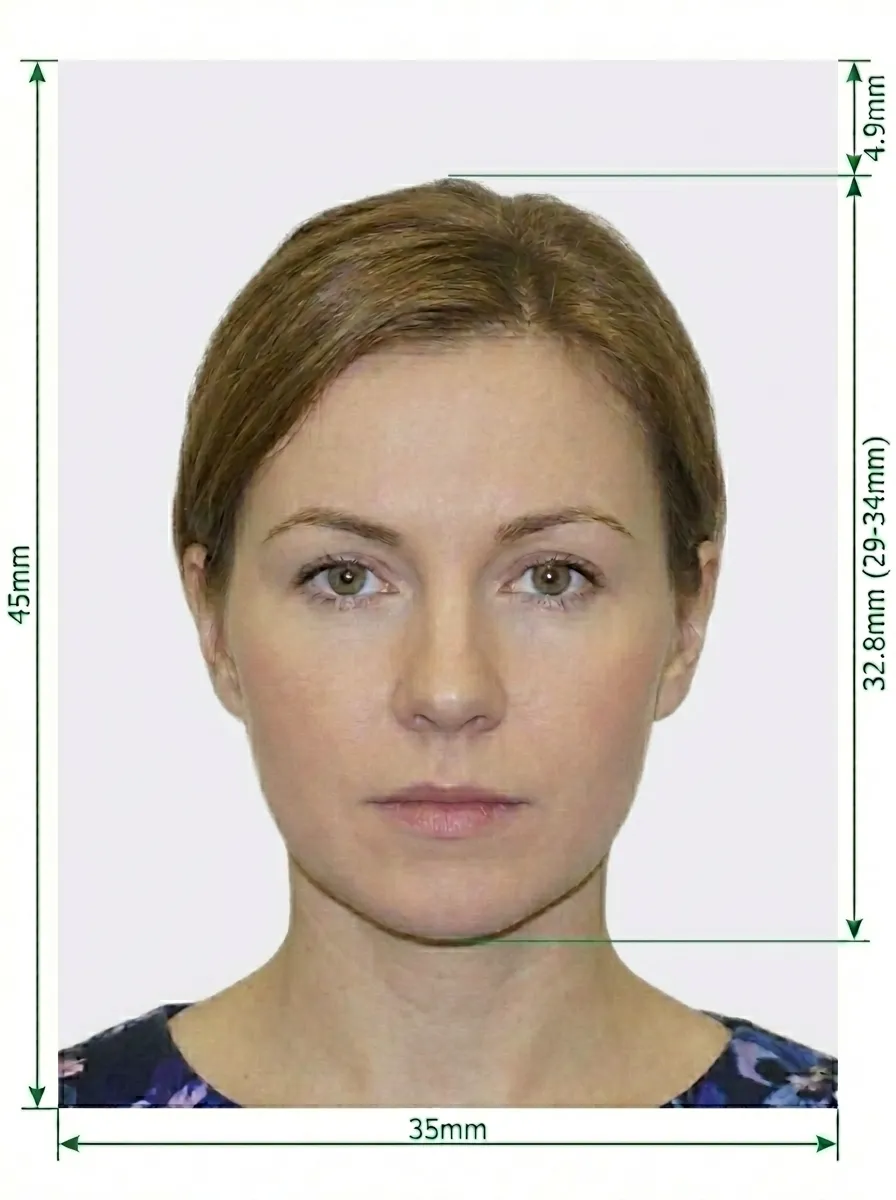
UAE Residence Card Photo Size Diagram
Key measurements: The photo must be exactly 40×60 mm. Your head should occupy 70–80% of the photograph, with approximately 6 mm of space from the top edge to the top of your head.
Don't worry about getting the perfect photo. Upload any photo taken at home, and our AI-powered tool will automatically crop to the correct 40×60 mm size, remove and replace the background with white, adjust the head size, and ensure your photo meets all official UAE residence card requirements.
Detailed UAE Residence Card Photo Requirements
The UAE residence card (بطاقة الإقامة) is issued to all foreign nationals legally residing in the UAE for employment, family sponsorship, property ownership, or investment. The card is linked to the Emirates ID system and managed by ICP. Below is a comprehensive guide to ensure your photo is accepted.
About the UAE Residence Card
Official name: بطاقة الإقامة (Residence Permit Card)
Issued to: All foreign nationals residing in the UAE
Linked to: Emirates ID — the residence permit is embedded in the Emirates ID card
Validity: Typically 1–2 years for employment; 5–10 years for Golden Visa holders
Issuing authority: ICP (Federal Authority for Identity, Citizenship, Customs & Port Security)
Categories: Employment, family sponsorship, investor/partner, property owner, student, retirement
Residence Visa Types
Employment Visa — Sponsored by a UAE employer, valid for 1–2 years
Family Sponsorship Visa — For dependents of a UAE resident, valid per sponsor's visa
Investor / Partner Visa — For business owners, valid for 2 years
Property Owner Visa — For real estate owners, valid for 2 years (renewable)
Golden Visa — Long-term residence for investors, talents, and professionals, valid for 5–10 years
Student Visa — For international students at UAE educational institutions
Retirement Visa — For retirees aged 55+ meeting financial criteria
Photo Basics
Your photo must be in color — black and white not accepted
Must be a recent photo, taken within the last 6 months
The photo must be clear and in focus
No filters or editing — do not digitally alter your appearance
Must reflect your current appearance
Pose and Expression
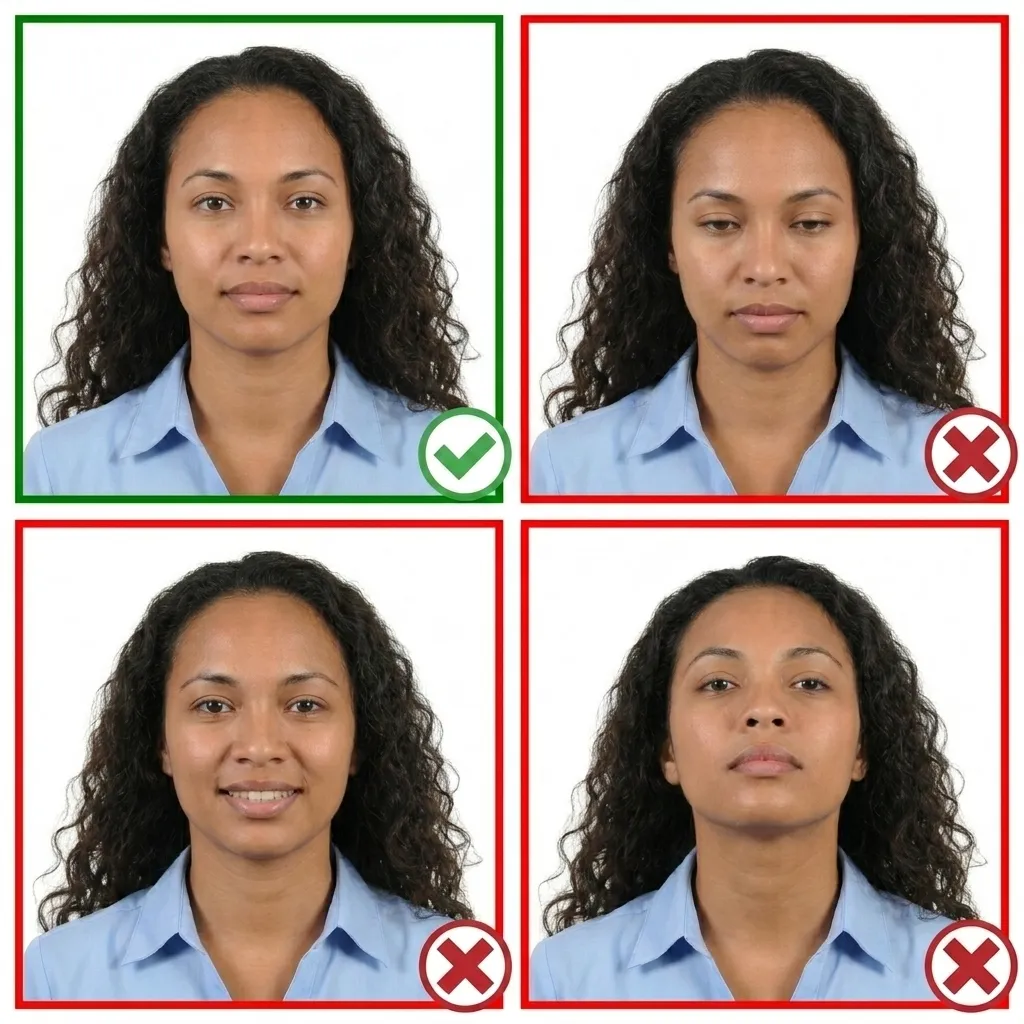
Face the camera directly — head must not be tilted or turned
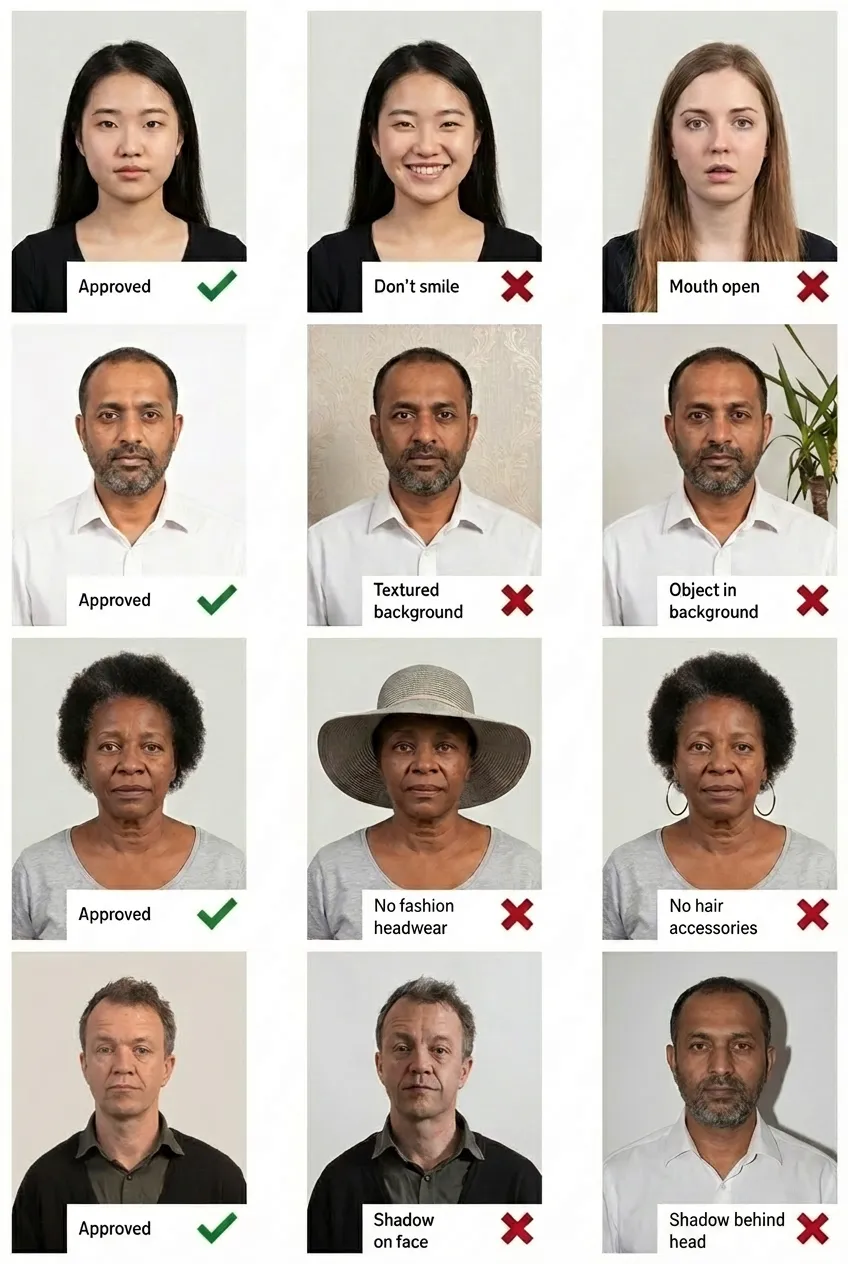
Maintain a neutral facial expression with your mouth closed
Both eyes must be open and clearly visible
Ensure your face is fully visible from chin to forehead, ear to ear
Background
Use a plain white or light-colored background
No patterns, textures, or objects visible behind you
No shadows on your face or behind your head
Glasses
Glasses are NOT allowed in UAE residence card photos. You must remove all eyewear, including sunglasses and tinted lenses.
Head Coverings
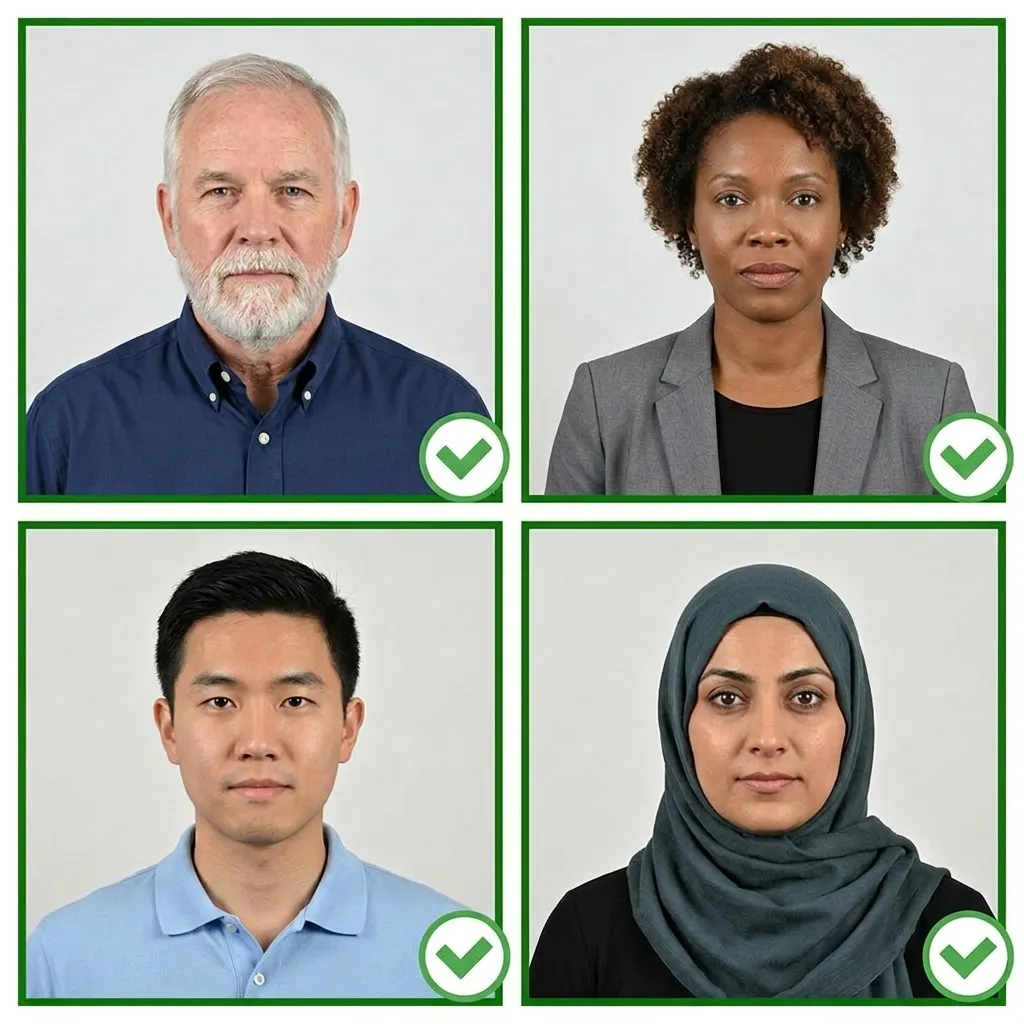
No hats or head coverings allowed, unless worn for religious purposes
If worn for religious reasons, your full face must still be clearly visible
Clothing
Wear normal everyday clothing
Do not wear uniforms
Avoid wearing white tops that blend with the background
You don't need a professional studio. Follow these steps to take a compliant UAE residence card photo at home.
1
Use a Smartphone or Digital Camera
Any modern smartphone camera works well. Clean the lens and set to the highest resolution. Ask someone to take the photo — selfies have the wrong angle.
2
Find Good Lighting
Stand facing a window with natural daylight. Avoid direct sunlight. Use multiple indoor light sources if needed.
Tip: Our AI tool will automatically replace your background with white.
3
Pose and Expression
Face the camera directly with a neutral expression. Both eyes open, mouth closed. Keep your head level — not tilted. Ensure your entire face is visible.
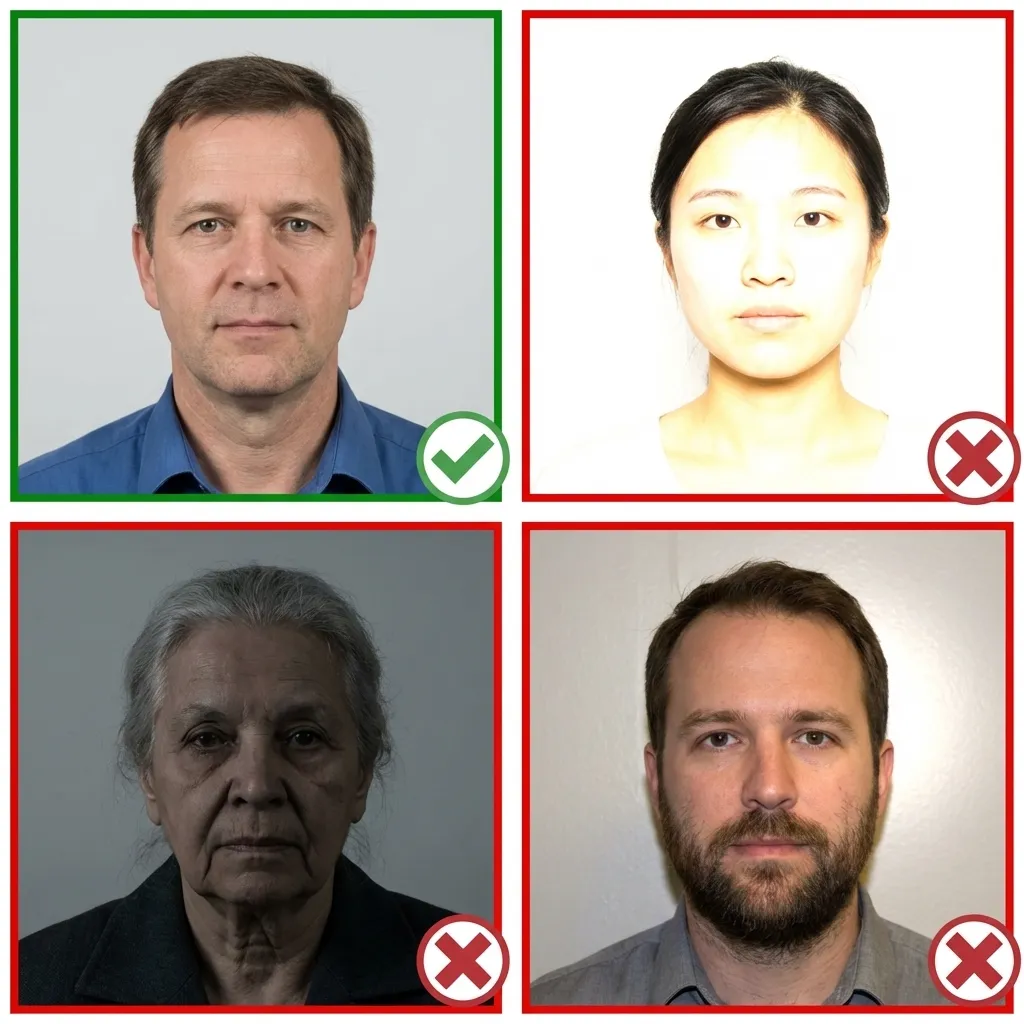
Good and Bad Examples of UAE Residence Card Photos
Comparison of acceptable and unacceptable residence card photos
Frequently Asked Questions
What size is a UAE residence card photo?
A UAE residence card photo must be exactly 40×60 mm (4×6 cm or 1.57×2.36 inches). Your head should occupy 70–80% of the photograph, with approximately 6 mm of space from the top edge to the top of your head.
What is the UAE residence card?
The UAE residence card (بطاقة الإقامة) is the residence permit issued to foreign nationals living in the UAE. It is linked to the Emirates ID and allows legal residency for employment, family sponsorship, investment, or property ownership.
How long is a UAE residence card valid?
Standard employment residence permits are valid for 1–2 years. Golden Visa residence permits can be valid for 5–10 years depending on the category. The residence card must be renewed before expiry.
Can I wear glasses in my UAE residence card photo?
No. Glasses, sunglasses, and tinted lenses are not permitted. You must remove all eyewear before taking the photo.
Can I take my UAE residence card photo with my phone?
Yes! Upload your photo to PassportPhoto.help and our AI will automatically crop, resize, remove the background, and ensure it meets all UAE residence card requirements.
What is the Golden Visa?
The UAE Golden Visa is a long-term residence permit (5–10 years) granted to investors, entrepreneurs, specialized talents, researchers, outstanding students, and frontline heroes. It does not require a sponsor and allows self-sponsorship.
What background color is required?
The background must be plain white or very light-colored. No patterns, objects, or shadows. Our tool will automatically replace your background with white.